Service Manual
91
14.2 Replacement of I/O module
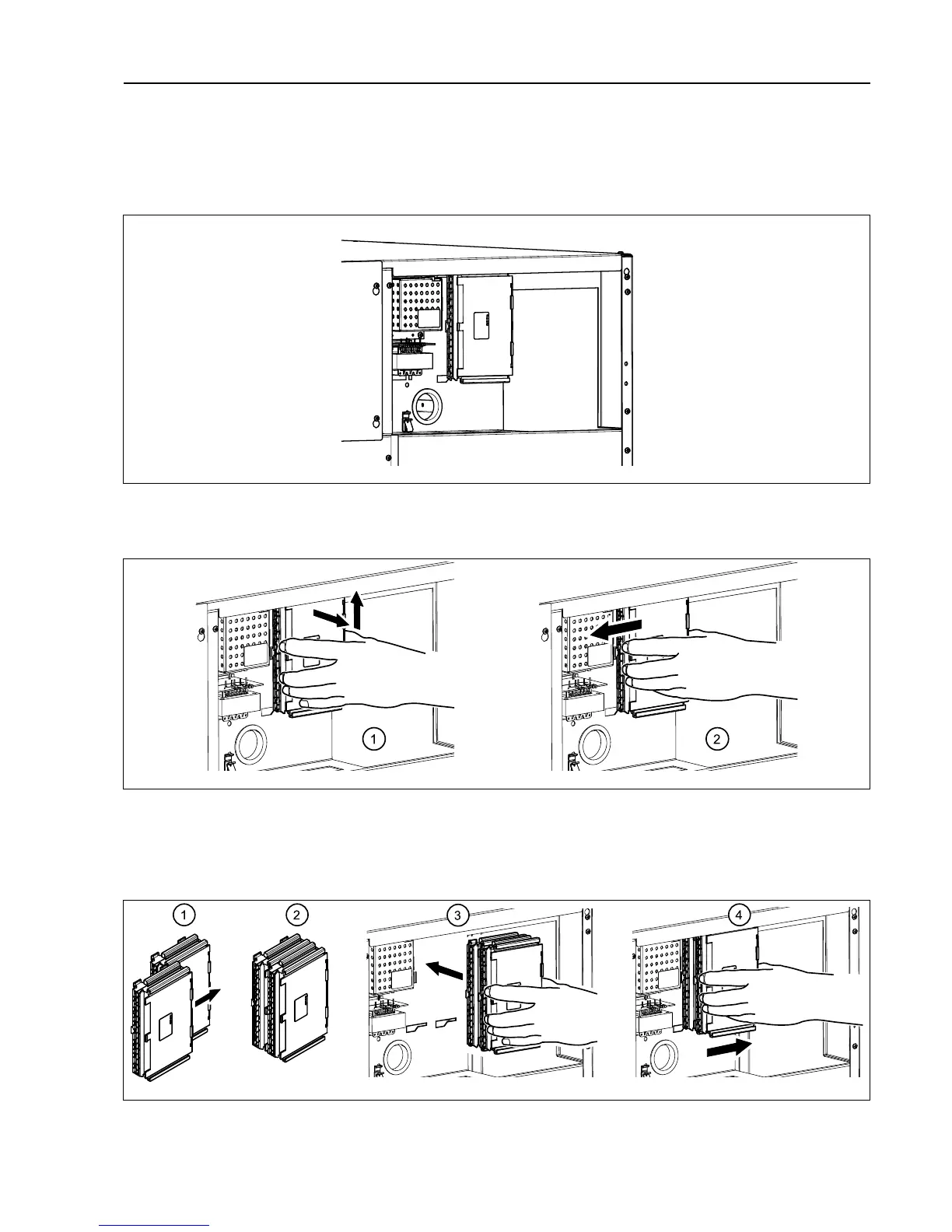
I/O module type 8 and I/O module type 2 are installed in the same way. If the machine has I/O module type 2, it is lo-
cated on I/O module type 8. The illustration shows replacement of I/O module type 8.
Disconnect the power to the machine.
Demount the upper rear panel.
Remove the electrical connections on the module. (Note the position of the connections).
Remove the module by lifting it towards you and up a bit and then pushing it to the left.
Insert the new module and make sure it is in position.
Connect the electrical connections in the same way as before.
If both I/O module type 8 and I/O module type 2 is to be replaced it is recommended to fit the modules together be-
fore mounting in the machine.



 To Next Page