EasyManua.ls Logo

Electrolux W475H - Page 53

Electrolux W475H
76 pages
Print Icon
To Next Page IconTo Next Page
To Previous Page IconTo Previous Page
Loading...
53
Procedure for use
4796
4797
4798
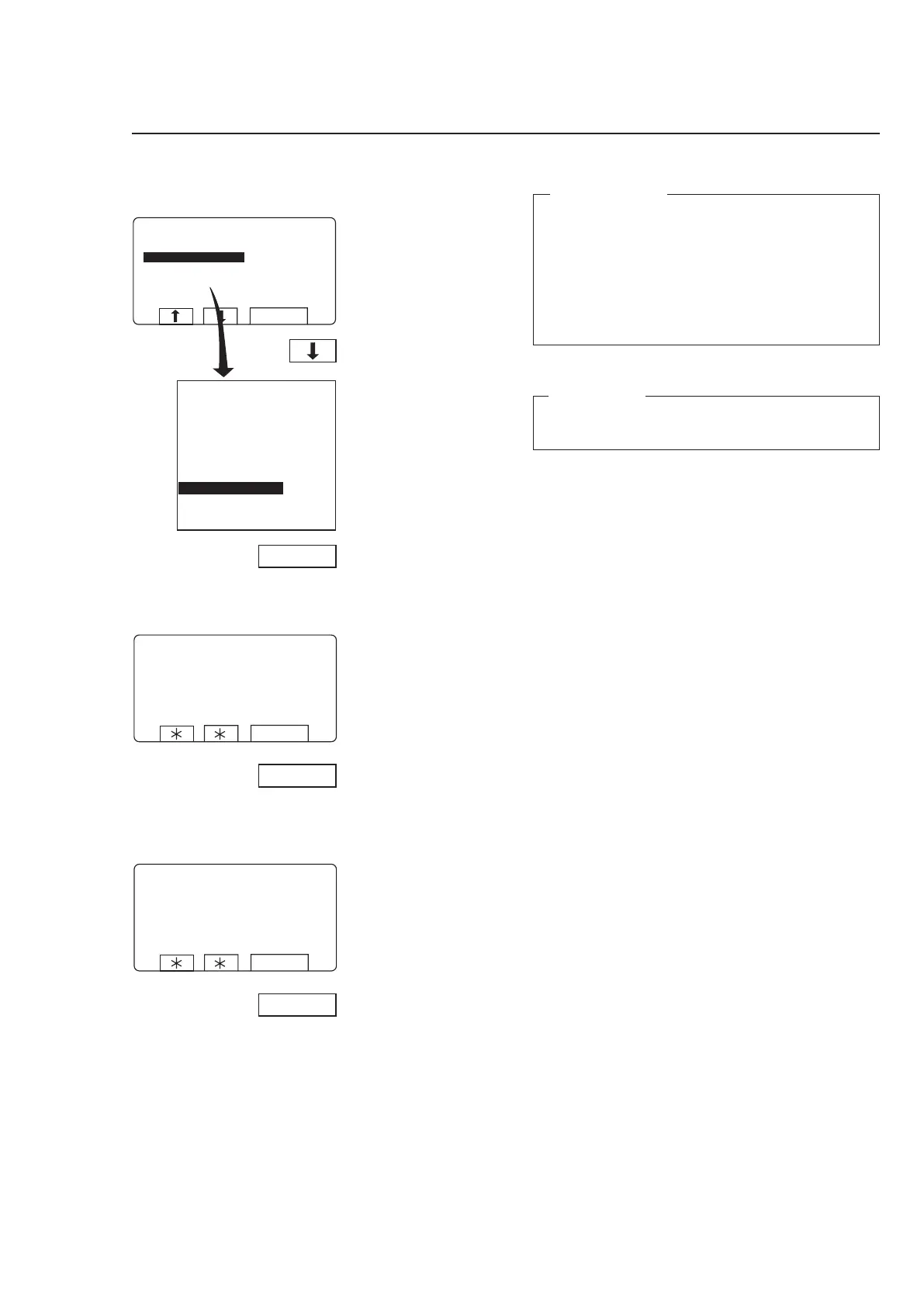
If you wish to calibrate
zero for the weighing
equipment:
Press SELECT.
Press
b six times to
highlight ”ZERO CALI
-
BRATION”.
Press SELECT.
This screen shows you
have calibrated zero.
Press SELECT.
Zero calibration































For machines with weighing equipment installed only!
Zero calibration
The “Zero calibration” function is used to increase the
accuracy of the weighing equipment. This should be
done once a month.
If this calibration has not succeeded you will see an
error message equivalent to: “FAILED. PRESS SE-
LECT” on the display.
For troubleshooting, see the section “Fault-finding,
weighing equipment” in the machine manual.
Please note:
The machine must be unladen during this calibration,
i.e. no water or wash load in the drum.