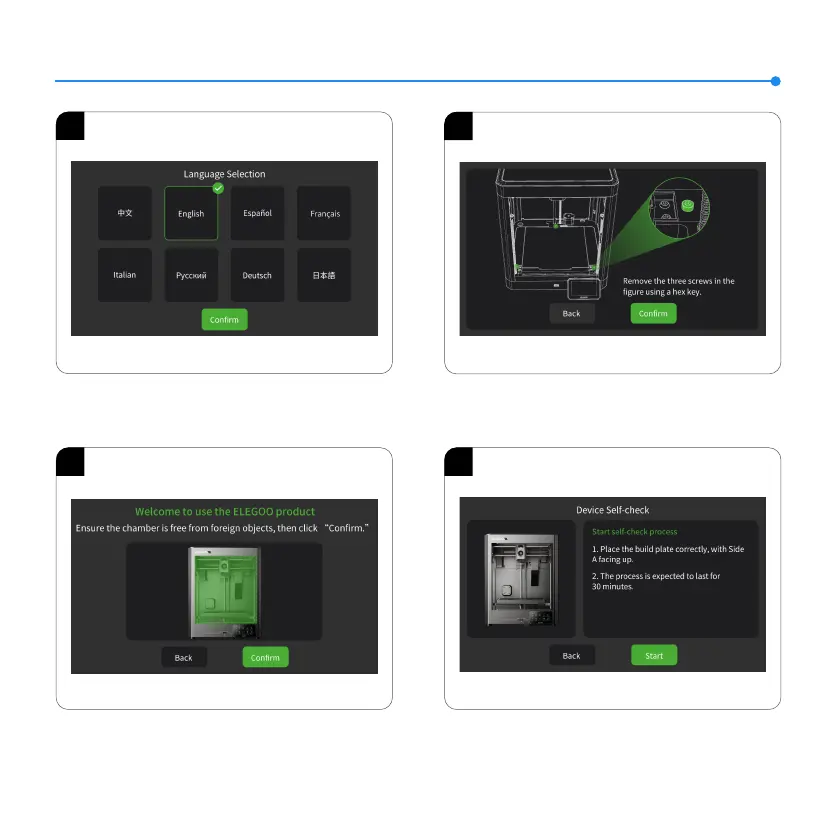
Screen Operation Instruction
1
2
3
4
1. Language Selection
2. Follow the on-screen prompt to remove the three fixed screws
of the build platform.
3. Ensure the printer chamber is free from foreign objects, then
click “Confirm” to proceed.
4. Enter the initial self-check process. Vibrations and noises
during the self-check are normal.
9













 To Next Page