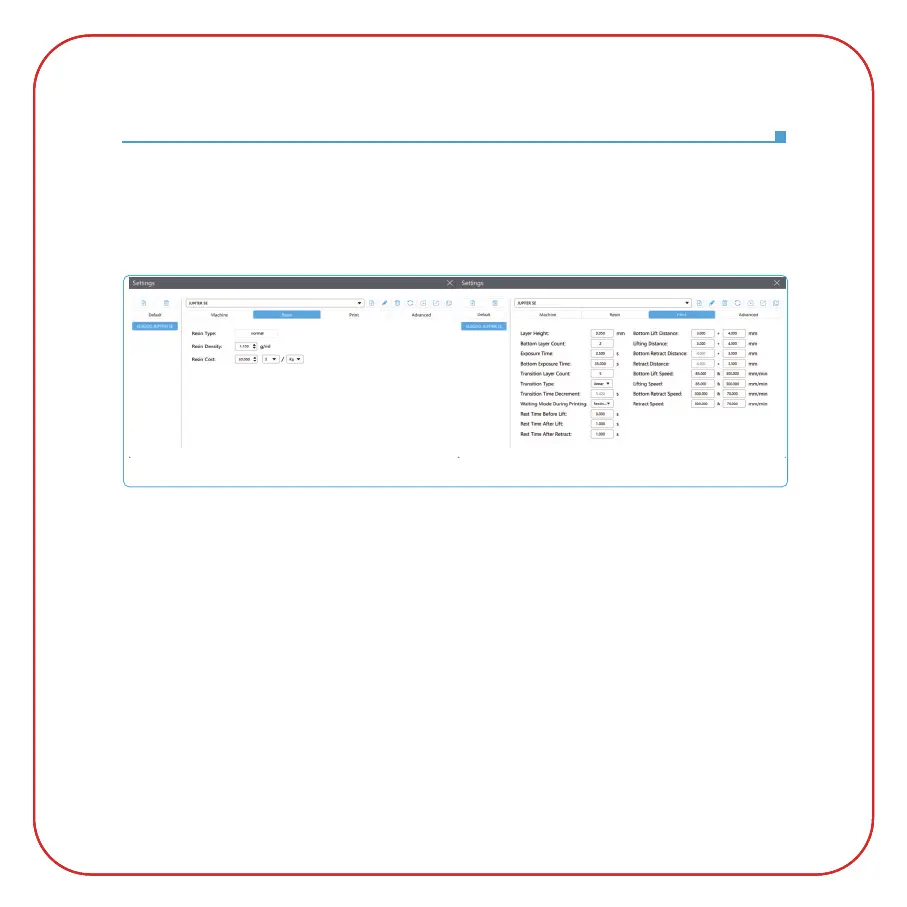
3.3 Resin Parameter (See Picture 17)
Resin Density:
1.1g/ml
Resin Cost: You can input the real price of the resin you purchased, and the slicing software can
calculate the resin costs for each model you print.
3.4 Parameters (See Picture 17)
Layer Height:
The thickness of each printed layer, the recommended height is 0.05mm, but you
can set it from 0.01-0.2mm. The higher thickness you set, the longer the exposure time will be
required for each layer.
Bottom Layer Count: The setting number of initial printing layers. If the number of bottom layers
is n, the exposure time of the first n layers is the exposure time of the bottom layer. The default
setting is 2.
Exposure Time: The exposure time for normal printing layers. The default exposure time is 2.5
seconds, and the thicker the printing layer setting is, the longer time it will take.
Bottom Exposure Time: The setting of bottom layer exposure time. Properly increasing the bottom
layer exposure time can help to increase the stickiness between the printed model and the printing
platform, and the default setting is 35 seconds.
(Picture 17)
Software Installation and Setup
3



 To Next Page