Resistance Welder MULTISPOT MI-100
Operation
32
6.2 Switching on
Fig. 37: Power switch
1. Once the welder has been installed and prepared according to
instructions, you may switch it on by turning the power switch
(Fig. 37).
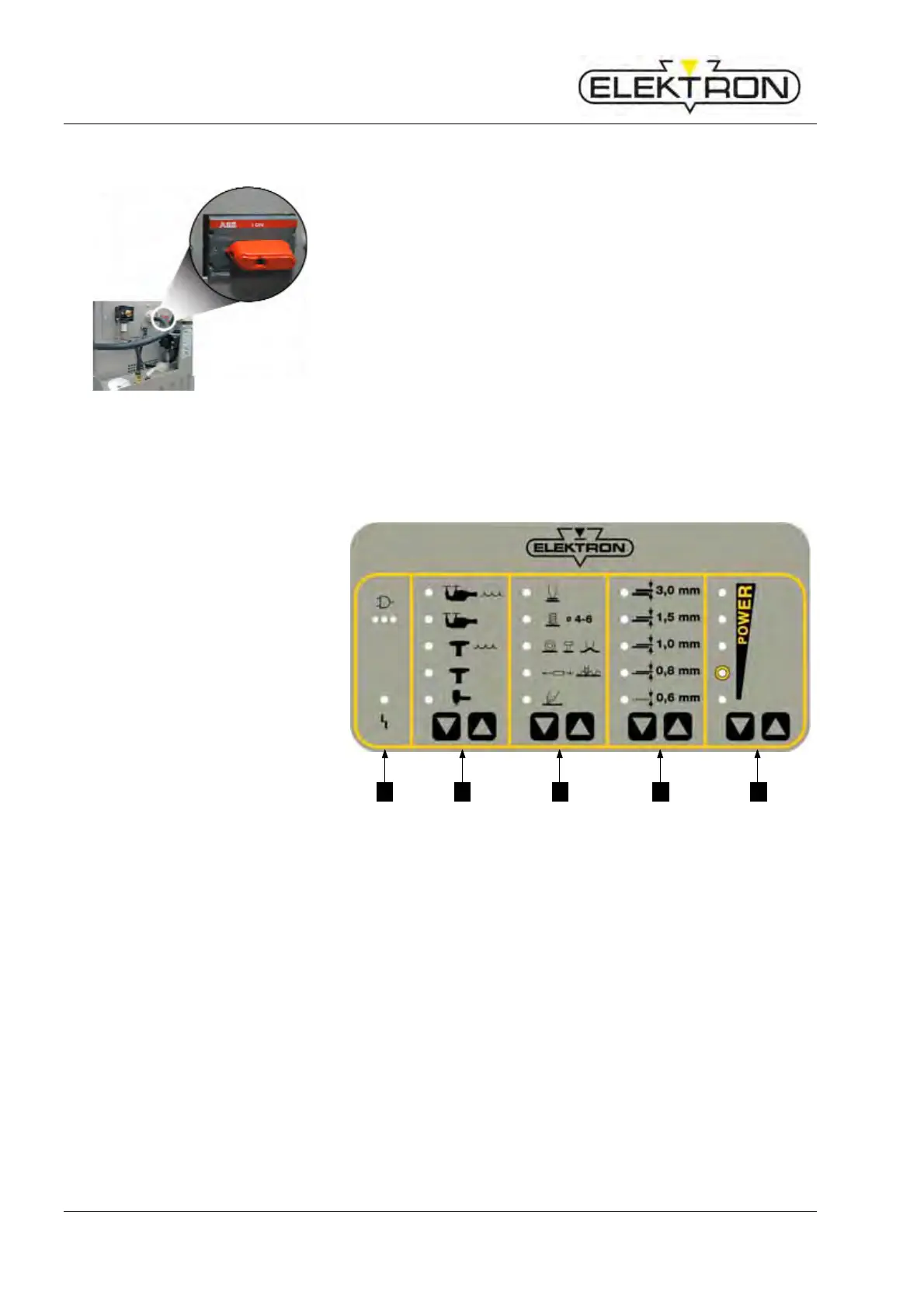
6.3 Bedienung über Tastatur
1 LED “malfunction” → see also
7.2.1
2 Touch key for selecting
welding tool
3 Touch key for selecting
welding gun functions
4 Touch key for selecting sheet
gauges
5 Touch key for power selection
1 2 3 4 5
Fig. 38: Control panel



 To Next Page