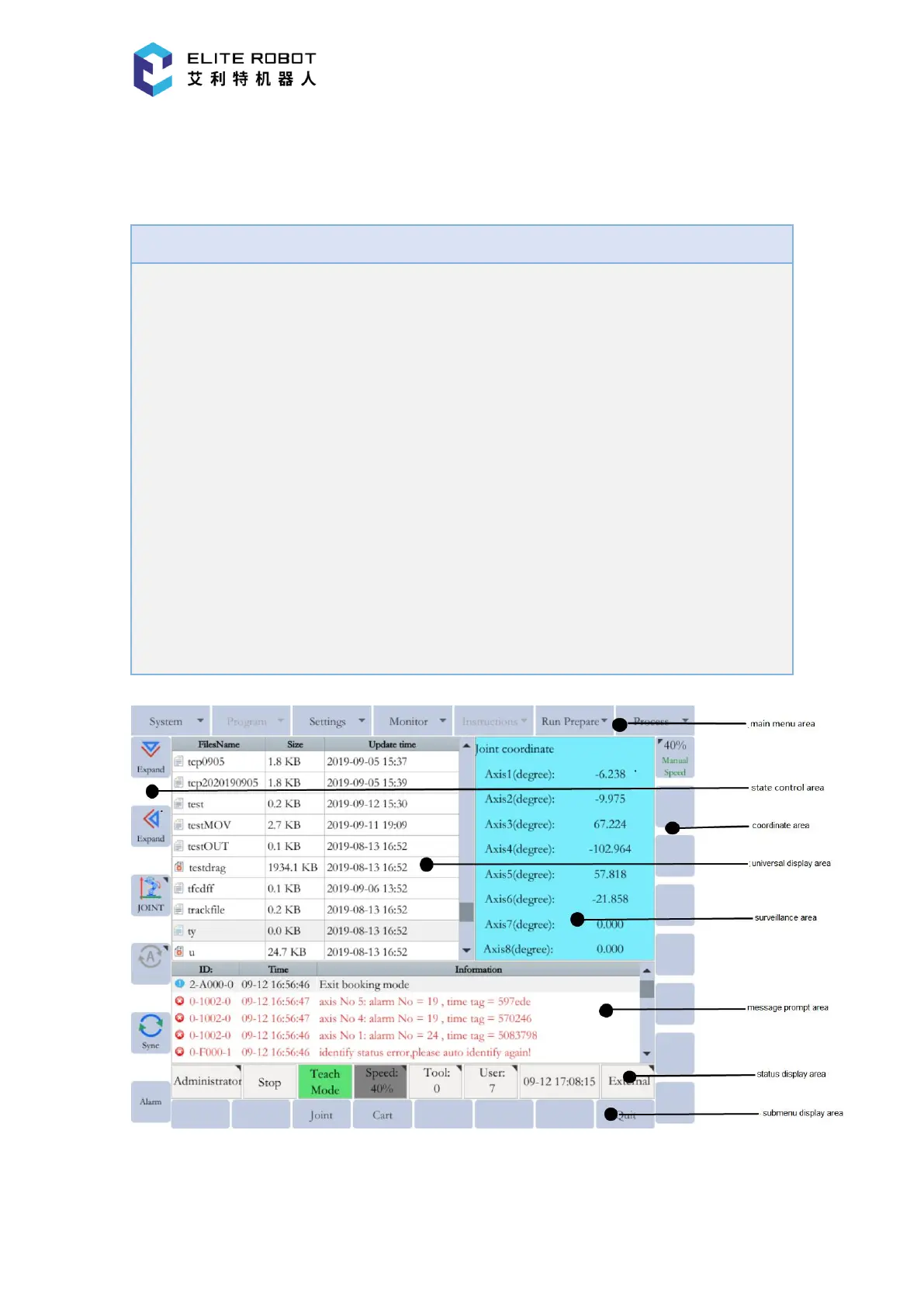
Programming pendant supports keyboard and touch operations. The status
control area, coordinate area and submenu area support operations by pendant keys,
while all buttons, input boxes, options, etc. can be clicked and controlled.
Keyboard and click operations differ in status control area, coordinate area, and
sub-menu area; Could click to switch status, pop-up dialog box, etc.; While it only
changes status (no pop up dialog boxes) when using keyboard.
After clicking in the input box, the number or character will be recognized
automatically and corresponding full keyboard or numeric keyboard pop up.
Manipulator can be operated only by pendant keys, clicking in the display
interface is invalid.
1. The display part of the programming pendant is an 8-inch colored touch screen, used for
displaying the manipulator operation interface that could be used for performing corresponding


 To Next Page