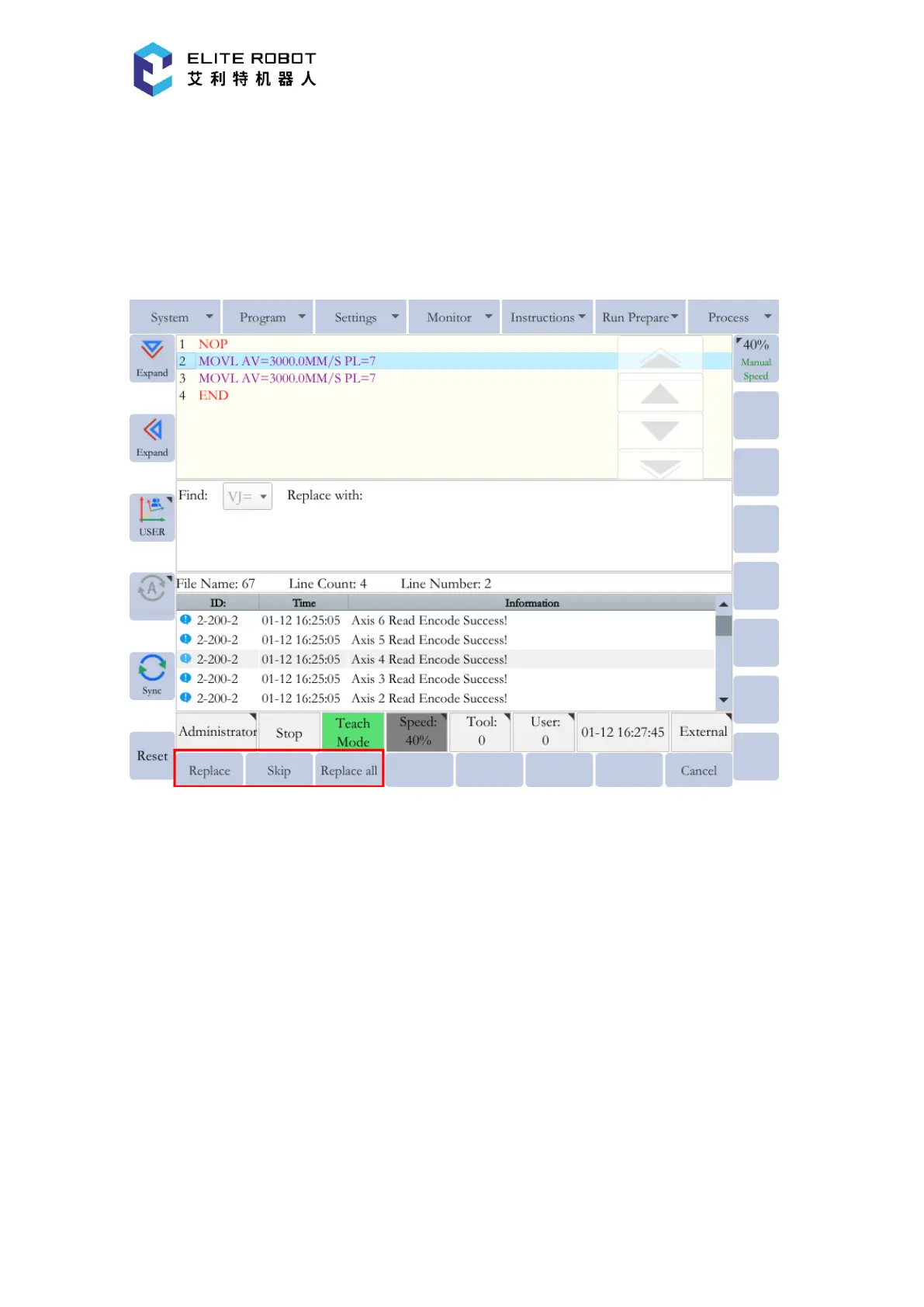
requirements with the given value. Press [REPLACE], then the submenu area displays three new
options: [REPLACE], [SKIP] and [REPLACE ALL]. [REPLACE] can be used to sequentially
replace the value of the matching item with the specified value one by one. [SKIP] can be used to
skip the current matching item. [REPLACE ALL] can be used to replace the values of all
matching items in the program with the specified value at once.
Customizing Quick Instructions
In the program editing page, [QUICK INSTRUCTIONS] in the submenu area can be pressed
to customizing the quick instructions for editing the program. The frequently used instructions can
be added to the quick instructions for easy use.
Press [CUSTOMIZING QUICK INSTRUCTIONS] to enter the customizing page. Select the
desired instruction in the left instruction selecting window, and press the right arrow to add the
selected instruction to quick instructions. Select the desired instruction in the right quick
instruction window, and press left arrow to remove the selected instruction.


 To Next Page