SECTION 3
OPERATING THE CYTOCENTRIFUGE
3.1 Running a Cytocentrifuge Cycle
Suggested Cytocentrifugation Protocol
If enabled, scan or enter cyto slide and/or specimen information.
Prepare and load slides into the rotor.
Load chambers into the rotor.
Load samples into the chambers.
Place loaded rotor onto the instrument hub and close the lid.
Select or verify desired cytocentrifuge program.
Perform a cytocentrifuge cycle.
Remove rotor from the instrument.
Check for complete absorption of suspension fluids.
Remove chambers for cleaning or disposal.
Remove slides for further processing.
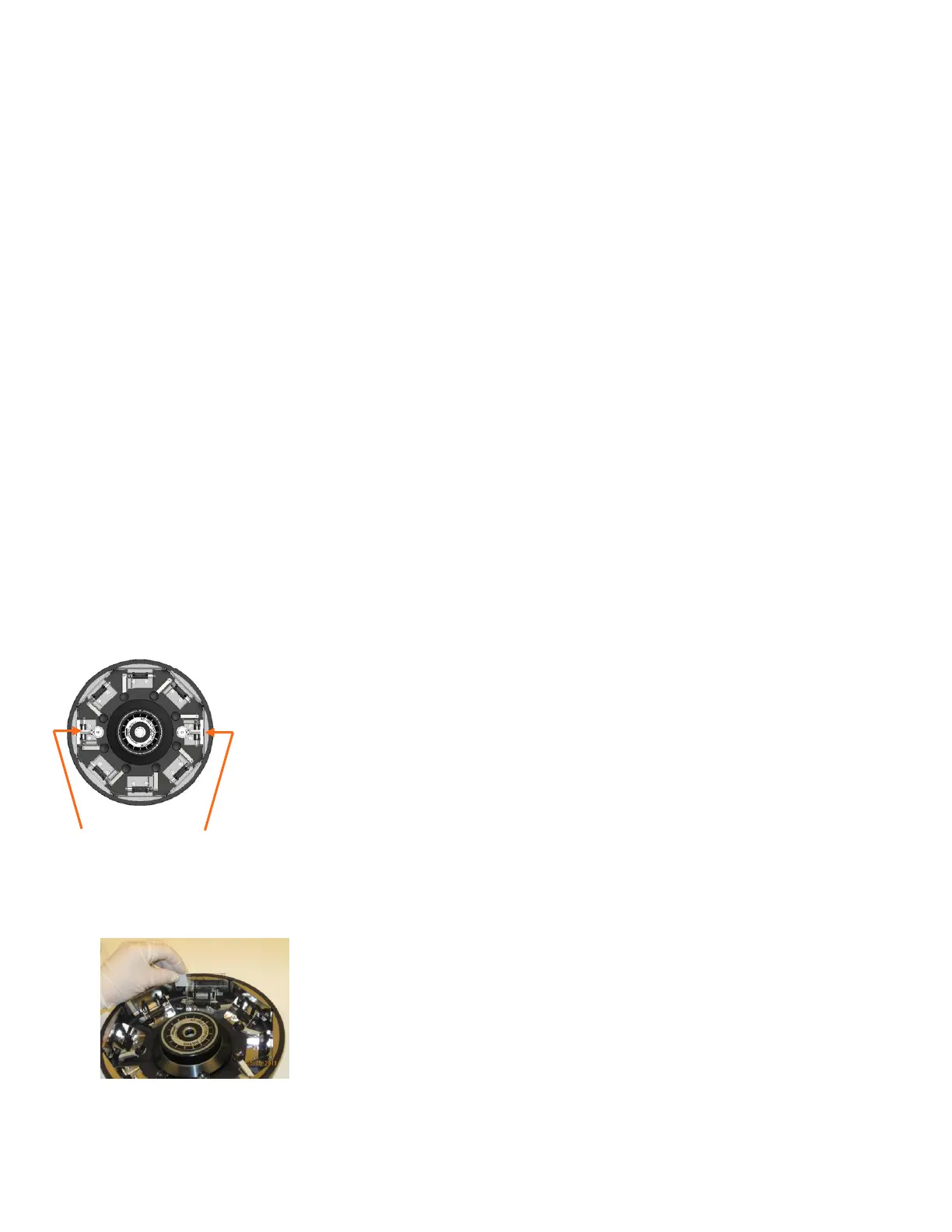
Balancing the Rotor
The Cytopro rotor contains eight sample chamber stations. When preparing fewer than eight
samples, balance the rotor by placing chambers and slides in opposing stations (using an
empty chamber and slide if necessary). This prevents a rotor imbalance from interrupting
the centrifuge process.
When using Cytopro Magnum chambers, the carousel must be balanced with another
Cytopro Magnum chamber and slide that has approximately the same sample volume, for
example: a 6 mL sample should be balanced with a sample of at least 5 to 6 mL. An empty
Cytopro Magnum chamber and slide will not adequately balance the rotor.
NOTE: Property stickers or tags can also potentially imbalance the rotor. Institutional
identification marks should be virtually weightless if placed on the rotor.
NOTE: A warning will sound during the cycle if the rotor is unbalanced.
Preparing and Loading Slides
1 Clean microscope slides provide maximum cell adherence. Use pre-cleaned,
premium-grade slides.
2 For better cell adherence, pretreat slides or use custom pretreated slides.
NOTE: Even clean slides show improved cell adherence after pre-treating with
chemical adherents such as Poly-L-Lysine or amino silane.
Chambers in Opposing Stations


 To Next Page