SECTION 2
CONTROLLING AND CUSTOMIZING CYTOCENTRIFUGE FUNCTIONS
2.1 System Setup Menu
User Login/Logout
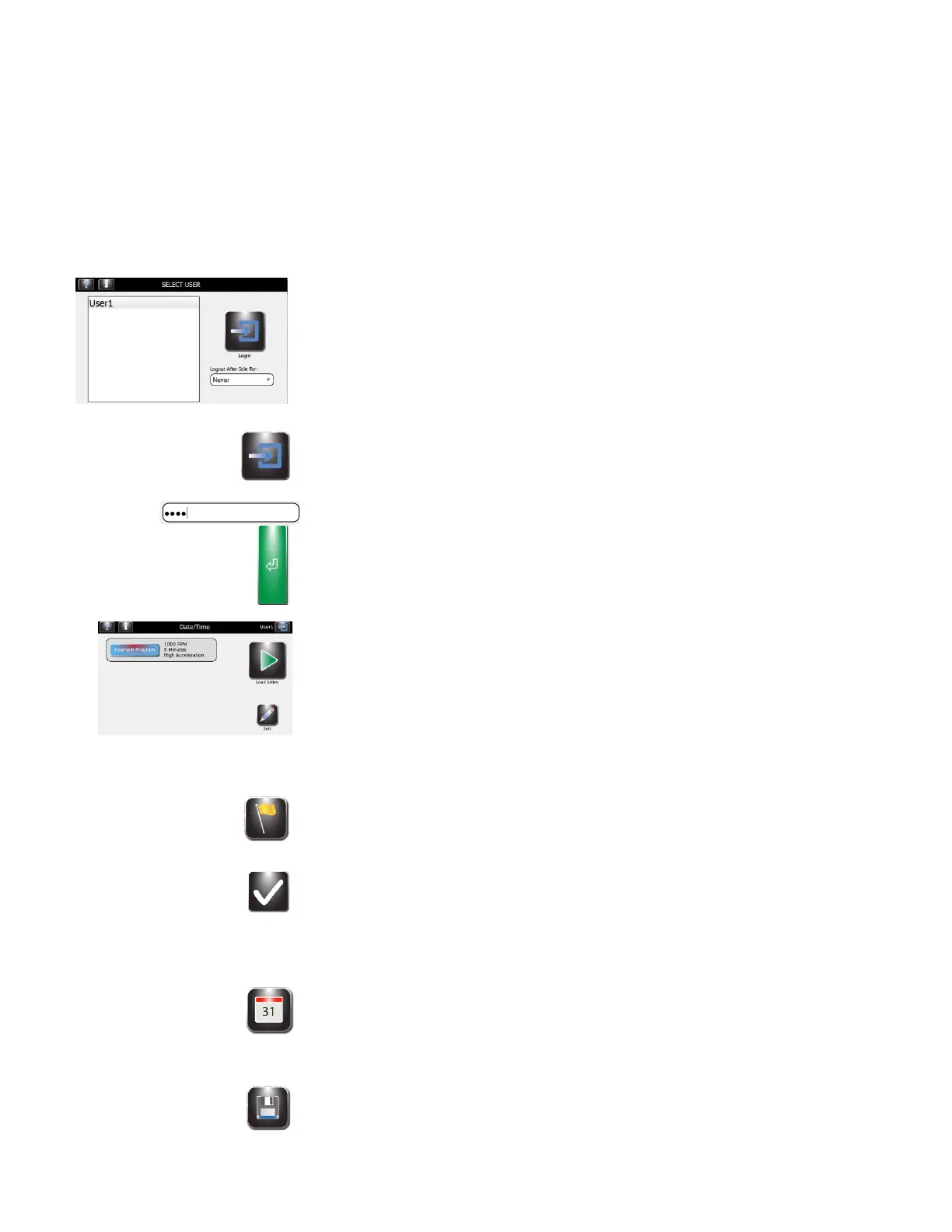
With System Access locked and Global Login enabled, users must log in to use the
cytocentrifuge:
1 Select User ID and select Logout Time After Idle For: from the drop-down
menu.
2 Press Login.
3 Enter the correct passcode for the selected user and press Enter.
4 The cytocentrifuge returns to the Main menu and is ready for programming
and staining.
5 Once Login is complete, the Main screen appears. A Logout button and the user
name appear at the top right of the screen.
Changing User Language
1 From System Setup, press Language.
2 Select the software language from the list on the left.
3 Select OK.
Setting the Date and Time
1 From System Setup, press Set Date/Time.
2 Choose 12 for a 12-hour clock or 24 for a 24-hour clock.
3 Use the up and down arrows to modify the time and date.
4 Press Save.


 To Next Page