SECTION 2
CONTROLLING AND CUSTOMIZING CYTOCENTRIFUGE FUNCTIONS
2.1 System Setup Menu
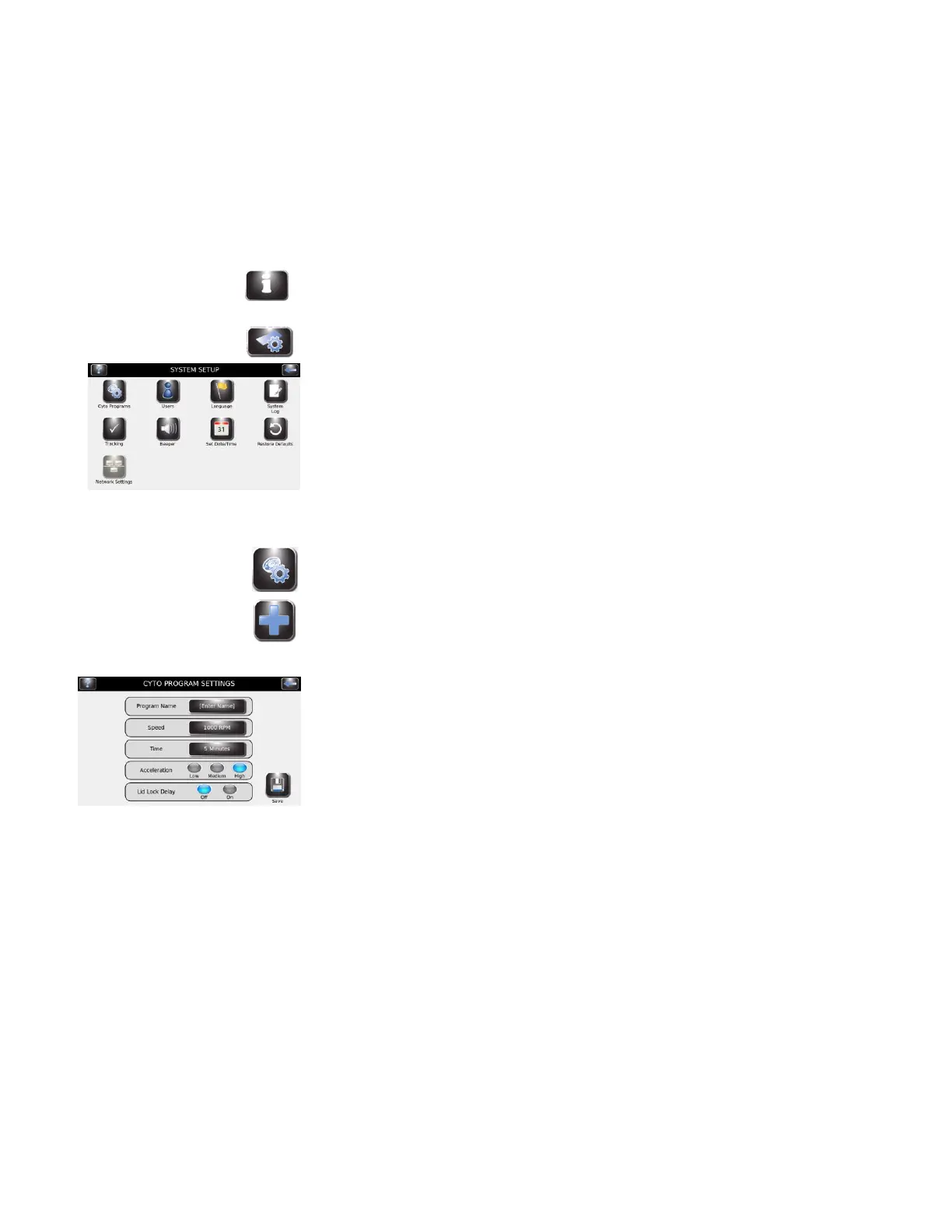
Many software settings can be controlled from the System Setup menu.
Accessing the System Setup Menu
1 Press System Information.
2 Press System Setup.
Creating a Cytocentrifuge Program
1 From the System Setup menu, press Cyto Programs.
2 Press Add.
3 Enter a program name in the Program Name field.
4 Enter the program speed setting in rpm.
5 Enter the program time.
6 Select the acceleration speed (LOW, MED, HIGH).
7 Choose ON or OFF for the lid lock delay.
8 Press Save.


 To Next Page