SECTION 2
CONTROLLING AND CUSTOMIZING CYTOCENTRIFUGE FUNCTIONS
2.1 System Setup Menu
Creating User Accounts
1 Select System Setup.
2 Enter the Administrator password.
3 Press Users.
4 Select Enable Global Login.
5 Select Add User.
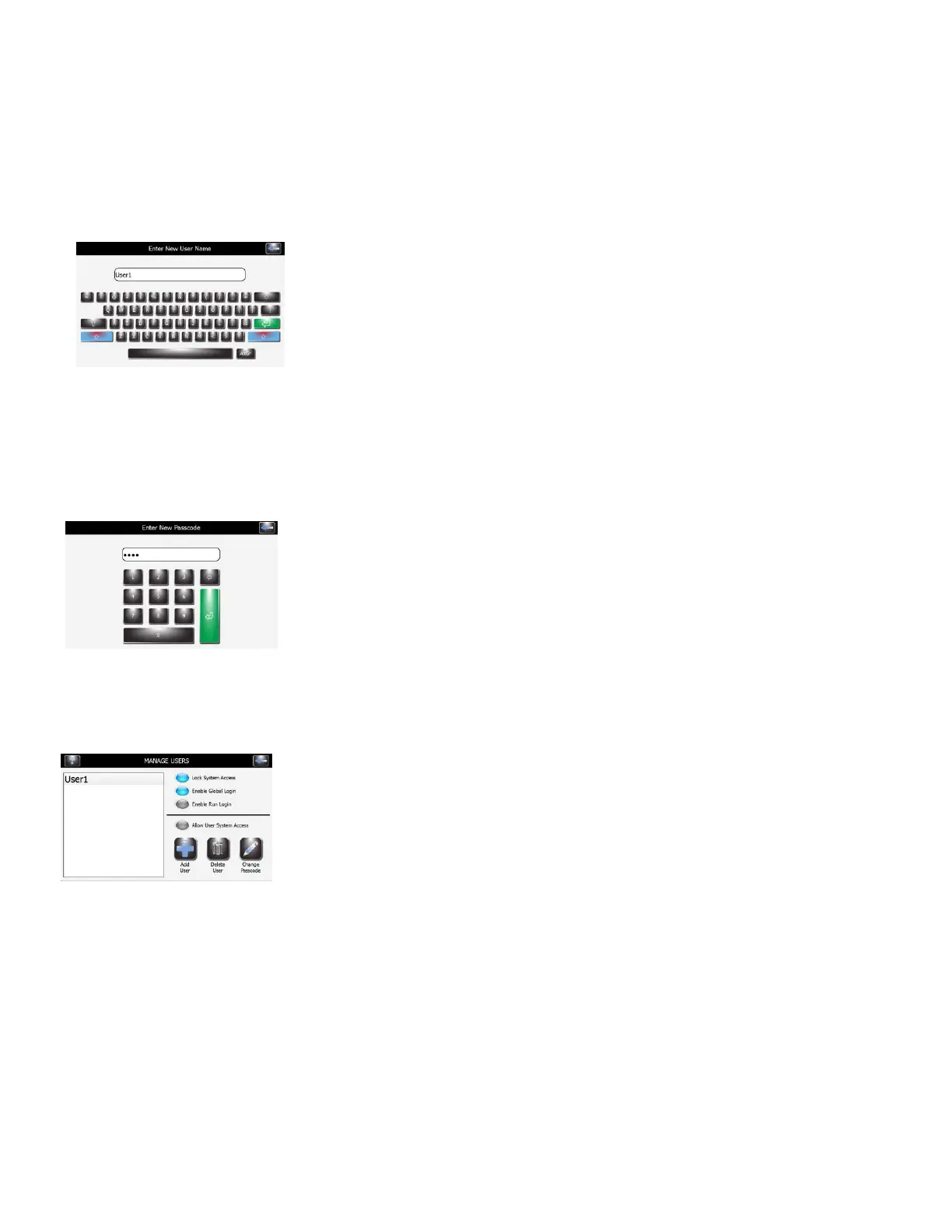
6 Enter a user name.
7 Press Enter.
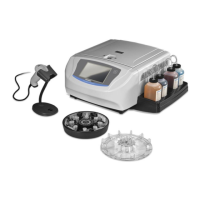
8 Enter a numeric passcode (at least 4 numbers) for the user account.
9 Press Enter.
10 Re-enter the same passcode to confirm.
11 Press Enter.
Managing User Access
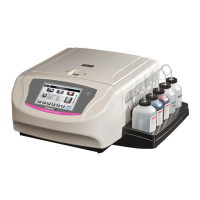
On the Manage Users screen, the Administrator has several options to manage user
access to the instrument.
Enable Global Login allows users to log in to the instrument. Users will log out
manually or automatically (with user-selectable time options). See User
Login/Logout below.
Enable Run Login requires the current user to enter a password to run a
Cytocentrifuge cycle. Global Login must be enabled to use this option.
User System Access enables complete control of the instrument, including
changing the System Setup options. This option can be controlled on an
individual user basis, if Global Login is enabled.


 To Next Page