Table of Contents
Section 1
Introduction
1.1 Cytopro Cytocentrifuge Overview .........................................................5
Using this Manual .......................................................................5
Functional Description ................................................................6
Key Features ...............................................................................6
Intended Use ..............................................................................7
Table 1: Cytopro Specifications ...................................................8
Table 2: Cytopro Rotor Specifications .........................................8
Table 3: Sample Treatment Options ...........................................9
Table 4: Explanation of Symbols .................................................10
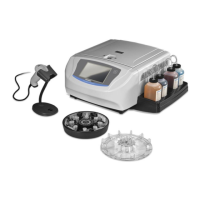
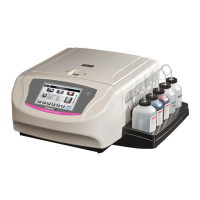
Figure 1: The Cytopro Cytocentrifuge .........................................11
Figure 2: Instrument Rear Panel .................................................11
The Cytopro Rotor ......................................................................12
Sample Chamber Holder .....................................................12
Figure 3: The Cytopro Rotor and Lid ...........................................12
Figure 4: Front Panel and Touchscreen .......................................13
Single Sample Chamber ..............................................................13
Tunnel Port .........................................................................13
Sample Port ........................................................................13
Chamber Pressure Ring ......................................................13
Figure 5: Single Chamber Assembly ............................................14
Dual Sample Chambers ...............................................................14
Dual Chamber Wells ...........................................................14
Figure 6: Dual Sample Chamber .................................................15
Cytopro Magnum® Sample Chambers ........................................15
Sample Well .......................................................................15
Chamber Sealing Gasket ....................................................15
Fluid Absorption Chambers ................................................15
Figure 7: Cytopro Magnum Chamber .........................................16
Cytopro Absorption Pads ............................................................16
Figure 8: Cytopad® Absorption Pads ...........................................16
Chamber Frame ..........................................................................17
Figure 9: Chamber Frame ...........................................................17
Microscope Slides .......................................................................17
Figure 10: Microscope Slides ......................................................17
Barcode Reader ..........................................................................18
Figure 11: Barcode Reader .........................................................18
1.2 Touchscreen and User Interface ...........................................................19
Table 5: Front Panel/Main Screen Function Keys ........................19
Table 6: System Setup Keys ........................................................20
1.3 Instrument Setup ..................................................................................22
Unpacking and Installing the Instrument ...................................22
Connecting Power ......................................................................22
Section 2
Controlling and Customizing Cytocentrifuge Functions
2.1 System Setup Menu ..............................................................................23
Accessing the System Setup Menu .............................................23
Creating a Cytocentrifuge Program ............................................23
Editing a Cytocentrifuge Program ...............................................24
Changing the Program Name ...............................................24
Deleting a Cytocentrifuge Program ......................................24
Administrator and User Accounts...............................................24
Creating an Administrator Account ......................................24
Creating User Accounts ........................................................25


 To Next Page