SECTION 3
OPERATING THE CYTOCENTRIFUGE
3.1 Running a Cytocentrifuge Cycle
Loading Samples
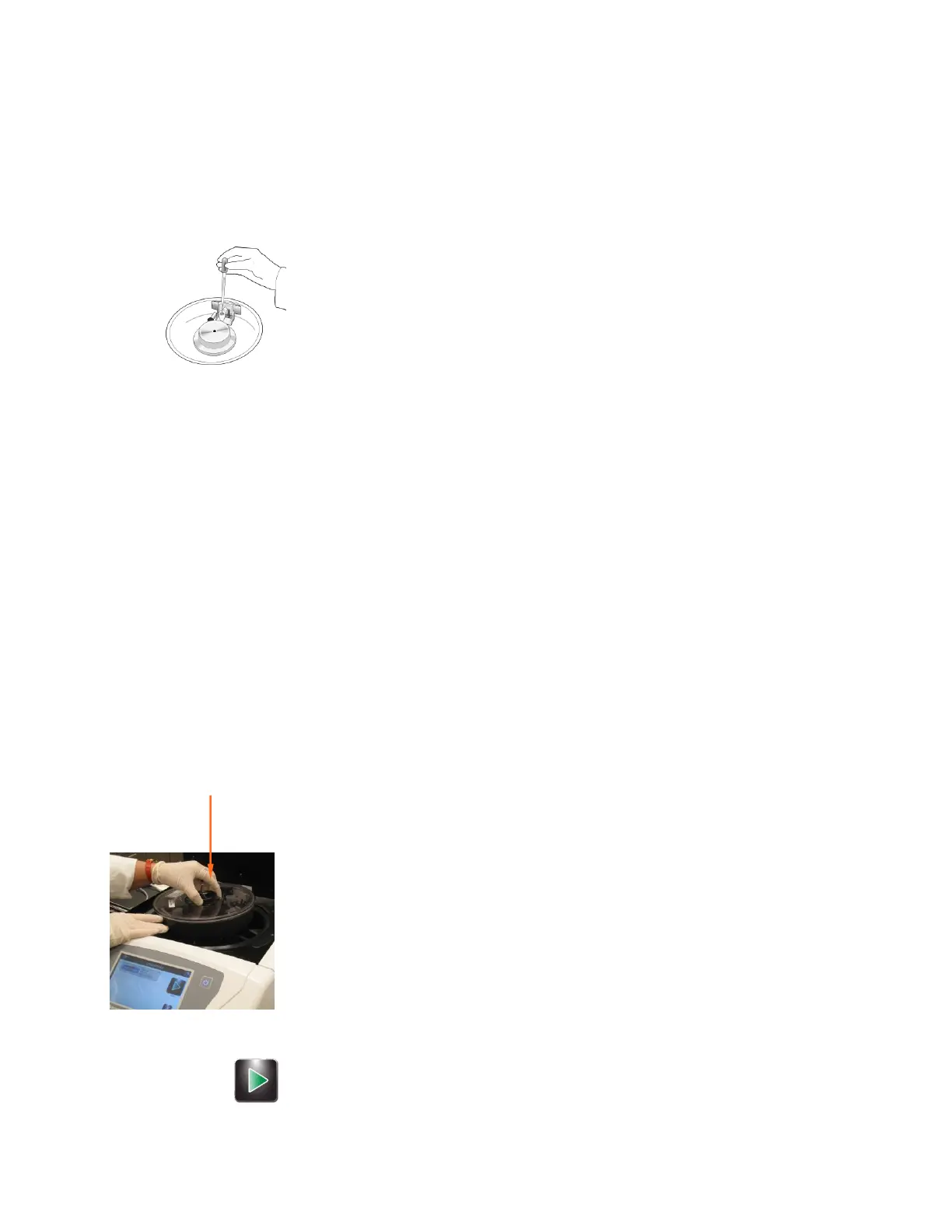
1 Load sample and prewetting fluids through cap vents, or directly into the ports
before the cap is placed on the chamber. Use the chamber caps to minimize
contamination and accidents. Chamber caps are mandatory for the Cytopro
Magnum.
The vent holes in the standard volume chamber caps accept either glass
Pasteur pipette tips or 200 microliter automatic pipette tips. Cytopro Magnum
chamber caps accept up to 10 mL automatic pipette tips. Refer to Sample
Treatment Options (Table 3 in Section 1) or the Cytopro Methods Manual (RP-
451) for sample treatment considerations.
WARNING!
Always load chambers in a biological safety hood, using appropriate hand and
eye protection.
WARNING!
Do not exceed listed maximum sample volume: (0.5 mL for the single
chamber, 0.3 mL in each well of the dual chamber, 0.6 mL total, or 6 mL for
the Cytopro Magnum chamber).
2 Place the lid on the rotor by lifting the locking pin as you place the center pin
into the rotor lid receptacle. Press down on the locking pin until it locks.
NOTE: Locking and unlocking the lid is easier if you press down near the center
of the lid with one hand while operating the locking pin with the other.
3 Carefully transfer the rotor to the instrument. Avoid bumping or tilting the
rotor.
Performing a Cytocentrifuge Cycle
1 From the Main menu, select the desired cytocentrifuge program, or program
the desired settings using the instructions in Section 2.1 (Creating a
Cytocentrifuge Program).
If you have not enabled slide and specimen information entry,
proceed to step 3.
If you have enabled slide and specimen information entry, press Load
Slides.
Scan or enter the slide and sample information.
Load slides and specimens and replace the rotor lid as instructed in
this section.
2 Insert rotor loaded with specimens and slides and close the instrument lid.
3 Press Start.


 To Next Page