SECTION 2
CONTROLLING AND CUSTOMIZING CYTOCENTRIFUGE FUNCTIONS
2.1 System Setup Menu
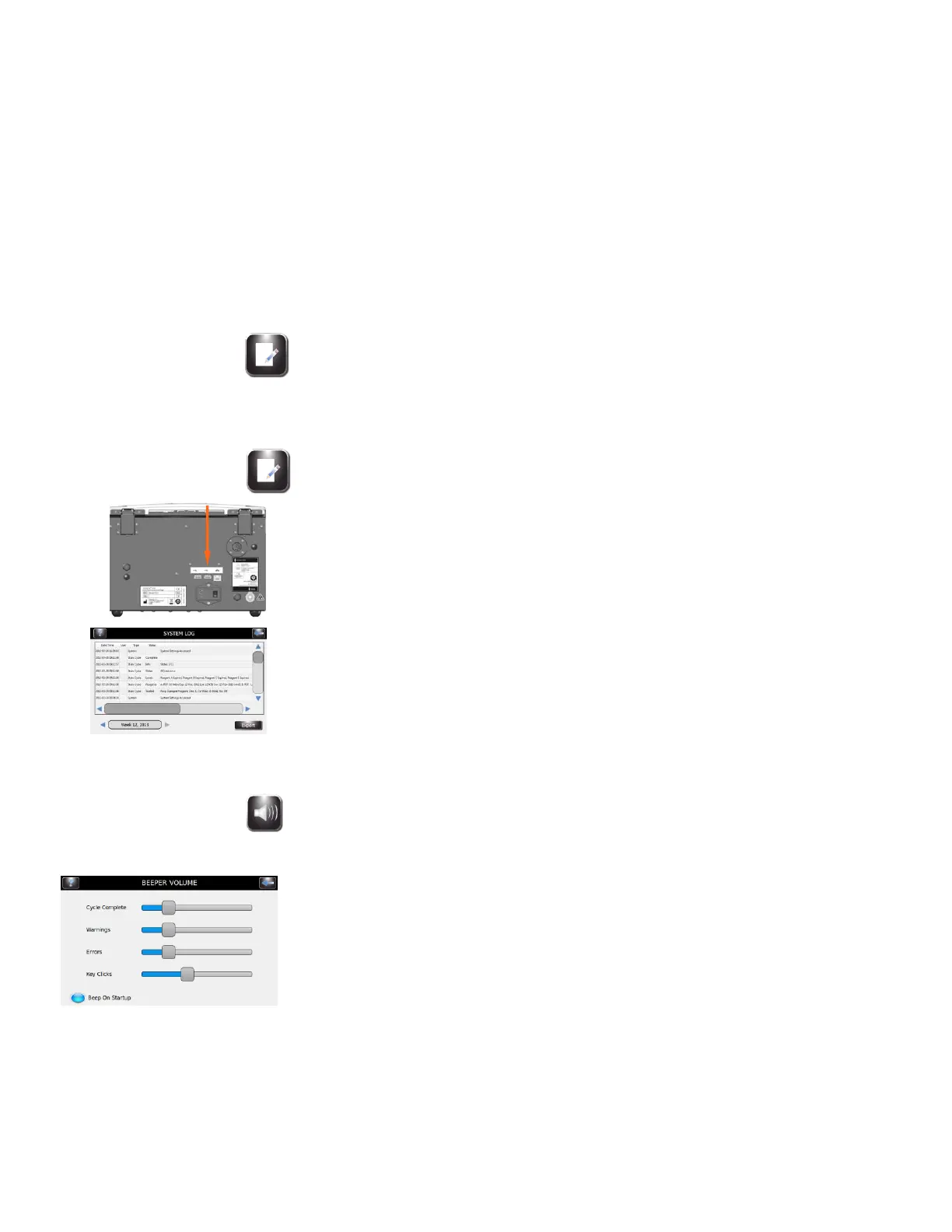
System Log
The instrument records all login, logout, cytocentrifuge cycles, setting changes, and
specimen identification (if enabled).
Accessing Logs
1 From System Setup, press System Log.
2 Use navigation arrows to scroll through the log.
Exporting Logs
1 From System Setup, Press System Log.
2 Plug a Flash Drive into the right USB port.
3 Press Export.
NOTE: The log files are exported to the Flash Drive as a CSV file that can be
opened in spreadsheet software programs.
Controlling Beeper Alerts
1 From System Setup, select Beeper.
2 Use the sliders to modify the beeper volume for Cycle Complete, Warnings,
Errors, or Key Clicks.
3 Select Beep On Startup to turn the audible startup alert ON or OFF.


 To Next Page