EasyManua.ls Logo

Elka MK55 - Page 13

Default Icon
47 pages
Print Icon
To Next Page IconTo Next Page
To Previous Page IconTo Previous Page
Loading...
GENERAL
CONTROLS
cont'd
To
program
Ihe
various
controls
lo
transmit
ihc
MIDI
cades
m
an
ALTERNATE
MIDI
chgjind,
fallow
Ihis
procedures
I.
Prfrs*
PANEL
f
11)
to
enter
the
PANEL
mode.
Z,
Ptisiliai
the
flashing
LEO
mdcalnr
nn
me-
contrn
to
which
you
wan)
to
assign
a
Function,
using
the
UP/DOWN
tuitions
(15)
(see
Ug.
4
on
page
5),
3.
P
rttss
ALTERNATE
(button
7
under
Ine
central
maliix'l,
Hidisplay
will
bioy<
st*wv
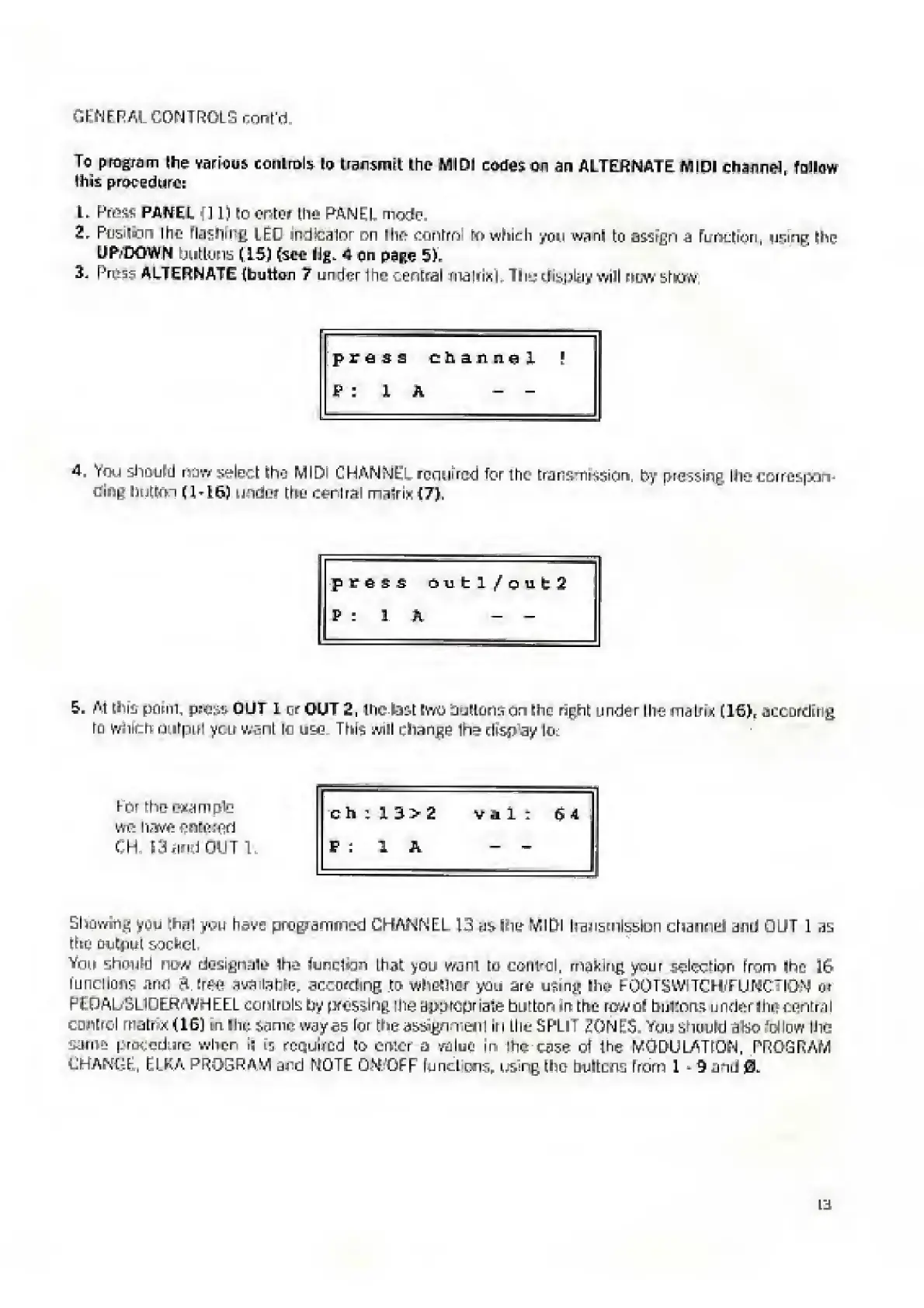
press
Channel
P
:
1
A
-
-
4.
Y
ou
should
now
select
lha
MIDI
CHANNEL
reemirod
for
the-
transmission.
by
pressing,
Ihe
corrcspon-
cinp
button
(1-16)
under
the
Cerlra!
malrix
(7),
press
mibl/oiit2
P
:
1
K
-
-
5.
A
t
this
perm,
press
OUT
L
or
OUT
2,
the
last
two
Suitorson
Ihe
right
under
Ihe
inaIri.K
[TGI,
according
tu
whth
output
yctr
want
lo
This
will
change
ihe-
disr
ay
lo:
I-nr
the
example
we
have
entotod
CH
13
and
OUT
l.
c
h
t
n>2
Vil;
64
P
:
1
A
-
-
Sliowinj'
yuu
thnl
you
have
programmed
CHANNEL
13
as
hie
MIDI
transmission
charnel
and
CUT
I
as
the
output
socket.
Ynn
should
>jw
designate
Ih*
function
that
you
want
tu
control,
making
your
selection
from
ihe
i&
functions
and
ft
free
available,
according
to
whether
you
are
using
Ihe
FOOTS
WTCH/FUNCTION
or
PEDALSL1DERFWHEEL
controls
try
pressing
the
aujwopriate
but
ton
m
the
row
of
buKons
under
Ihe
centra
I
control
roatr
*
(16)
sn
Hie;
same
wayes
lor
the
assign
mail
Iri
the
SPLIT
ZONES,
You
should
ado
J
cJluw
the
a
procedure
when
i|
is
required
to
enter
a
value
in
ihci
case
ol
Ihe
ftfODULATiQN,
PROGRAM
CHANGE,
ELKA
PROGRAM
and
MOTE
OM'OFF
Functions*
using
!ho
bultcns
from
1
9
anti
0.

Related product manuals