EasyManua.ls Logo

Elka MK55 - Editing Performance Presets

Default Icon
47 pages
Print Icon
To Next Page IconTo Next Page
To Previous Page IconTo Previous Page
Loading...
EDIT
NAME
When
y«3u
prett
lins
button
In
rhe
EDIT
sedan,
iha
instnunBni
isfiutomaUtally
pfcgramiried
rn
3
mock’
wliiiih
permit
/du
to
gU"
a
ruinu
lu
llie
"Set
Up"
lliiit
you
can
memorize
lr
one
nl
Hip
PFFTFURMANfU
PRESEIS
/(Hjirjri
.nlcr
ihy
NAME
111
tt'-u
space
on
She
rig-il
hondUdC
dthe
Preset
^
in
Hw-disptay
(
1
7
).
ant
iym&ste
are
enliwENl
11
gsig
rhe
keys
on
she
keybcaid,
anrr
numbgre
tvng
the
buttons
tHstow
she
cen
mi
iikilriA
(1
-
5
jnd
0|,
’lie
fir',1
(lowest)
key
on
ini*
ivtrjbtjwrd
is-
a
snatu
key,
Hh?
next
25
are
espial
letters.
toilawed
hy
7b
small
Idlers
.mrj
virions
common
symbols
hr*
'nime
writing
method
Lind
characters
am
used
lor
both
Cli>u
t/K
55
arid
89
allhough
In
tins
toller
mod*
1
1
mofu
v<1hJ
mpro
n
1
syrnbd'i
tmfi
t«m
included
This.
was
made
poEJi'blC!
by
virtue
of
the
emitter
riuinburof
keys.
INSERT
C
IS)
Tins
button
mat
!
IN$
Irxwrlt
permits
ynu
rtusko
rni
iiKcrlrcn
in
the
name
already
ivfiLtQn.
To
do
this
you
i^ngnlil
position
Die
pond
ol
Insertion
in
me
cenlioi
cursor
posirion
using
liiearmvu
marked
buttons,
then
press
me
INSERT
button
(se*
Fig,
10).
At
Lbli
puml
averyllihg
that
has
been
already
written
lion
vjJirio
ihiu
cuiiiui
is
posillorcd
to
'h
a
righ:
will
be
moved
-one
place
to
Hie
nghl,
llius
erri/din^
4
:
stftlc?
m|u
Whn
h
yon
can
write
anyllilnfl
you
require,
lV.fi.
It
should
be
remembered
that
each
t/me
tbedtspfty
h
moved
err?
place
to
the
right,
the
toft
totter,
number
pr
symbol
on
the
tight
wilt
(W
MtomalfcAfly
Conceded.
DELETE
MS)
Hie
DELETE
Lutlun
a,
usu»:
lu
t
jjnuH
an
enliy
niade
iri
trip
itftfflfi
mil
run
To
rn,
>,«
irw
ol
In*
facii
ty
you
r«hould
n-.QVc
pom|
where
you
want
1o
mates
the
dulelpuri,
t>
thr;
central
cursor
position
by
means
nl
|ho
arrow
marked
buttons
under
the
display
{17}.
New
prer^
the
DELETE
Mien
(IS)
wbkli
ll
4
n
i
c.i.'l
wtul
iV.l'h
Whiten
in
that
poirlian.
.ijirl
mo
ULOry
tiling
written
to
thg
right
Of
Ihe
GUnjOrore
ptocc
to
(ho
kjil
111
us
crating
.1
space
on
ine
right
Ritpehiwri
piessing
or
uit*
DELETE
button
witt
enablo
ro
caned
every
thing
(ram
ihc-
sekxted
cursu
pjrsiucn
1
j
iric
right.
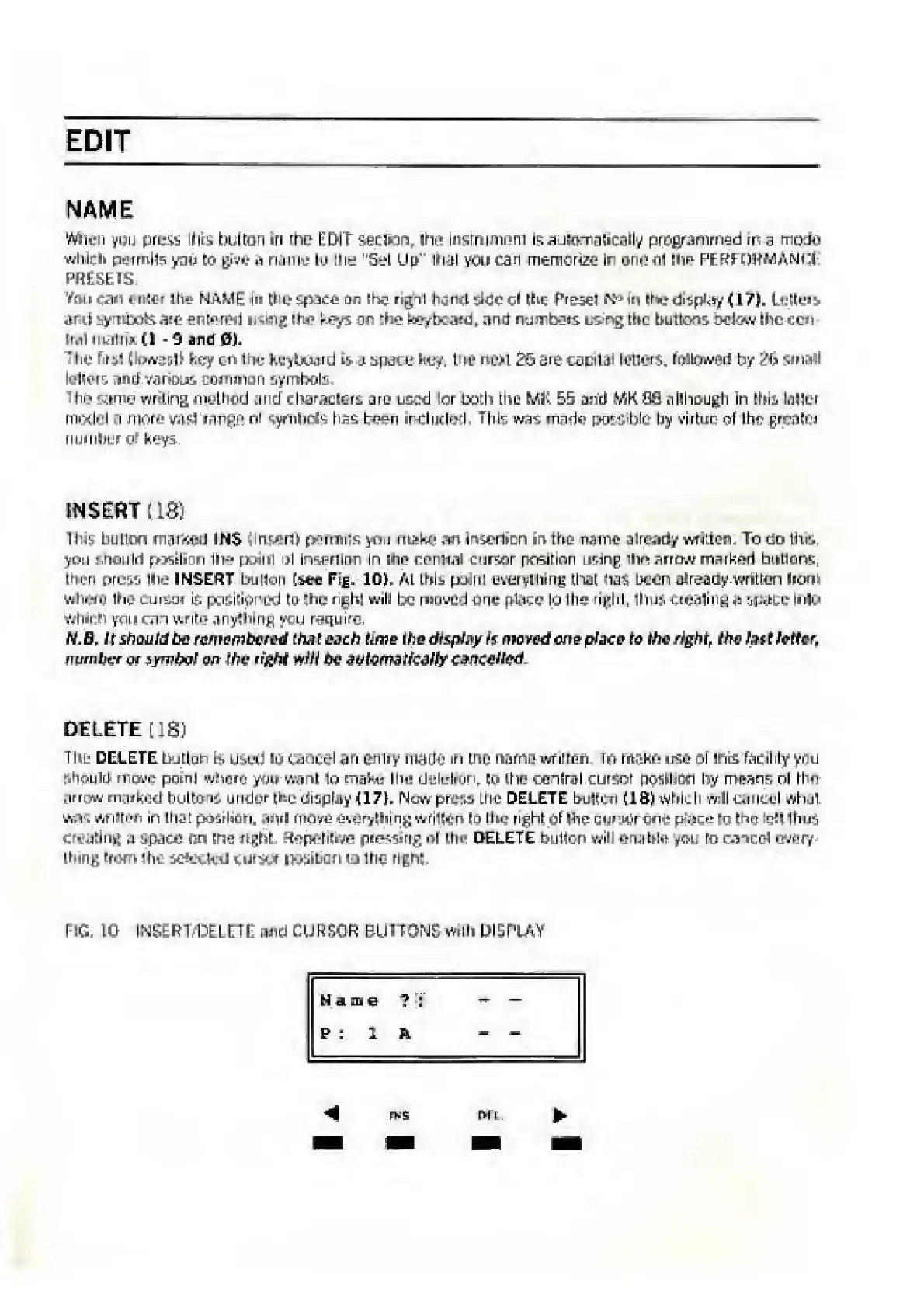
m
10
INSER1
'DELttE
and
CURSOR
BUHONS
willn
DISPLAY
tS
01
e
?
;
P
:
1
R

Related product manuals