EasyManua.ls Logo

Elka MK55 - To Make an Insertion; To Make a Delection

Default Icon
47 pages
Print Icon
To Next Page IconTo Next Page
To Previous Page IconTo Previous Page
Loading...
3
E
RFO
R
M
AN
CE
SEQU
LNCE
cort
r
d.
Remember
that
you
car
ori
y
change
a
n
R
E
SET
N
'
where
the
cursor
is
flashing,
i.o
in
the
central
nosit
nn
(see
display
below}.
Per£
.
S
Equ
.
>;
7
>lfi>12>l|>13>15
2.
Now
press
the
button
correspond
ng
to
the
PERF.
PRESET
That
you
want
tc
put
into
the
sequence,
using
he
buttons
1
-
16
jrider
trie
central
mate*
(16).
At
this
point
vou
ten
repeat
the
operation
for
as
many
substitutions
as
are
necessary.
3.
When
vou
have
comoleted
your
substitutions,
fo
low
the
instructions
in
points
4
and
S
of
a)
above,
C)
TO
MAKE
AN
INSERTION
The
INSERT
button
(18}
a
lows
you
to
shift
all
the
PERFORMANCE
PRESETS,
from
the
centra!
cursor
position,
one
place
to
the
right.
I
his
wl
leave
a
space
ii
H
e
sequence
(Indicated
by
the
number
]).
You
con
now
insert
the
recurod
PERFORMANCE
PRESEI
info
that
sequence
position
fi«
display
example).
N,B,
Although
there
is
no
limit
to
the
number
of
insertions
that
you
can
make,
you
should
remember
that
when
using
a
sequence
of
the
maximum
length
(that
is
30
PERFORMANCE
PRESETS)^
each
insertion
that
you
make
wiil
automatically
cancel
the
last
number
in
the
sequence
at
that
moment
fflrf.Saqu.
>
:
2
C
b)
Pfirf,Sequ,
>
:
2
0
>
5>
6>
8
>
95
10
>
S>
6>
i>
i
>
a
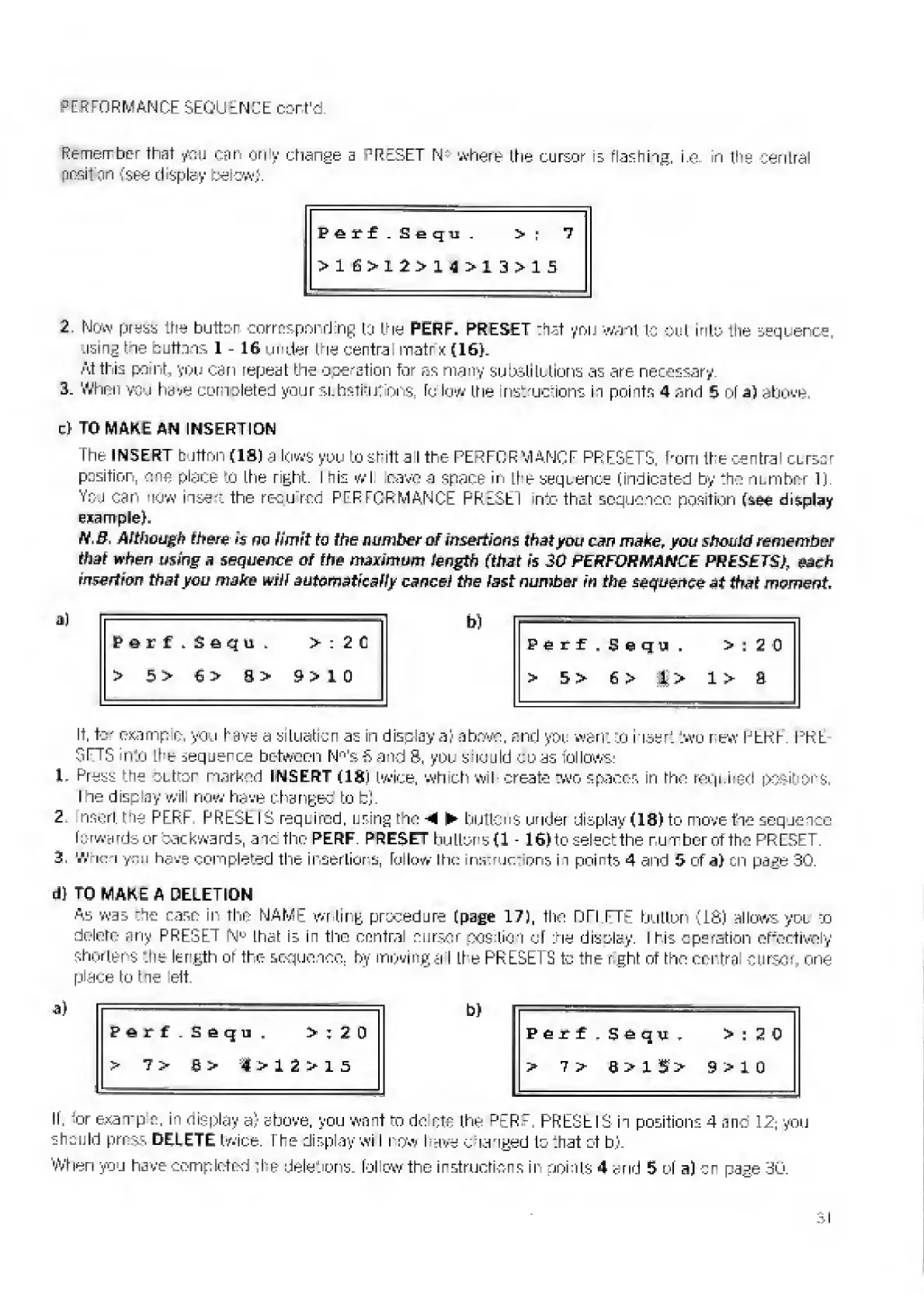
If,
for
example,
you
lave
a
situation
as
in
displays)
above,
and
you
want
to
insert
two
new
PERF.
PKL
STTS
into
the
seqjerce
between
N^'sfiand
S.
you
sMould
coas
follows:
1
Press
the
OLttor
narked
INSERT
(IS)
twice,
which
wiI
create
two
spacer-,
in
rho
required
posit
ors
lhe
display
wil
now
have
changed
to
b).
2.
nsort
fie
PERF
PRESS
IS
required,
using
tho
-M
buttons
under
display
(18)
to
move
foe
sequence
forwards
or
backwards,
and
tho
PERF.
PRESET
buttoned
-
16)
to
select
the
number
of
the
PRESET.
3.
Wnon
y">!
have
completed
the
iuserLiors.
follow
the
inmruc-
ons
in
points
4
and
5
of
a)
un
page
30.
d)
TO
MAKE
A
DELETION
As
was
he
case
in
the
NAME
writing
procedure
(page
17),
tho
DTI
TTE
button
(IS)
allows
you
to
delete
any
PRESE
\
N
u
that
is
in
the
central
cursor
pos
tiori
of
tie
display.
I
his
eperation
effectively
shortens
‘.he
length
of
the
sequence,
by
moving
a
I
Li
e
PRESET
£
tc
the
r
girt
of
tho
central
cursor,
one
place
to
the
ett.
Perf
.Seqq
,
>
;
2
0
b)
Perf,Sfiqn
T
>:
20
>
7
>
4>12>
15
>
l
>
9
>
1
0
If.
tor
example,
in
display
a)
above,
you
wait
to
do
etc
the
PtR
:
PRESE
IS
ii
positions
4
a
no
12;
you
shculd
press
DELETE
twice.
The
display
wi
i
row
have
Changed
to
That
ct
b).
When
you
have
completed
The
dele.
ons.
fol
ow
tho
instructions
in
points
4
arid
5
of
a)
or
page
SO.

Related product manuals