EasyManua.ls Logo

Elka MK55 - External MIDI Input and Connection Examples; Activating External Split Zones via MIDI IN

Default Icon
47 pages
Print Icon
To Next Page IconTo Next Page
To Previous Page IconTo Previous Page
Loading...
MIDI
IN
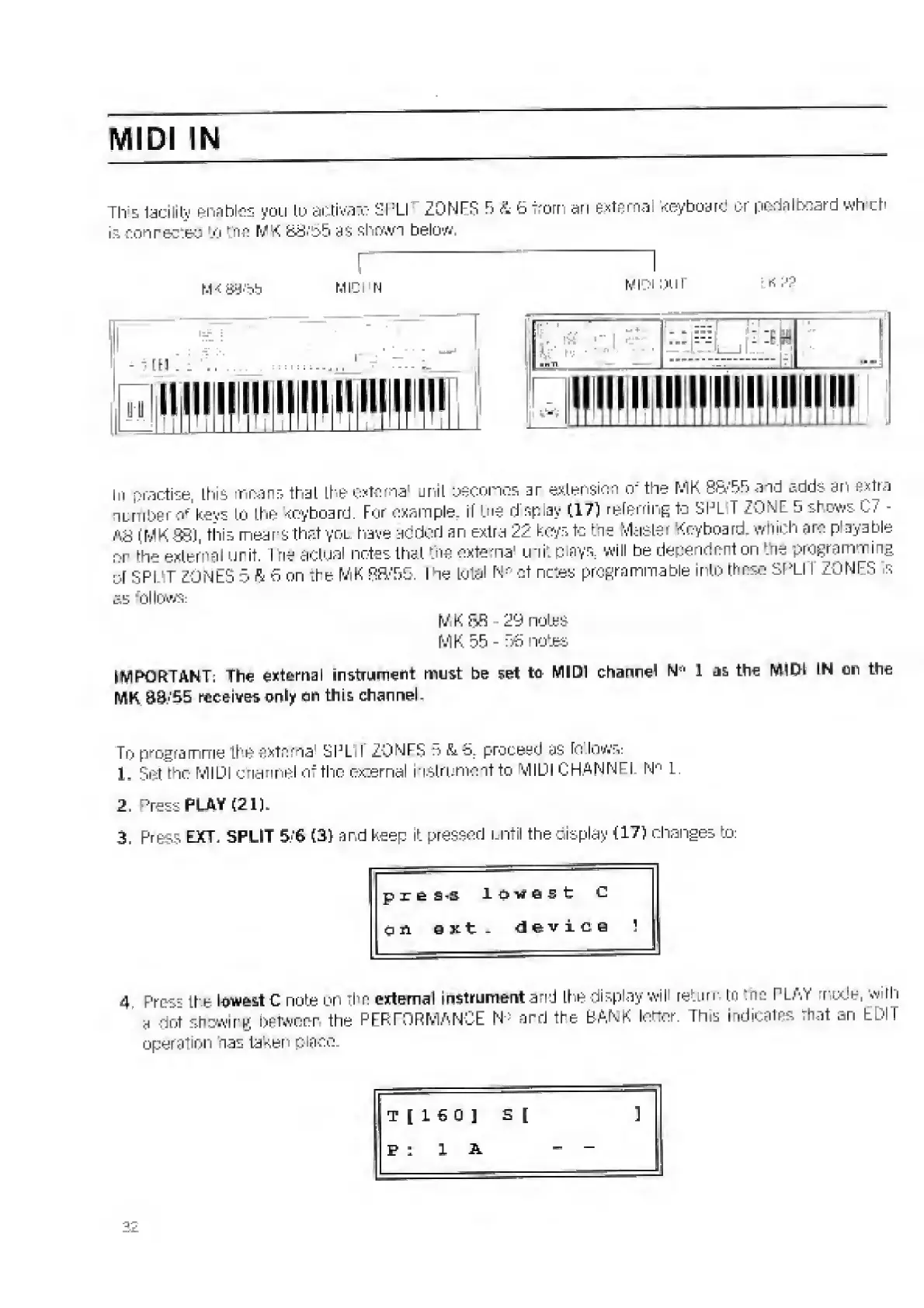
This
facility
enables
you
io
activate
SPLl
ZQNFS
E>
4
6
from
an
external
Keyboard
or
pedal
board
wh
of’
is
con
recced
'.0
Me
MK
8S.'55
as
shown
below.
In
practise,
this
means
that
Lbe
external
unit
becomes
ar
extension
or
the
MK
8&'‘5B
and
adds
an
extra
number
of'keys
to
the
keyboard.
For
example
if
Me
display
(17)
referring
to
SIM.
I
ZONE
5
shews
C7
-
(MK88),
this
means
that
you
have
acdod
an
extra
22
keys
to
hie
Master
Keyboard,
which
arc
playable
nr
the
external
grit.
I
ne
actual
notes
that
Me
external
uni.
p
ays
:
will
be
dependent
on
Me
programming
of
spl
it
ZONES
5
ft
G
on
:he
MK
BH/B5.
I
he
total
N
n
o
f
nctes
programmable
into
those
SPLII
ZONES
is
as
follows:
MK
SR
29
notes
M
K
55
-
56
nates
IMPORTANT:
The
external
instrument
must
be
set
to
MIDI
channel
N
ei
1
as
the
IVMDl
IN
on
the
NIK
S0/55
receives
only
on
this
channel.
To
programme
the
externa
SPL
I
ZONES
5
&
5.
proceed
as
to
lows:
1.
Set
the
MIDI
channel
of
the
external
instrument
to
MIDI
CHANNEL
N
n
L.
2.
Press
PLAY
(21).
3.
Press
EXT.
SPLIT
5
6
(2)
and
keep
it
pressed
until
the
display
{17)
changes
to:
p
x
e
£-S
lowest
1
,
c
qn
ext.
device
!
4
Pres'
ti
e
lowest
C
note
on
thn
external
instrument
and
the
display
will
return
tn
:nc
PLAY
r
ude,
W'fh
a
dot
shewirtf
between
the
PERFORMANCE
N*
and
the
BANK
iodor.
This
indicates
That
an
EDIT
operation
oas
taken
place.
t
[
1
6
0
)
s
[
]
Pi
1
A
-
-

Related product manuals