EasyManua.ls Logo

Elka MK55 - Memory Protect

Default Icon
47 pages
Print Icon
To Next Page IconTo Next Page
To Previous Page IconTo Previous Page
Loading...
COPY
BANK
cant'd,
when
yau
press
YES
the
ssccrd
time,
the
Allowing
message
appear
>
error!
c
Bank
protected
this
means
that
the
BANK
is
protected
and
no
further
memorizing
can
ho
done
in
this
bark
unt
1
the
W
EMGRY
PROTECTION
has
boon
deactivated
To
achieve
this,
press
MEMORY
PROTECT
f
wico
and
follow
the
instructions
in
part
3
In
the
MEMORY
PROTECT
nstructions
below
Now
repeat
the
COPY
BANK
procedure
on
page
27
from
point
3
onwards
MEMORY
PROTECT
This
feature,
when
activated,
wit
or
able
you
to
protect
any
of
the
a
internal
or
externa
Memory
Ranks.
It
you
want
to
protect
the
contents
of
any
of
the
banks
against
accidental
cancel'alien,
after
ensuring
that
vou
are
in
the
FLAY
mode,
you
should
follow
the
instructions
below:
1.
Select
the
BANK
that
you
want
to
protect
by
means
Of
the
BANK/SPL1T,''FREE
buttons
U9>
on
the
pghf
ot
the
control
par
el
(BANK
D
in
the
examp
1
e)
2.
Press
MEM.
PROTECT.
(Memory
Protection)
i
his
is
the
last
burton
cn
the
right,
ir
the
I
ne
of
buttons
under
vie
cental
control
matrix
(16),
I
he
display
wi
I
r
ow
show
the
f
ollow
ng
messages:-
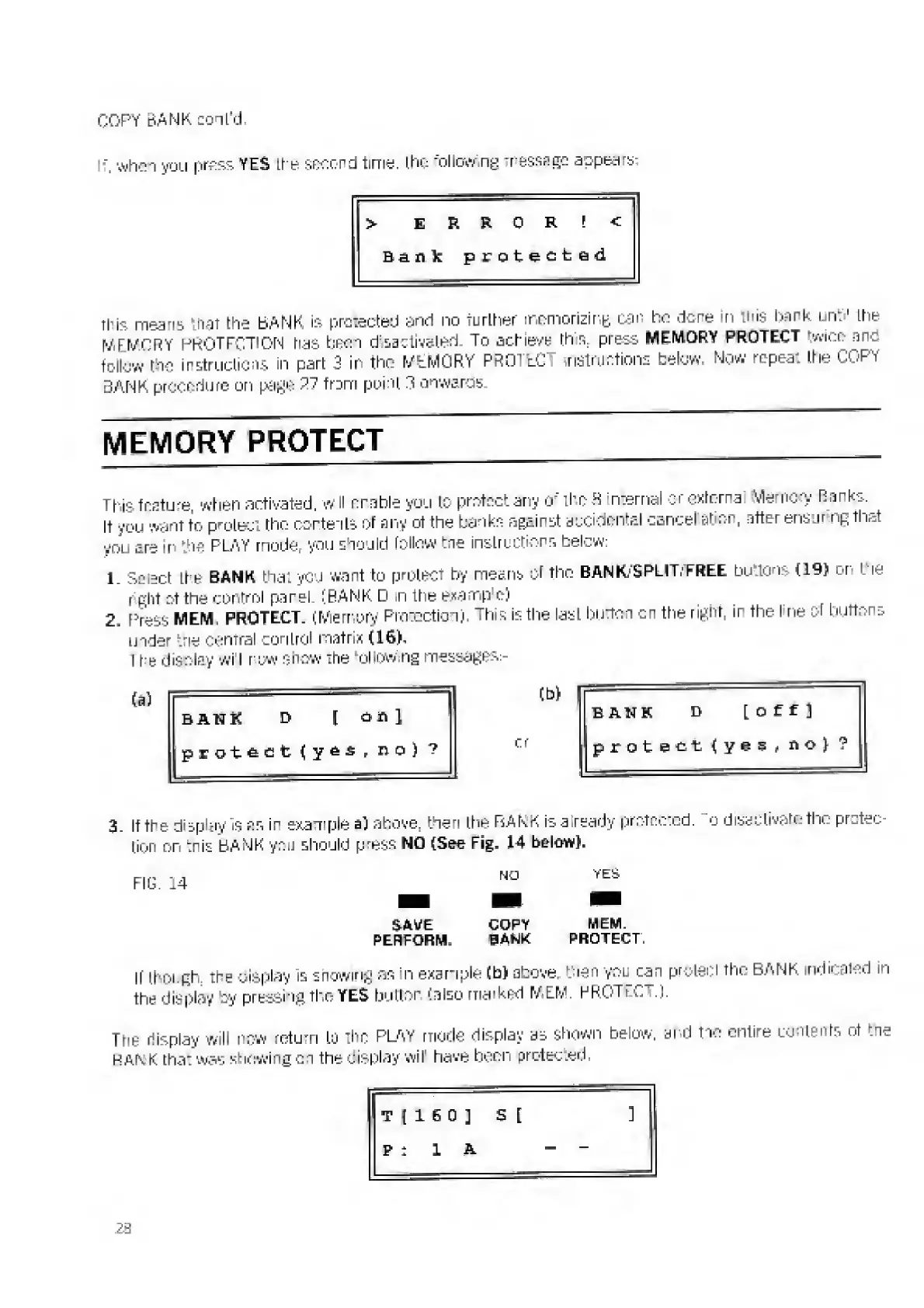
BANK
D
\
Pill
(b)
1
BANK
D
[Off]
protect
lyes,
no)
?
or
protect(ye3(no)?
3.
I
t
the
display
is
ns
ir
example
a)
above,
then
ths
FsAkK
is
already
protected,
o
disactiv^to
tho
pr
.
■■
tion
on
:nis
BANK
you
should
press
NO
(See
Fig,
14
below).
SAVE
COPY
MEM.
PERFORM.
BANK
PROTECT.
If
though,
the
display
is
showing
as
n
example
CM
above,
then
you
can
protect
the
BANK
indicated
in
the
display
by
pressing
the
YES
button
(also
marked
MEM.
PROTECT.).
The
display
will
now
return
Lu
the
PLAY
mode
display
us
shown
below,
and
tic
entire
contents
of
:ne
BANiK
that
was
showing
cn
the
display
wil
have
been
protected,
T
1160
]
E
[
]
p
:
1
A
-
-
2B

Related product manuals