EasyManua.ls Logo

Elka MK55 - Edit Recall

Default Icon
47 pages
Print Icon
To Next Page IconTo Next Page
To Previous Page IconTo Previous Page
Loading...
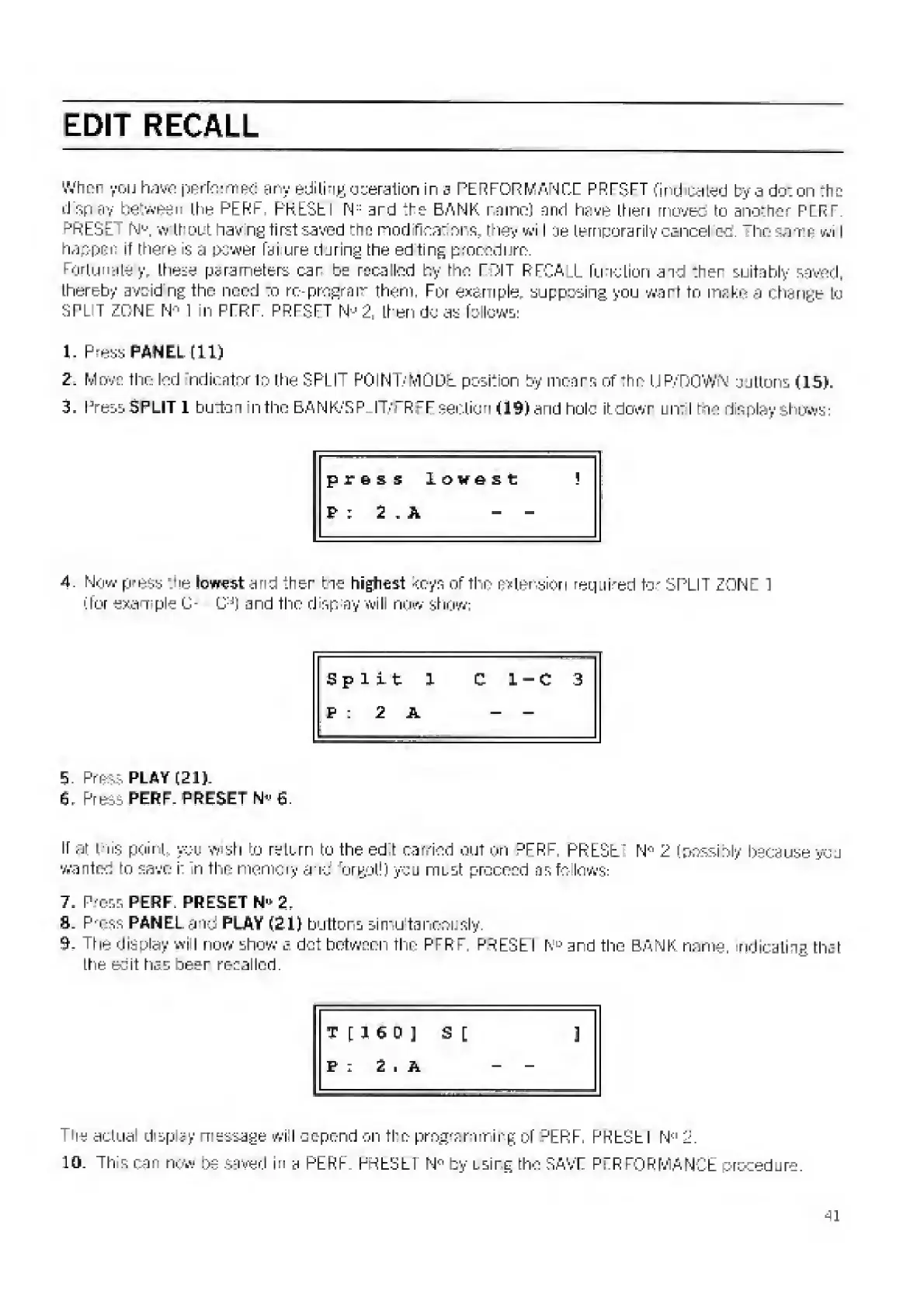
EDIT
RECALL
Wimp
you
haw;
perform
ed
any
edi
ling
operation
in
s
PERFORMANCE
PRESET
find
cated
by-a
do:
on
:he
disp
ay
between
the
PERF
PRESEI
N
:
:
ard
the
BANK
name)
and
have
then
rnovec
to
another
PERT.
?
RESt'
N
e
,
w
thout
nav
ng
first
saved
trm
modifications,
they
wi
I
te
temporarily
cancel
ec.
“ho
same
wi
i
happen
if
there
is
a
power
fa
I
ure
during
the
ed
ting
procedure.
Fortunately
these
parameters
car
be
recalled
by
the
TOIT
RFCA
L
function
and
:her
suitably
saved,
thereby
avoid
ng
the
need
jo
re-program
them,
For
example,
supposing
you
wart
to
make
a
change
to
3
PI
T
ZONE
N
-1
in
PERF
PIRTS
FT
N-
2.
then
do
as
follows:
1.
press
PANEL
(11)
2.
Move
the
led
indicator
to
the
SPLIT
POINT/IvlQDt
position
by
mears
of
the
UP/DOWN
jjltons
(15J.
3.
Press
SPLIT
1
button
in
Iho
EANK.-SP
IT/FRFE
section
fl9)and
hole
it
dewr
an:
I
ho
display
Shows:
press
lowest
?
P
:
2
,
A
-
-
4.
N
ow
p
?
e
ss
Vie
lowest
and
ther
tie
highest
coys
of
the
extension
required
tor
SPLIT
ZONE
1
(for
exam
pie
C-
C^)
and
the
d
sp
ay
will
now
show;
Spilt
1
C
1
C
3
P
:
2
A
-
E,
Press
PLAY
(21)-
6,
Press
PERF.
PRESET
N
v
£.
It
at
tils
point
you
wish
to
return
to
the
ed
t
carried
out
on
PFRF,
PRESET
2
(possibly
l>scause
you
wanted
to
save
i
n
the
memory
arid
forgot!)
you
must
proceed
asfo
lows;
7.
Press
PERF.
PRESET
N'
:
2.
S.
P'-ess
PANEL
a
to
PLAY
f£l)
buttons
simultaneously.
9,
The
display
wi
I
now
shew
a
dot
between
the
PTRP
PRESEI
N
D
ard
the
BANK
name,
indicating
that
the
eoit
has
beer
recalled.
T
[HD]
S
[
]
P
:
2
.
A
-
-
T
tie
actual
display
message
wi
I
depend
on
the
programming
of
-'ERF.
RHEElb
I
N
<:
2.
10.
This
ran
now
be
saved
in
a
PERF
FSEElLl
N*
by
using
the
SAVE
PERFORMANCE
procedure.
41

Related product manuals