EasyManua.ls Logo

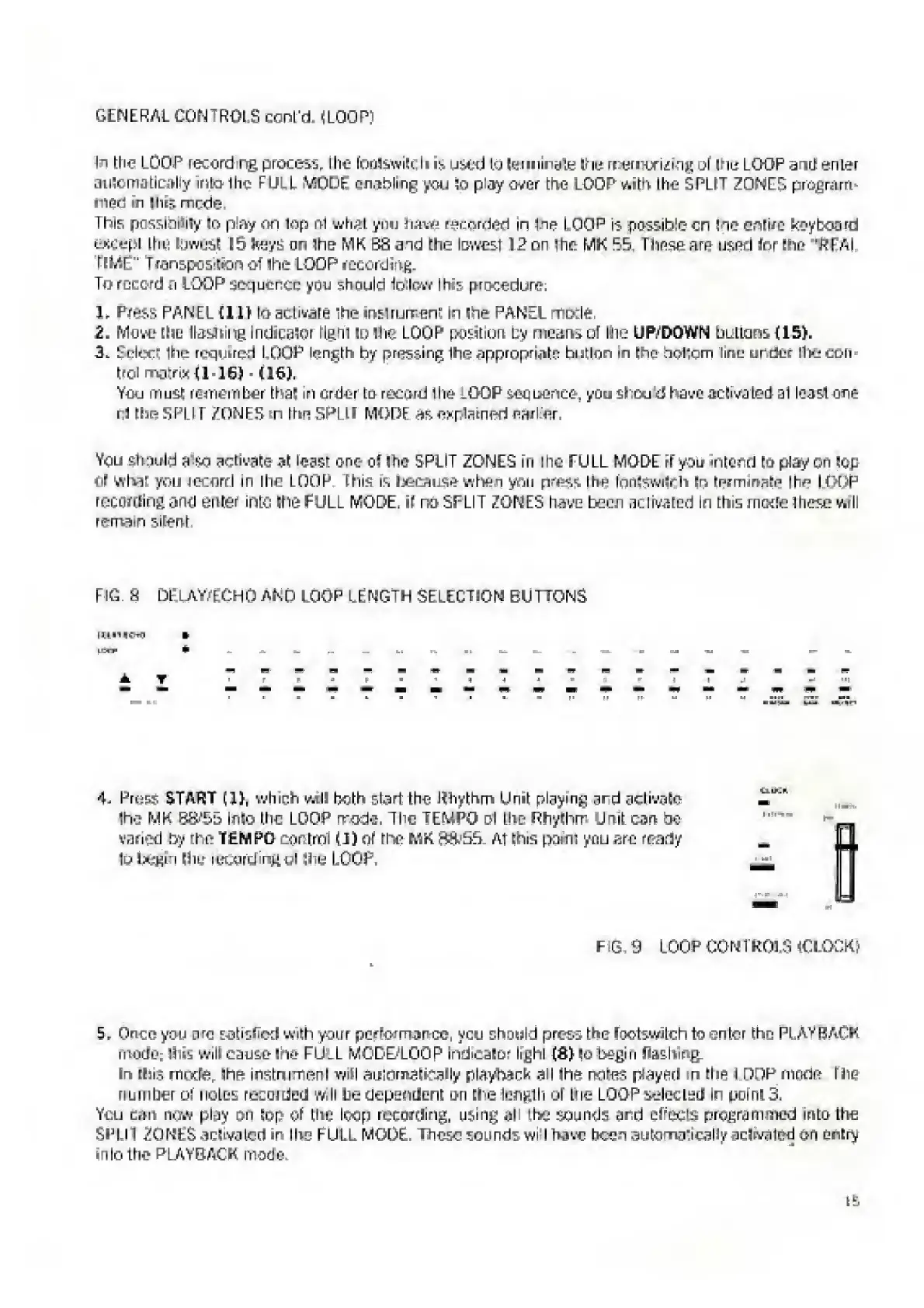
Elka MK55 - Delay;Echo and Loop Length Selection Buttons

Default Icon
47 pages
Print Icon
To Next Page IconTo Next Page
To Previous Page IconTo Previous Page
Loading...
GENERAL
CONTROLS
conl'd
(LOOP)
h
the
LOOP
letord
ng
process,
the
fouSiwitt.U
is,
u^ed
to
terminate
ihe
memoriitog
ol
If
is
LOOP
dud
enter
automatically
into
the
FULL
ViOOt-
cooling
you
in
piayover
the
LOGPv»sth
Ihe
SPLIT
ZONES
program¬
med
in
this
rnrxto
This
pcssmuiy
to
play
on
lop
m
what
ynu
haw
recorded
in
ine
LOOP
is
fiossibto
cn
toe
entire
keyboard
except
ttiu
towttSl
15
keys
on
ihe
MK
S3
aid
the
lowest
1
2
on
Ihe
MK
55.
Tlinsr?
am
used
tor
Ena
'PFAI
fEWE"
T^nspoa-lion
of
Ihe
LOOP
recording.
To
record
a
LOOP
seq
uence
ynu
shnuld
follow
I
hi'
procedure:
}
r
Press
PANEL
MIL
lo
Htlivare
"he
inslrumenf
in
ne
PANEL
<T[>rto,
2
.
Mow?eIie
Itotfiing
Indicator
lie.nl
to
Ihe
LOOP
position
by
means
of
Ihe
UP/DOWN
buttons
(IS)-
3.
Sdcct
IMc
required
LOOP
length
by
pressing
Ihe
appropriate
button
in
the
nollcm
line
under
IlKecdn
trol
matrix
{I-1G)
(16).
Yeu
must
remember
that
in
order
Eu
record
Ihe
LOOP
sequence,
you
shoo
d
have
activated
ai
least
one
hi
the
SPLIT
/ONES
in
the
SPLIT
MODE
explained
fl?nlifir.
Vcu
Should
a$d
activate
at
toast
one
of
I
he
SPLIT
ZONES
in
Ihe
FULL
MODE
rf
you
intend
Eh
play
on
Sop
of
what
you
iccorrl
m
the
LOOP
I
his
is
because
when
yon
presi
th*-
tontewitoh
Er>
tpimiiwlr?
the
loop
recording
and
enter
into
Ihe
FULL
MODE,
if
nd
SPLIT
ZONES
have
been
aclrvated
in
tfo.s
mode
These
^rll
r<?-nv>in
Sitonl
F
I
G.
H
DELAV/PCHO
AND
I,
O
OP
LENGTH
SELECTION
BUTTONS
4,
Press
START
(X),
which
will
both
'.Lad
the
Rhythm
Unit
playing
ard
activate'
ihe
MK
B&-S5
Into
the
LOOP
mode,
The
TEMPO
ol
Ihe
Rhythm
Unit
can
be
varied
by
the
TEMPO
cpntml
(I)
of
the
MK.
irt&'bb
A.1
this
pauil
ynu
are
ready
to
bsh
Mitt
ittcurding
ul
Ihy
LOOP.
CilKn
FIG,
“9
LOOP
CONTftOLS
(CLOCK)
&
r
Once
you
me
Mtislied
with
your
performance,
ycu
should
press
the
fwtswjtch
to
enter
the
Pi.A
v
P
ACK
mods;
lliih
will
cause
toe
FU^L
MGDE/LGOP
indicator
lighl
(S)
to
begin
flashing
Em
tins
mrxte,
The
instrument
wiH
autcmsltoally
rlA>t>dCfe
all
ihe
mores
play
art
n
tiara
I
DOP
rnndn
Nip
number
of
notes
reemdedi
w,ll
he
dependent
o-ri
the
lenglli
of
the
LOOP
selected
ir
point
3.
Yi;u
can
tipiv
pl
r
iy
pn
top
of
the
loop
recording,
using
ah
the
sounds
ard
ei’pcis
programmed
into
the
SPLIT
ZONES
activated
in
I
ho
FULL
MODE.
These
sounds
wi
I
haw
been
automatically
sclivaled
on
entry
into
the
PLAYBACK
mode,

Related product manuals