EasyManua.ls Logo

Elka MK55 - Page 27

Default Icon
47 pages
Print Icon
To Next Page IconTo Next Page
To Previous Page IconTo Previous Page
Loading...
CQ
P
Y
SANK
cant'd.
II
this
s
not
so,
Dross
PLAY
{21),
then
proceed
as
fo
lows;
1.
Sc
loot
bank
that
you
want
lo
copy
by
t>ress
ng
first
the
ban*
n
the
BANK/SPLl
f/F-REL
section
(19)
and
then
any
ore
c*
ths
oreset
button:;.
to
contemn
dot'irto
entry
into
this
sank
and
stop
the
hank
name
flashing
in
the
display.
2.
Select
the
BANK
to
which
you
want
to
copy
by
means
of
the
BANK/SPLIT/FREE
buttons
£19).
At
:iis
oo
nf
"ho
BANK
.so
noted
w
II
do
shown
to
bo
flosl
i
ng
on
the
display,
os
in
_
ho
example
below;
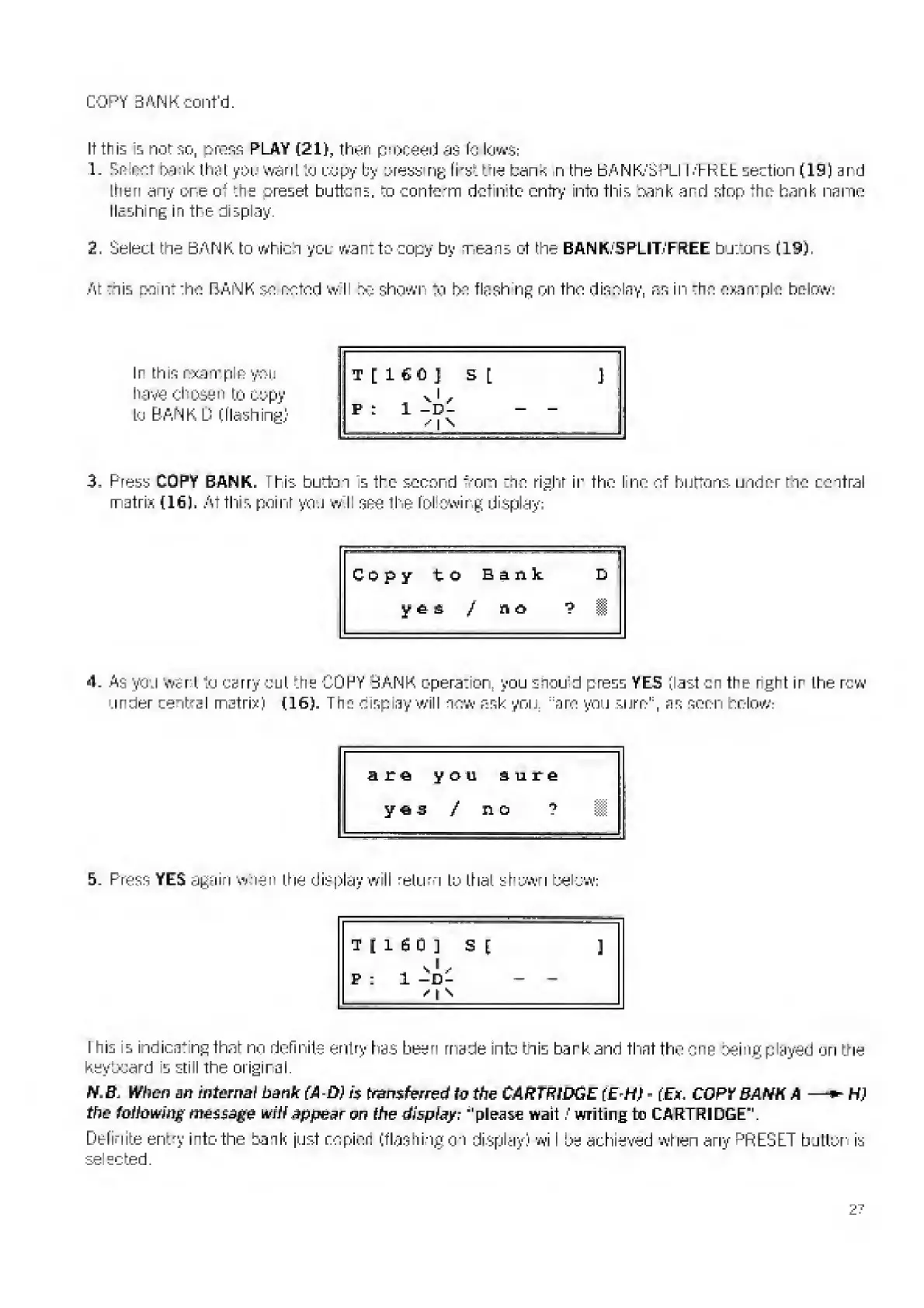
Ir
this
n-xarrp
e
you
have
chosen
to
copy
Lo
BANK
D
(flashing)
T
[
I
6
C
J
S
[
]
Pi
1
-D-
-
n
^
3,
P
r
ess
COPY
BANK,
this
button
s
the
second
mom
trio
right
ir
the
I
nr'
of
burtons
under
tno
central
matrix
(16).
At
this
point
you
w
II
see
the
following
display;
4.
A
s
you
want
to
carry
out
trie
COPY
BANK
operation,
you
shou
d
press
YES
(last
on
the
rght
ir
the
row
under
cental
matrix)
(16),
The
display
will
now
ask
you.
,:
am
you
surn'
:
,
ns
seen
below:
are
you
sure
yes
/
no
?
5.
P
ress
YES
again
w-nen
ttie
display
will
return
to
that
shown
below;
I
n
is
is
indicating
that
no
defir
its
entry
has
been
made
into
bn
is
bark
and
that
the
one
:>sing
played
on
the
keyboard
is
still
tine
original
N.B.
When
an
internal
bank
(AD}
fj
transferred
to
the
CARTRIDGE
(
E-H
)
-
(E*.
COPY
BANK
A
H
}
the
following
message
wili
appear
on
the
display;
"please
wait
/
writing
to
CARTRIDGE".
Definite
ent
r
y
into
tine
bank
just
ropicn
(flashing
on
display)
wl
I
be
achieved
when
ariy
P
RESET
button
is
selected.

Related product manuals