EasyManua.ls Logo

Elka MK55 - Page 6

Default Icon
47 pages
Print Icon
To Next Page IconTo Next Page
To Previous Page IconTo Previous Page
Loading...
SPLIl
CONTROLS
cont'd
(SPLIT
POINT
1
II
is
advisable
That
>tw
uttaSPLJ
ZONE
activated
over
the
entire
freyboard
if
itiahy
to
li-o'gi
you
tu
become
Limilinr
w,lh
;iH
Ihj-'vurims
functions
wthaiil
beconing
involved
m
I
he
keyboard
spliLtinft
process
li
should
1
x
1
remembered
Uiaiin
ell
me
soiling
up
procedures
to
b&rained
on'
cm
the
m.»n
Lj&ntiHjI
main*
having
Trst
KHvated
Hv.
1
PANEL
mode
button
(11}
as
explained
earlier,
you
should
then
irwvc
th?
uwf
f
at&f
h(jlit
UP
and
DOWN
according''/
to
indicate
fl»
ObnlroJ
that
you
war
l
to
w!
up
Al
this
t»n(
you
siKiuld
UIm:
care
:u
select
trie
SPLIT
ZONE
iii-il
you
w.v-r
to
ore-gramme,
by
means
of
the
SPLIT
Sjullons
in
irm
HAWfc'5
PUT.'FREE
groupal
buttons
(19}
and
then
folkw,-
the
separate
insEmctrons
ftr
each
function
You
can
now
proceed
w-tfi
me
initial
selling
up
of
the
keyboard
as
(ollews-
After
assunng
I
hat
ilia
red
mdicaior
l-gin
is
iLashlng
in
the
SPuT
POINT
[Hellion
proceed
as
r<rilnv*y
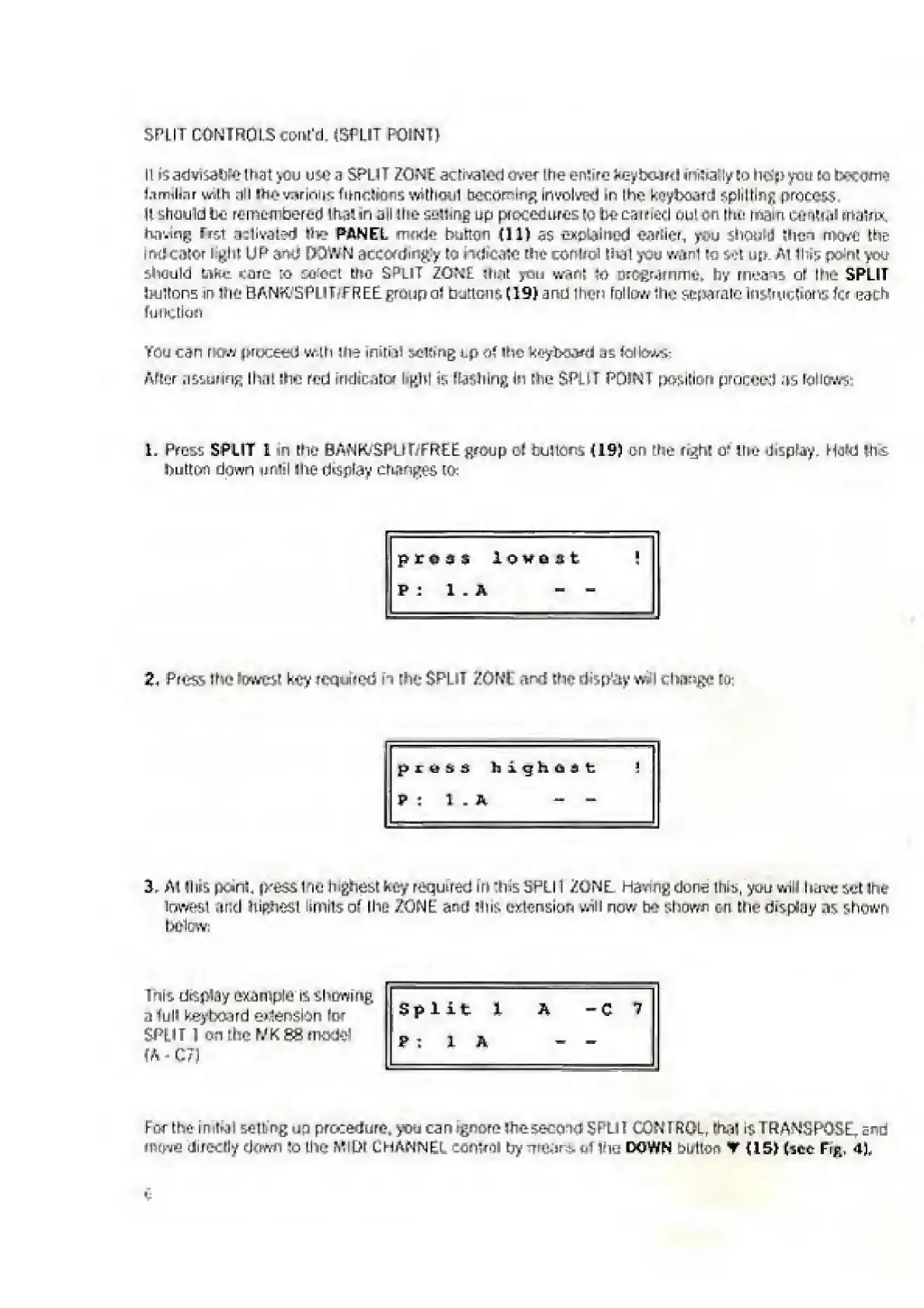
1,
P
res?
SPLIT
1
in
[tie
BANK/SPlLtfFREE
group
ot
bullions
(19)
on
the
right
o'
ihe
display.
Hard
liu.
button
down
until
die
display
changes
t&:
proas
lovast
P
:
1
.
A
-
-
2,
P
ress
the
(barest
key
requited
n
flit
SPl
IT
ZONE
and
[fie
drsp'ay
w.
I
change
r.j
;
p
£
&
s
3
highest
P
:
1
.
A
-
-
3.
A
t
IIus
i&cjnL
pness
Ihfi
highest
tujy
required
m
tins
SHU1
ZONE
Having
dona
thEs,
you
will
have
set
Ihe
lowest
and
highest
limits
of
the
ZONE
and
Hus
extension
will
now
bo
shown
cn
[tie
display
a
r
>
shrjivh
bdte-w:
1ms
dapiay
example
it,
showihg
a
Tull
keyboard
e>1en$i-3n
foe
SPLIT
1
on
the
FZKSS
model
(A
-
C7)
Split
1
A
-C
7
P
:
1
A
-
-
Feu
the
initrjl
setting
up
procedure,
you
can
rgnore
Ihe
second
SF'Lll
CON
I
ROL
r
rival
iy
TRANSPOSE,
a^d
h
i7ju
directly
down
!o
the
MIDI
LMANNEl
eonteii
by
u*
int
DOWN
bullon
V
(IS)
(net
Fig,
4),
e

Related product manuals