Chapter 6 Diagnostics
MAN_105G_1.5 Page 82
Option b) Write Image Array
This option allows you to write a value to a I/O register.
To change the value of a register, select option b) write image array.
Enter location, then the value to be written to the register – for example
b
Location: 12
New Value: 0xFFFF
Register values should always be written in hexidecimal format. If you want the 105G to stop
the host device reading or writing values to the I/O database at the same time, then select
option h) or i).
Options c), d) Enable/Disable Comms logging
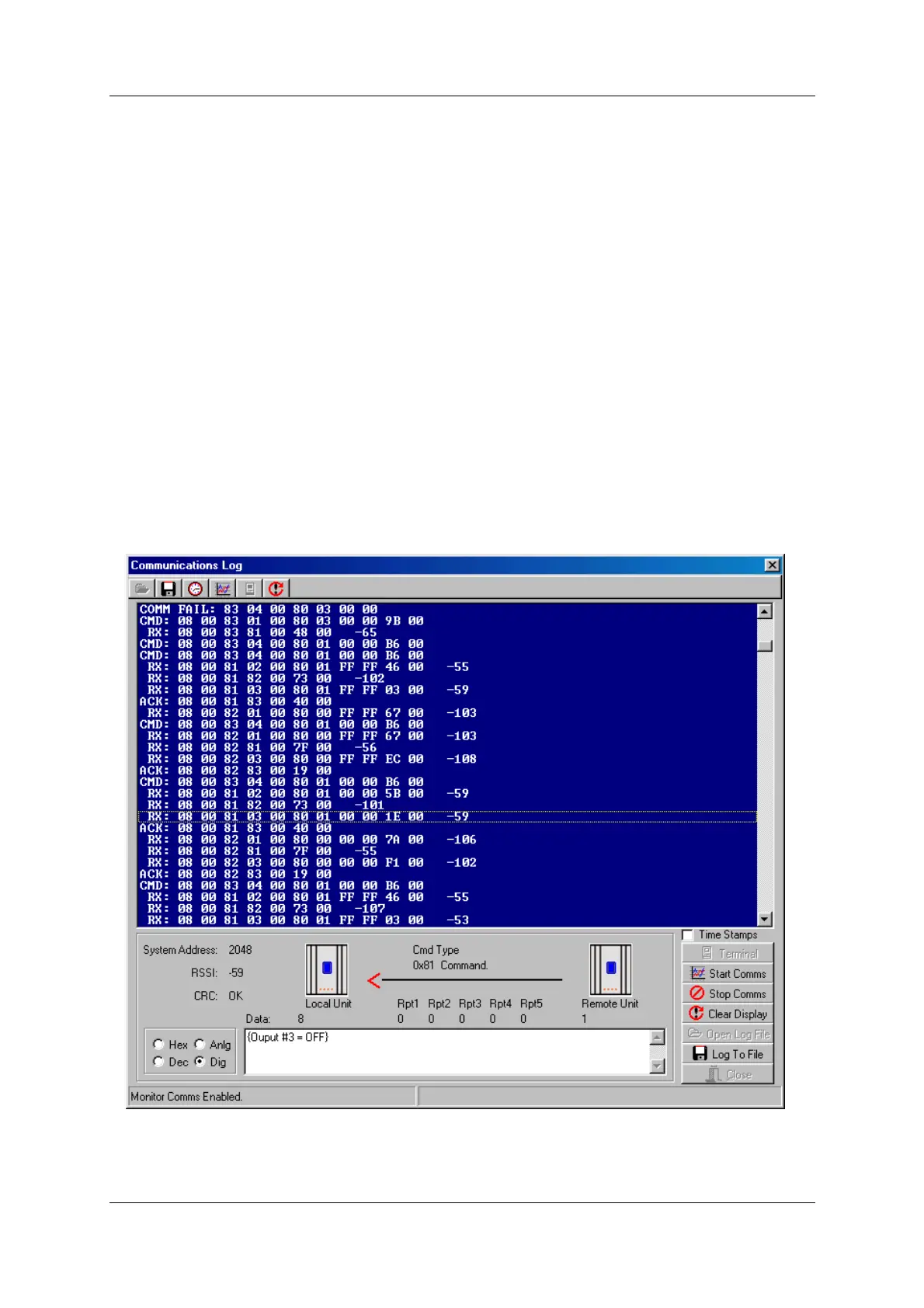
These options allow logging and display of radio communications. To start “Comms
logging”:
• selecting c) Enable Comms Logging
• in the Terminal window, select ‘Stop Terminal’ and then ‘Start Comms’.
The display will show radio messages transmitted and received. Messages starting with RX
are received messages, CMD are transmitted messages and ACK are acknowledgement
messages. At the end of each message is the RSSI (radio signal strength) in dBm.



 To Next Page