Installation
Installation
User's Manual
BAB 740
2—2
2.1.1 VMEbus Installation
WARNING: Due to the power dissipation of the MPC740
CPU it is not recommended to operate the BAB 740 without
forced air cooling.
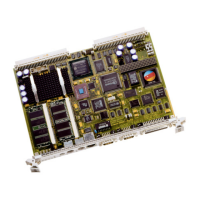
The BAB 740 needs two VMEbus slots, when used with the PMCE
carrier board. Since the two boards (BAB 740 and PMCE) have an
internal connection, be sure to install resp. remove the two-board
package carefully and simultaneously!
2.1.2 What‘s needed for Installation
The BAB 740 must be installed into a 32-bit VMEbus rack. A
terminal (or a PC with a terminal emulator program), set to 9600
baud, 8 bit, no parity, is needed to check boot messages and to
change boot settings. A SCSI hard disk must be attached via an
ADAP-200/220 if the operating system is booted from disk; if it is
booted from Ethernet, this network connection is needed.


 To Next Page