Booting
Booting
User's Manual
BAB 740
6—2
6.2
Booting OS-9
6.2.1 Entering Boot Parameters
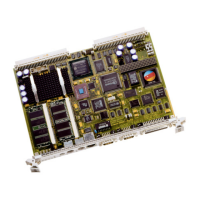
The BAB 740 is prepared for booting over Ethernet using BOOTP
protocol.
6.2.2 Printout of Boot Screen
*** ELTEC Elektronik GmbH, Mainz ***
BAB 740 Monitor Version 1.0/1
Init MPU/MSR/FPU/Segment registers.
Init SuperIO (polled output on COM1).
Activating 1st level cache --------------------------- OK
Setting MPC106 register ------------------------------ OK
Reading SPD of bank0/1 ------------------------------- OK
RAM-Type: SDRAM
Reading SPD of bank2/3 ------------------------------- FAILED
Activating 32 MByte.
OS-9000 Bootstrap for the PowerPC(tm)
Ethernet 10 Mbit selected
BOOTING PROCEDURES AVAILABLE ------------------------ <INPUT>
Boot loaded system in-place (copy User-ROM to RAM) -- <bo>
Boot over Ethernet (DEC 21143) ---------------------- <eb>
Scan SCSI devices ----------------------------------- <ioi>
PCI View Utility ------------------------------------ <pciv>
Enter ROM Debugger ---------------------------------- <break>
Restart the System ---------------------------------- <q>
Select a boot method from the above menu:
(Booting procedure up to boot menu may take about half a minute in
this release.)


 To Next Page