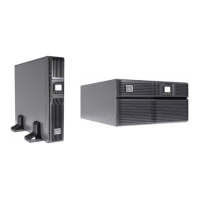
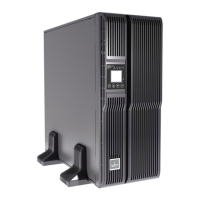
EasyManua.ls Logo

Emerson GXT4-5000RT230 - User Manual

Emerson GXT4-5000RT230
68 pages
Print Icon
To Next Page IconTo Next Page
Loading...
Liebert
®
GXT4
UPS 230 V, 5000 VA 10,000 VA
User Manual

Table of Contents

Questions and Answers

  • P
    Pamela AndersonAug 1, 2025
    Why is the battery indicator illuminated on my Emerson GXT4-5000RT230 UPS?
    • A
      abarnettAug 2, 2025
      If the battery indicator is illuminated on your Emerson UPS, it means the unit is running on battery power. First, ensure the UPS is securely plugged into the wall. If it is, the input protection fuse might have blown. In that case, save your data, close applications, replace the UPS input fuse, and then restart the UPS. Also, the mains power may be out of tolerance. Ensure the mains supply voltage is within acceptable limits for the UPS.
  • J
    James StokesAug 7, 2025
    Why does my Emerson GXT4-5000RT230 have reduced battery backup time?
    • J
      John BerryAug 7, 2025
      If your Emerson UPS has reduced battery backup time, there are a few potential reasons. The batteries may not be fully charged; keep the UPS plugged in continuously for at least 24 hours to recharge them. The UPS could also be overloaded; check the load level indicator and reduce the load if necessary. Finally, the batteries may be old and unable to hold a full charge, in which case you should replace them. Contact your local dealer, Emerson representative or Emerson Channel Support for a replacement battery kit.
  • S
    Susan CisnerosAug 12, 2025
    What to do if my Emerson UPS fails to start?
    • M
      Matthew JimenezAug 12, 2025
      If your Emerson UPS fails to start, it could be due to a short circuit or overload. Ensure the UPS is off, disconnect all loads, and make sure nothing is lodged in the output receptacles. Also, confirm that the loads are not defective or shorted internally. Another possibility is that the batteries are not charged enough or not connected. Check to ensure the internal battery is connected; if not, connect it and try to start the unit. If the battery is connected, leave the UPS connected to input power for 24 hours to recharge the batteries, and then try to start the unit.
  • M
    Matthew AndersonAug 19, 2025
    What to do if the battery indicator is flashing on my Emerson GXT4-5000RT230?
    • A
      arnolddariusSep 12, 2025
      If the battery indicator is flashing on your Emerson UPS, it means the battery source is not available, and a continuous horn may sound. Check the battery connections, completely power down, and then restart the UPS. Note that if the battery circuit opens while the UPS is running, it will be detected when the next battery test is performed.
  • J
    Jim FarmerAug 26, 2025
    Why is the bypass indicator flashing on my Emerson UPS?
    • A
      Aaron ChangAug 26, 2025
      If the bypass indicator is flashing on your Emerson UPS, it means the voltage or frequency is outside acceptable limits, disabling the bypass. The AC input powers the PFC input and serves as the bypass source. If the AC is present but the voltage or frequency exceeds the acceptable range for safe operation with a load, the bypass will be disabled, and this indicator will flash, indicating that the bypass is unavailable.

Summary

Important Safety Precautions

UPS Safety Notes

Provides critical safety guidelines specific to the UPS unit and its operation.

Battery Safety

Details crucial safety precautions related to handling and working with UPS batteries.

1.0 Product Description

1.1 Features

Lists key operational and management features of the UPS system.

1.6 Major Components

Explains the primary functional components of the UPS system.

1.7 Operating Mode

Describes the different operational modes of the UPS system.

2.0 Installation

2.4 Install the Main Cabinet

Provides instructions for installing the main UPS unit in either tower or rack configuration.

2.4.1 Tower UPS Installation

Provides step-by-step instructions for installing the UPS in a tower configuration.

2.4.2 Rack Installation

Details the procedure for installing the UPS in a rack enclosure.

2.5 External Battery Cabinet Installation

Details the procedure for installing optional external battery cabinets.

2.6 Connect Input;Output Power

Explains how to connect the UPS to power sources and loads.

2.6.3 Distribution Box Electrical Connections

Describes the electrical connections for the distribution box.

3.0 Operation and Display Panel

3.4 Menu Structure

Illustrates the hierarchical structure of the UPS menu system accessed via the LCD.

3.4.6 Fault List

Describes UPS fault messages, causes, and corrective steps.

6.0 Maintenance

6.1 Replacing the Internal Battery Pack

Provides step-by-step instructions for replacing the internal battery pack.

6.1.1 Battery Replacement Procedures

Details the specific steps and cautions for replacing the UPS internal battery pack.

7.0 Troubleshooting

7.2 Troubleshooting

Provides a table to help diagnose and resolve common UPS issues.

Emerson GXT4-5000RT230 Specifications

General IconGeneral
Product TypeLine-interactive UPS
Capacity5000 VA / 4500 W
Form FactorTower
TopologyLine-interactive
Output Voltage Regulation± 5%
Operating Temperature0°C to 40°C
Storage Temperature-15°C to 45°C
Humidity0-95% non-condensing
Input Frequency Range40 Hz - 70 Hz
Output Voltage220/230/240 VAC
Output Frequency50/60 Hz
Battery TypeSealed lead-acid
RuntimeVaries based on load
Overload Capability150% for 30 seconds
Communication PortsUSB, RS-232
Audible NoiseLess than 45 dBA

Related product manuals