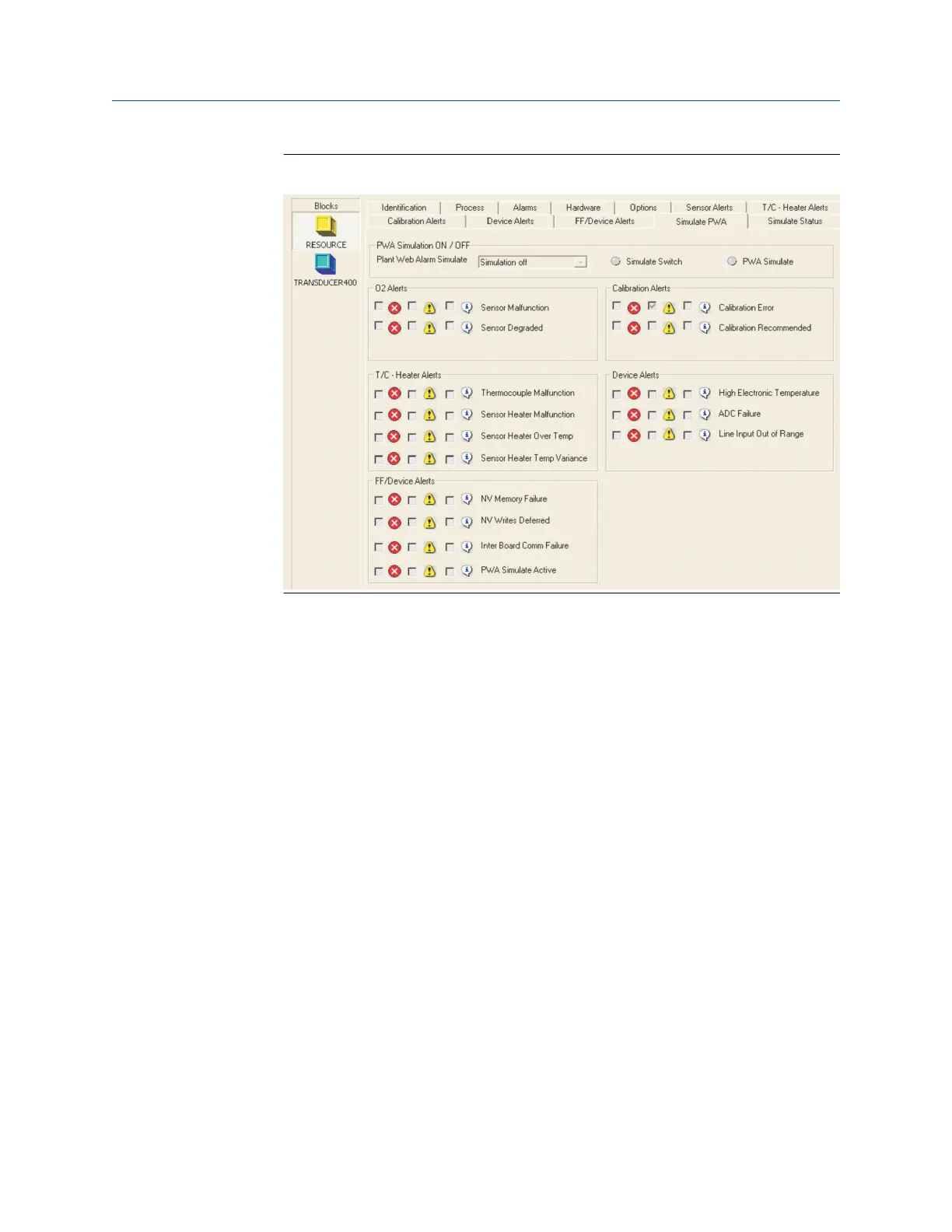
Figure 8-3: Simulate PWA screen
5. Now select Simulation on or Simulation off from the Simulate PWA screen.
When Fieldbus simulation is on, the Simulation Switch LED is illuminated.
When PWA simulation is off, the PWA Simulate LED is illuminated.
If PWA simulation is on, all PWA active parameters and resource and
transducer block status parameters are configurable. Otherwise they are
read-only.
6. To simulate PlantWeb alerts, use the Simulate PWA screens in the resource
block. To simulate block alarms, use Simulate TB Temperature Sensor -
Temperature Status, Simulate TB Temperature Status, or Simulate TB
Calibration Device - FF Status in the transducer block.
7. Select Device Diagnostics to view the active PWA alarms.
8. When Device Diagnostics is selected, press Status to see the resource or
transducer block detailed status displays.
8.5 Configure PlantWeb alert (PWA)
simulation with the Field Communicator
Use the following procedure to configure PWA simulation using the Field
Communicator.
Procedure
1. Run the Transmitter Options method in the resource block (Resource →
Methods)
F
OUNDATION
™
Fieldbus Manual
December 2022 00809-0500-4880
128 Emerson.com/Rosemount














 To Next Page