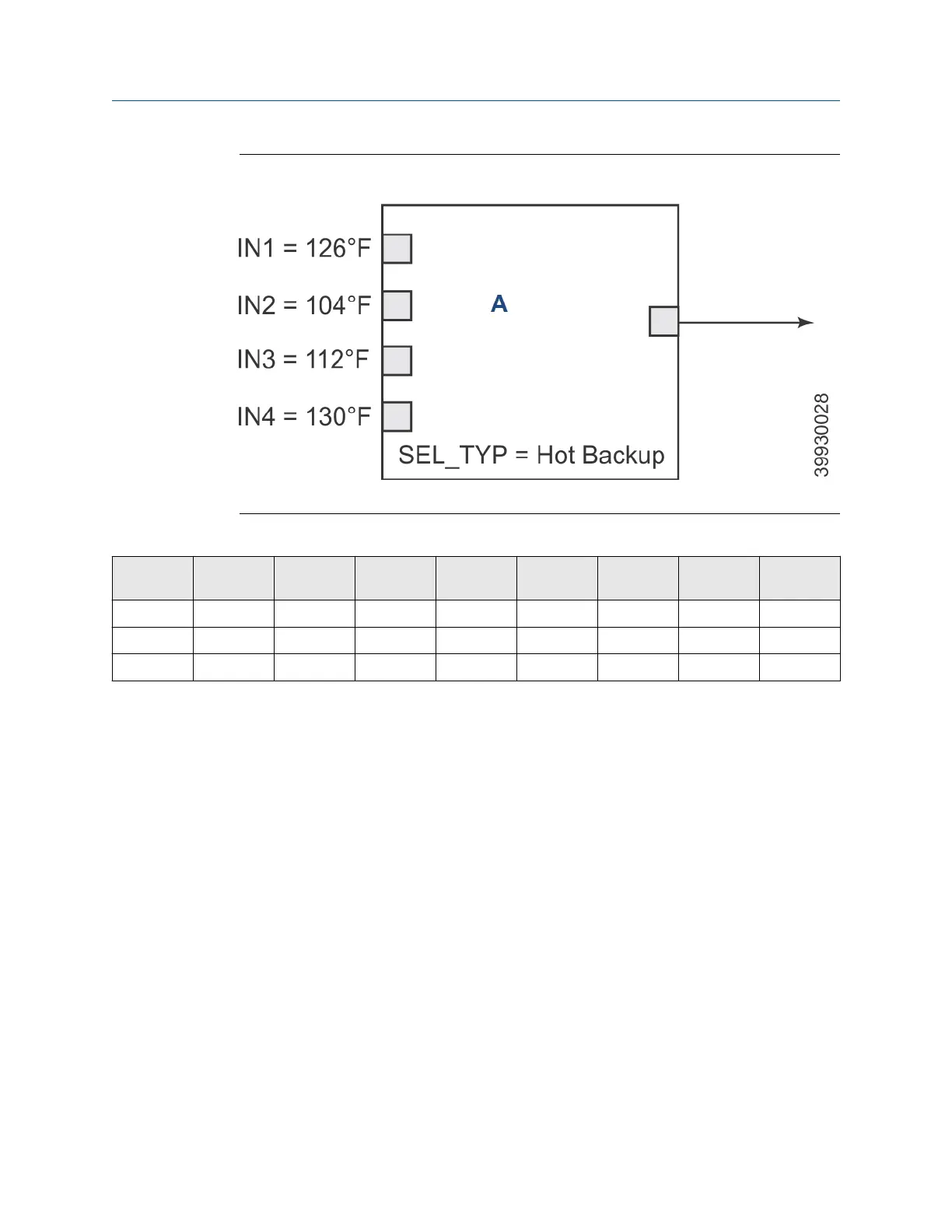
Figure 8-32: Input Selector Function Block Example (SEL_TYPE = Hot Backup)
A. Input selector (ISEL) function block
Table 8-33: Input Selector Function Blocks
Time IN1 value Status IN2 value Status Out value Status Selected
value
Status
T
0
Good 20 Good 21 Good 20 Good 1
T
1
Bad 20 Good 21 Good 21 Good 2
T
2
Good 20 Good 21 Good 21 Good 21
8.12.7 Troubleshoot
8.13 Operation with Emerson DeltaV
™
8.13.1 Install a new device onto a DeltaV
™
system
AMS and DeltaV software allows you to manage your instrumentation and to
perform on-line configurations of your instruments.
The ability to communicate with instruments and configure instruments on-line
facilitates instrument commissioning and loop validation.
With AMS, you can also access status and diagnostic data from smart devices and
monitor their performance.
AMS leverages the I/O capabilities of the control system to gather asset
management data without interfering with the control system's operations.
Before starting this proceudre, install DeltaV and the transmitter and power them
on.
1. Insert the transmitter onto DeltaV.
Manual
FOUNDATION
™
Fieldbus
00809-0500-4880 December 2022
Rosemount OCX8800A 211














 To Next Page