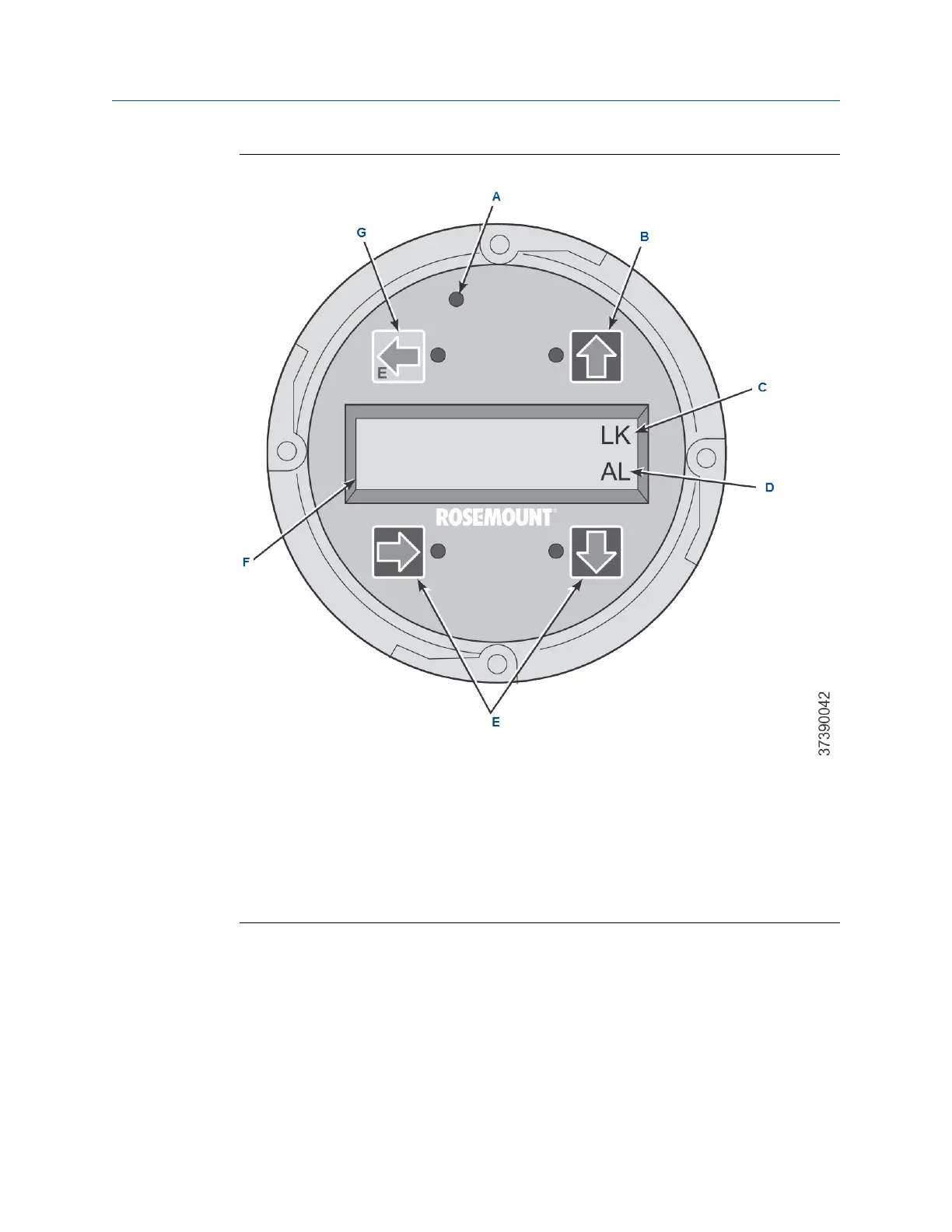
Figure 4-2: LOI Assembly
A. Touch confirmation LED
B. Selection arrow
C. Lockout notation
D. Status code
E. Selection arrows
F. Display window
G. Selection arrow (Enter key)
4.2.2
Local operator interface (LOI) key functions
The gray (top left) key will move one level higher in the menu structure. When
entering parameter values (numbers), this key moves the cursor to the left. The
left-pointing key also doubles as an Enter key, used after the digits of a parameter
value are entered and the cursor is moved to its left-most position. When you
touch the Enter key, the new parameter value, if accepted, will appear in the top
line of the display.
Manual Using the local operator interface (LOI)
00809-0500-4880 December 2022
Rosemount OCX8800A 71














 To Next Page