8. A list of available WiFi networks is displayed.
9. Select the WiFi network you wish to connect to.
10. Enter the wireless encryption key and press “Connect”
11. To activate the WiFi connection disconnect the Ethernet cable.
2.4.2 Connecting to WiFi using the PC utility (windows).
1. Ensure the camera is connected to the network with a Ethernet cable, and your
smartphone is connected to the same network.
2. Ensure the camera is added to the device list (see chapter 2.3)
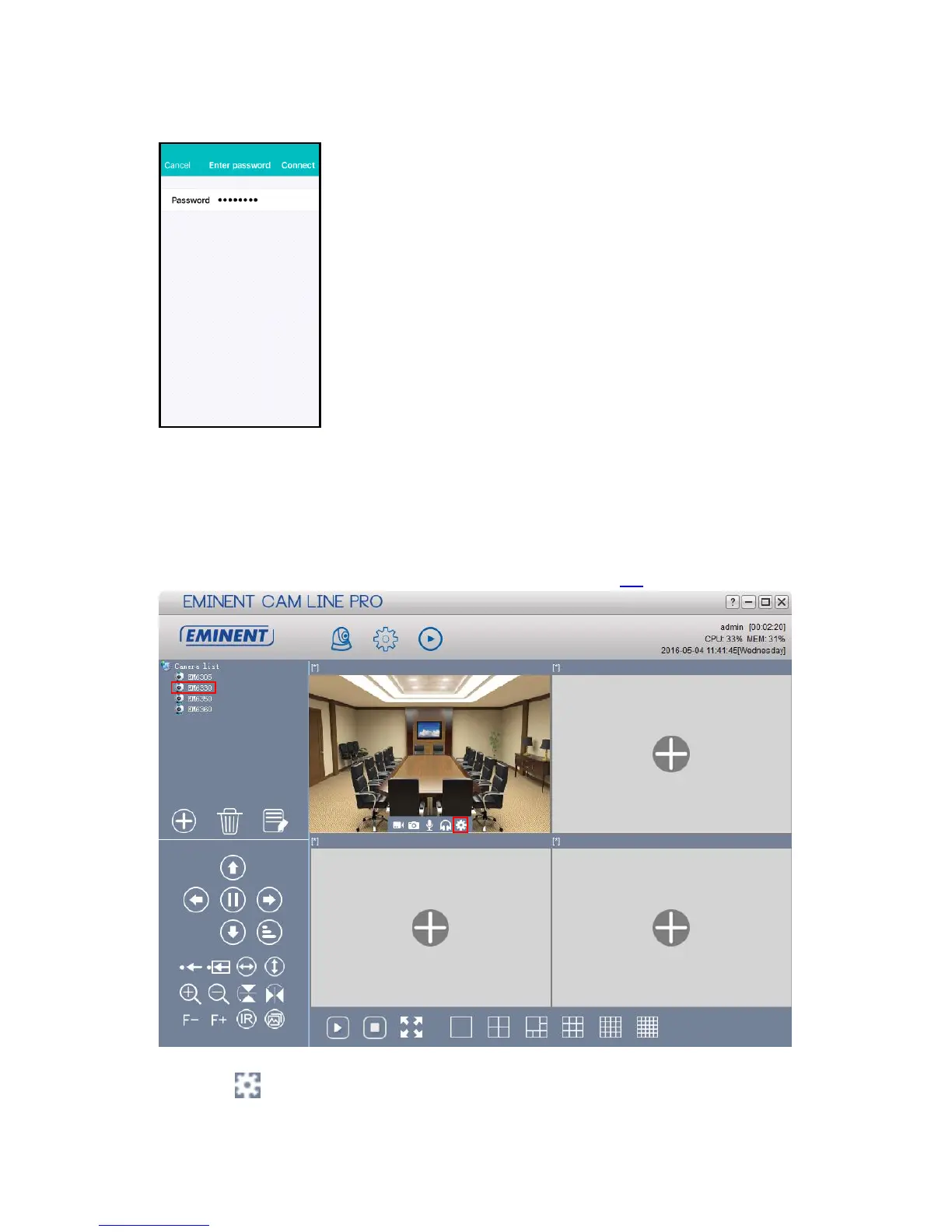
3. Select the camera in the camera list
4. Press from the camera view of the camera you wish to connect to the WiFi
connection.



 To Next Page