2.2 Installing the CamLine Pro App on an Apple/Android
device
Before you can view the video of the camera, you need to download and install the
app “CamLine Pro” from the “Play Store” or “App Store”.
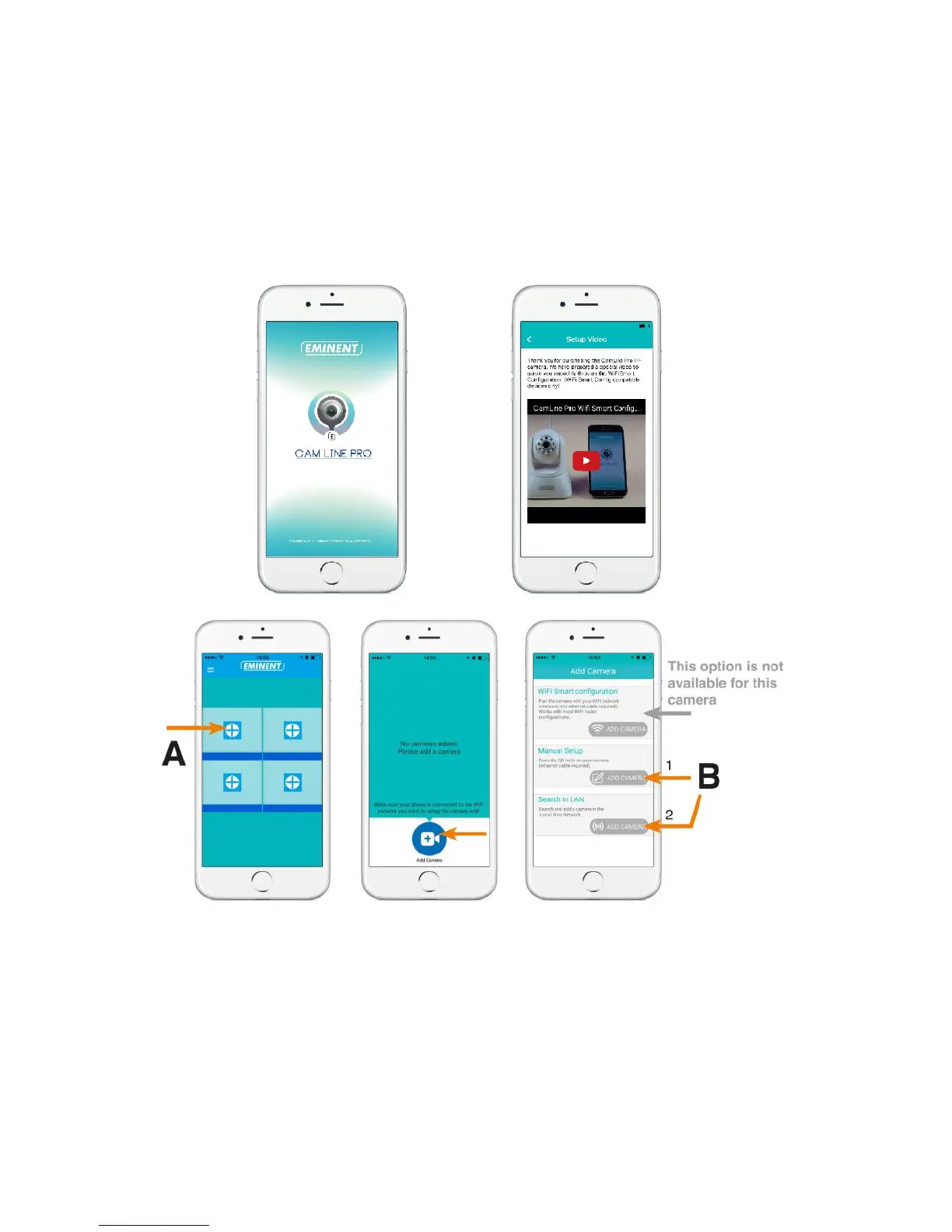
1. Download and install the app “CamLine Pro” from the “Play Store” or “App Store”.
2. Open “CamLine Pro”.
3. Select the “+” (A).
4. Select “Add camera”.
5. Choose for option 1 or 2 (B) the option that matches the best with your setup
situation and press “Add camera”.
6. Follow the instructions on the screen
7. Press “Add” to add the camera.



 To Next Page