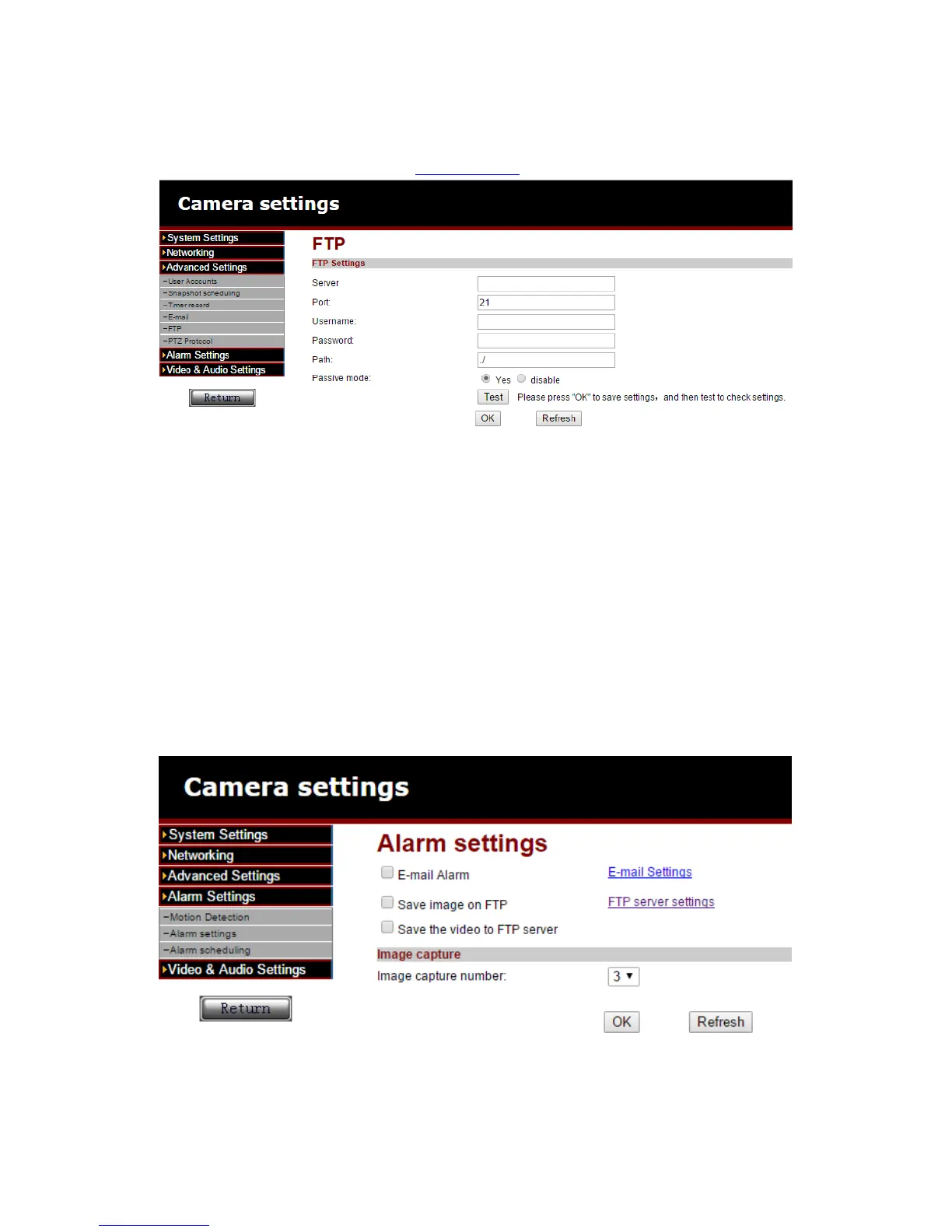
6.3 FTP setting
Optionally set your FTP server in this setup menu.
Example of a FTP server address: ftp.server.com
6.4 Alarm settings
In this setup menu you can you can determine what should happen if an alarm event
is triggered.
You can choose from the following options:
E-mail alarm: An e-mail will be send to an e-mail recipient on an alarm event.
Save image on FTP: a snapshot will be saved to the FTP server.
Save the video to FTP server: a recording will be saved to the FTP server (a micro
SD card is required to use this option).
Save image on SD card: a snapshot is saved to the micro SD card.
Save video on SD card: a recording will be saved to the micro SD card.
Alarm preset: Go to a predefined preset on an alarm event.
Image capture number: Set the amount of snapshots that will be send by e-mail.



 To Next Page