EasyManua.ls Logo

Eminent EM6350 - 5.0 CamLine Pro PC Software; 5.1 PC Software Overview

Eminent EM6350
42 pages
Print Icon
To Next Page IconTo Next Page
To Previous Page IconTo Previous Page
Loading...
26 | ENGLISH
6. Start REC: Determine a specific time to start recording to the SD card.
7. End REC: Determine a specific time to stop recording to the SD card.
5.0 CamLine Pro PC software
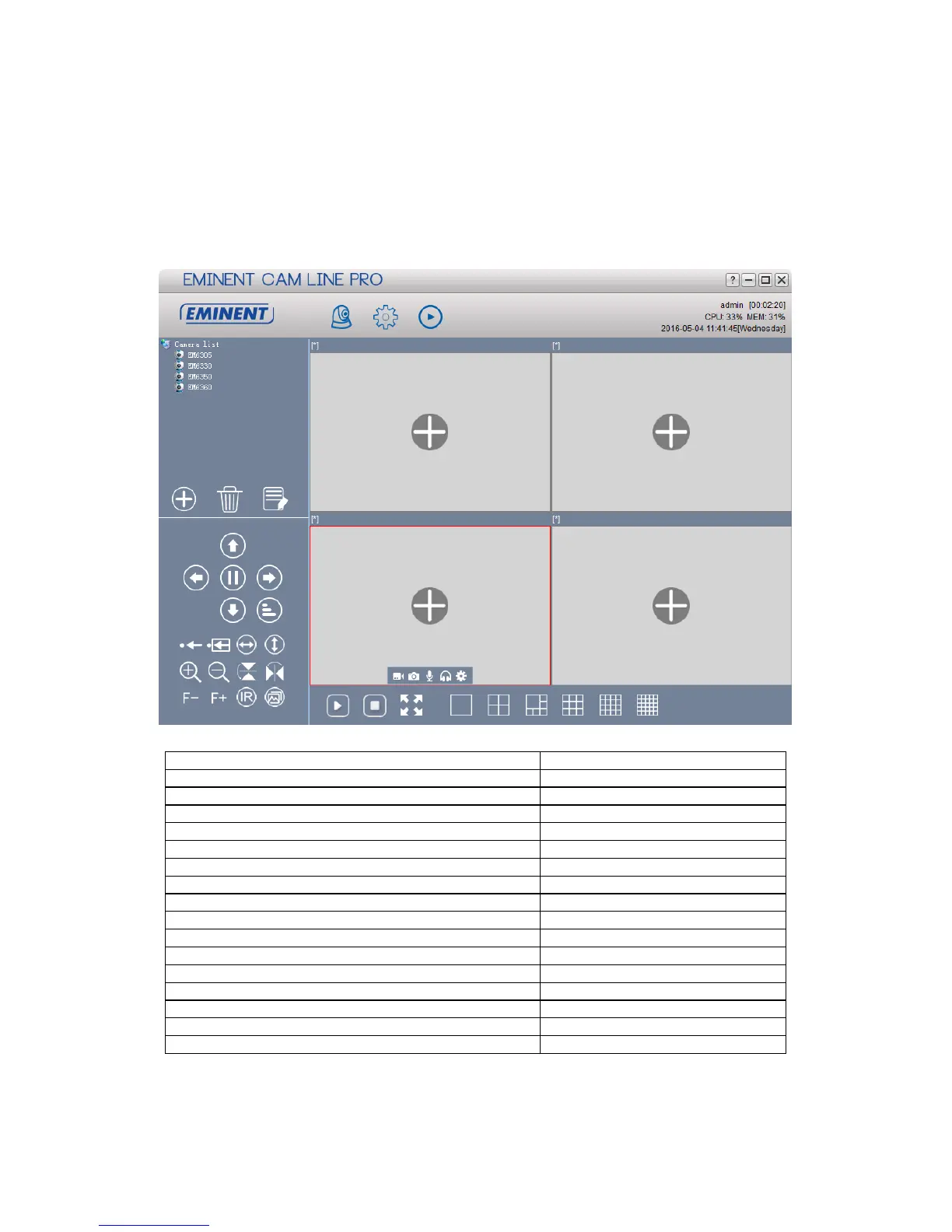
5.1 The overview of the CamLine Pro PC software
1. Camera list
18. Horizontal mirroring
2. Add Camera
19. Vertical mirroring
3. Delete camera
20. IR LED control
4. Camera settings
21. Video quality
5. Camera view
22. Start/Stop recording
6. Software settings
23. Take Snappshot
7. Playback recordings
24. Enable/disable microphone
8. Pan/Tilt control
25. Enable/disable speaker
9. Pan/Tilt speed
26. Open all streams
10. Save preset
27. Close all streams
11. Go to preset
28. Full screen
12. Horizontal patrol
29. 1 screen
13. Vertical patrol
30. 4 screens
14. Zoom- IN (only available for certain models)
31. 6 screens
15. Zoom-OUT (only available for certain models)
32. 9 screens
16. Focus (only available for certain models)
33. 16 screens
17. Focus + (only available for certain models)
34. 25 screens
1
2
22 23 24 25 4
5 6 7
8
9
10 11 12 13
14 15 18 19
16 17 20 21
2 3 4
26 27 28 29 30 31 32 33 34

Table of Contents

Related product manuals