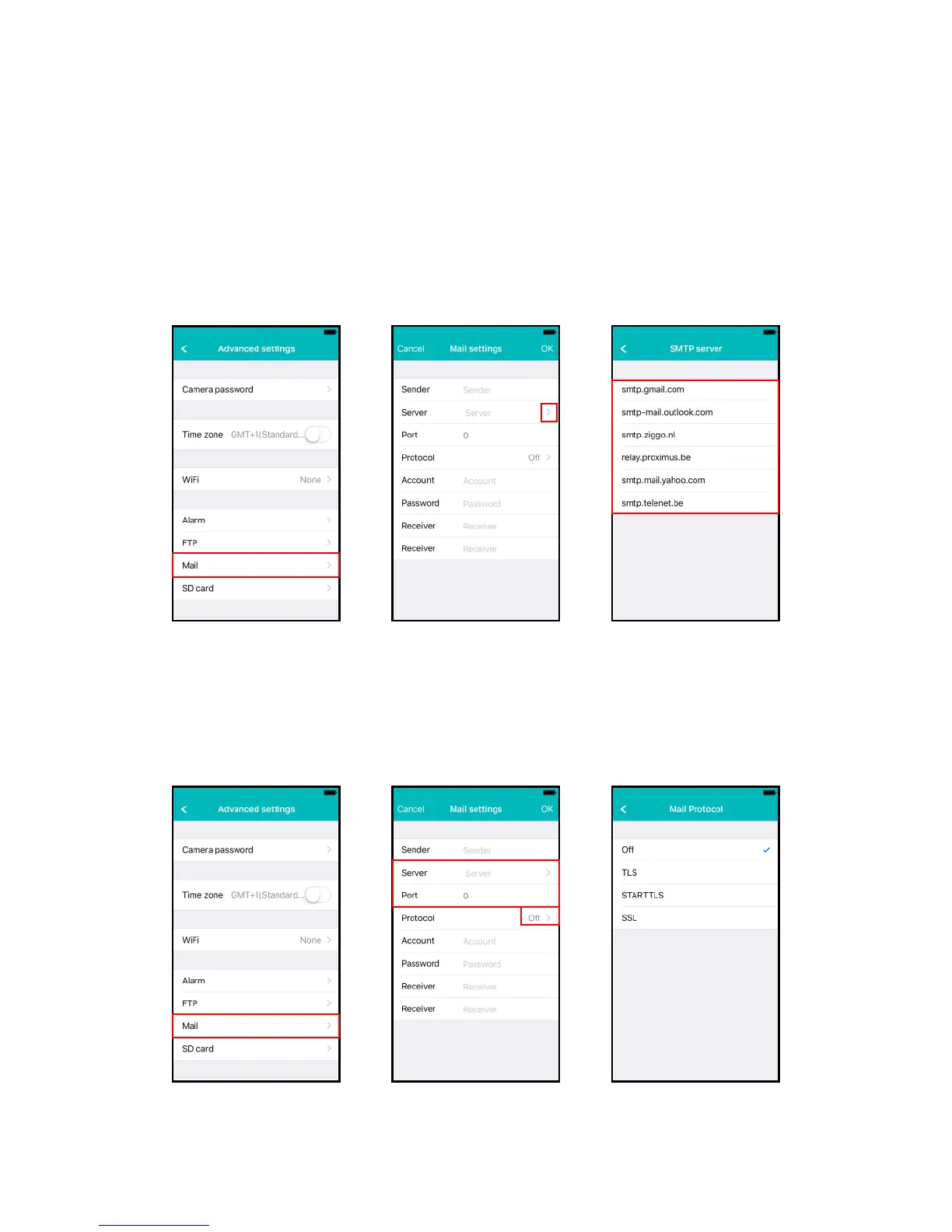
4.6.6 Mail settings
Set the server settings for your e-mail server for the camera to be able to send an e-
mail on an alarm event.
Eminent has added popular e-mail servers to the predefined SMTP server list.
If you wish to use one of the following email providers you can use the “>” at the
server option and select the corresponding mail provider from the list.
Gmail.com, Outlook.com (Live, Hotmail), Ziggo.nl, Proximus.be (skynet.be,
belgacom.be), Yahoo.com, Telenet.be
The server settings will be entered you still need to enter the displayed sender
address, your e-mail user account, password and the recipient e-mail address and
press “OK”
If the e-mail provider is not listed you will need to set the server settings manually.
Enter the e-mail providers SMTP
settings. If your email server requires
a certain protocol select “>” next to
the option protocol



 To Next Page