The server settings will be entered you still need to enter the displayed sender
address, your e-mail user account, password and the recipient e-mail address and
press “OK”
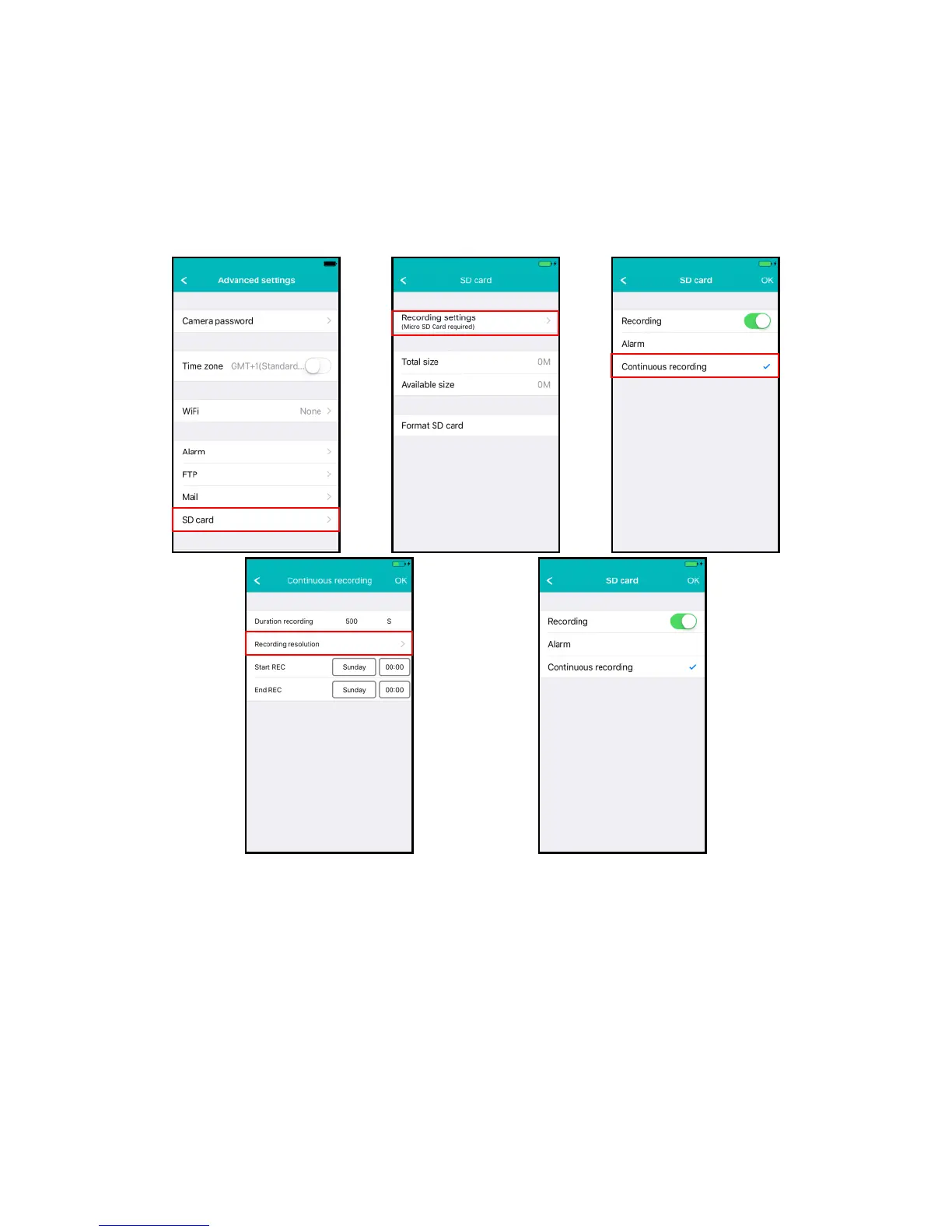
4.6.7 SD card settings (Not available for EM6350)
Set the SD card recording settings, Check the amount of available storage capacity on
the SD card and format your SD card.
The following recording settings are available:
1. Format SD card: The SD card will be formatted (all data and recordings will be
erased).
2. Alarm: The camera will start recording to the SD-card on an alarm event (Motion
detection needs to be enabled).
3. Continuous recording: The camera will keep recording continuously to the SD card
if the SD card is full the camera will overwrite the oldest recording.
4. Duration recording: Determine the length of the recording per file (values are in
seconds).
5. Recording resolution: Set the resolution used for the recording. (Higher resolution
will require more SD card capacity).



 To Next Page