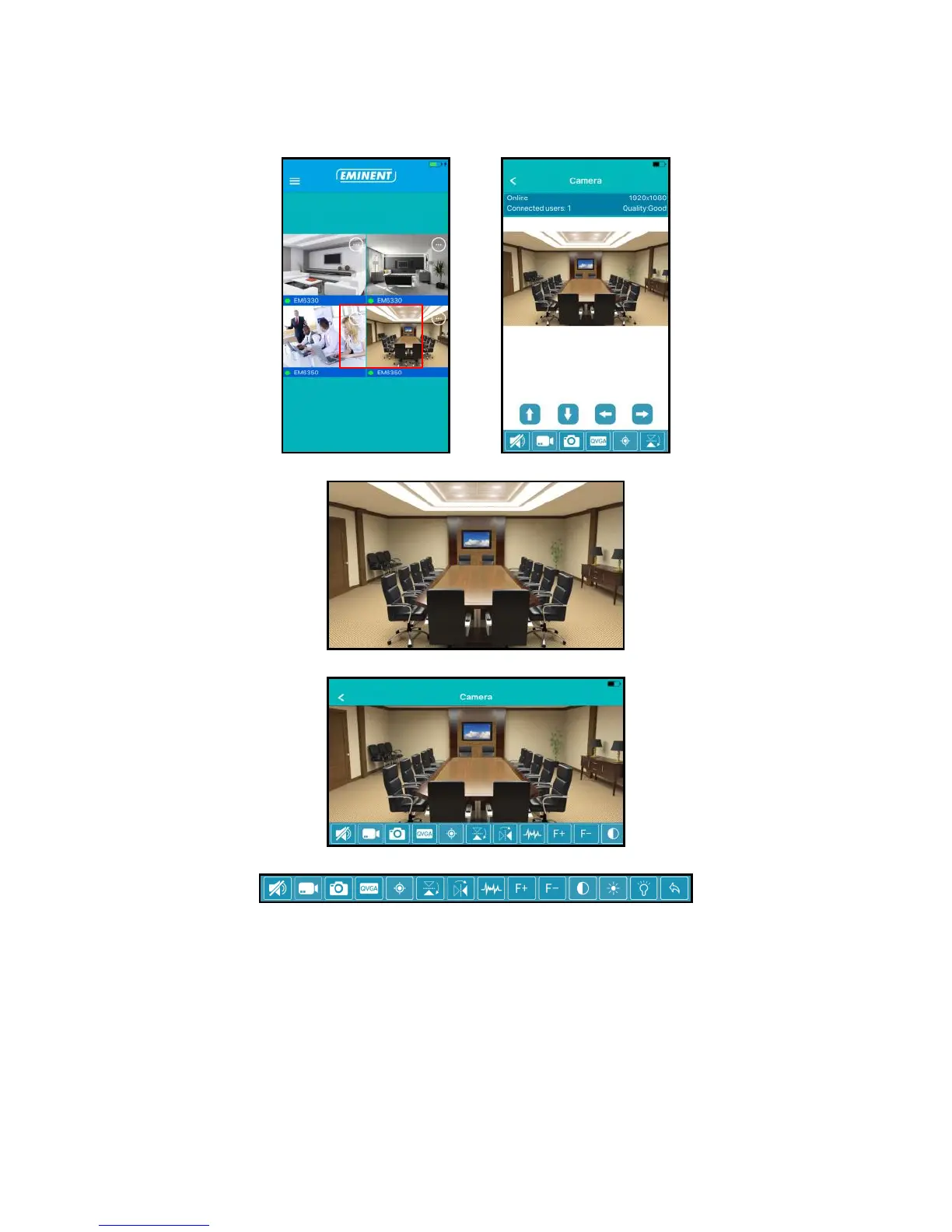
4.3 Overview and control of the camera
Portrait view
Landscape view
Press the currently displayed stream to get more options
Option overview (swipe to the left to view all available options)
1. Mute
2. Record video (locally)
3. Take snapshot (locally)
4. Change video quality
5. Manage camera presets
6. Mirror horizontally
7. Mirror vertically
8. Change the environments frequency
9. Optical zoom + (only available for certain models)
10. Optical zoom - (only available for certain models)
11. Change the contrast
12. Change clearance
13. Manage IR LED switch
14. Restore default camera settings



 To Next Page