EasyManua.ls Logo

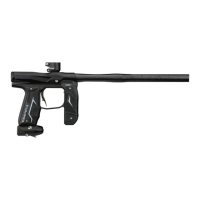
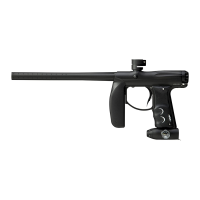
Empire AXE - User Manual

Empire AXE
23 pages
Print Icon
To Next Page IconTo Next Page
Loading...
OWNER’S MANUAL

Questions and Answers

  • M
    maryyoungSep 7, 2025
    Why does my Empire Paintball equipment leak sometimes while shooting multiple shots?
    • L
      Leslie ClaytonSep 7, 2025
      If your Empire Paintball equipment leaks sometimes while shooting multiple shots, the poppet may be sticking open. Clean the old grease from the poppet O-ring and apply fresh grease. If that doesn't help, replace the poppet O-ring and apply fresh grease. Another cause can be that the battery may be low, so replace it with a fresh brand-name alkaline 9V. Also, the solenoid may be sticking open. If the pressure is set to 200 psi or less, the solenoid may be filled with dirt and/or grease. Do not attempt to disassemble the solenoid. Only a trained technician should do this. Attempting to disassemble the solenoid will void the warranty. Take it to a trained technician for service or contact Paintball Solutions.
  • S
    Sonya MontgomerySep 6, 2025
    What causes scratches on the bolt of my Empire Paintball equipment?
    • R
      Rhonda CarterSep 6, 2025
      To address scratches on the bolt of your Empire Paintball equipment, the spring may be damaged, which can negatively impact performance. It is recommended that a trained technician repair or replace the main spring.
  • S
    Stacie RodriguezSep 4, 2025
    Why does my Empire Paintball equipment fire multiple balls from only one shot?
    • H
      hollowaystevenSep 5, 2025
      If your Empire Paintball equipment fires multiple balls from only one shot, the loader might be forcing paintballs too hard into the marker, causing them to go past the ball detents. Remove both ball detent covers and clean the ball detents with a cloth. You can also add some grease to the outer surface of the detents to ensure they aren't sticking within the covers. Also, detents sticking can cause this issue. Remove both ball detent assemblies and clean the ball detents with a cloth. You may also add some grease to the outer surface of the detent to make sure they are not sticking within the detent cover.
  • J
    John TrujilloSep 3, 2025
    What to do if my Empire Paintball equipment doesn't fire with eyes turned off?
    • L
      Lindsay MorrisSep 3, 2025
      If your Empire Paintball equipment doesn't fire with the eyes turned off, the trigger may need adjustment. Check the LED light on the back of the foregrip; while holding the trigger, the LED should stay red in the background and not be red when the trigger is released. If it's not, the trigger may need adjustment. Additionally, the solenoid may not be connected properly. To reset the solenoid, with the eyes off, pull the trigger repeatedly until the solenoid makes a loud clicking sound again with each trigger pull, but do not pull the trigger more than 10 times, as this can damage the solenoid. If after 10 pulls the solenoid still doesn't click, it may need to be serviced.
  • T
    Tracy HollowayAug 31, 2025
    Why does my Empire Paintball equipment cycle very slow?
    • K
      Kimberly JamesAug 31, 2025
      If your Empire Paintball equipment cycles very slowly, clean off the old grease from the bolt and bolt guide O-rings, as well as the bolt front seal, and apply fresh grease. Also, the rate of fire setting may be adjusted too low, so raise the rate of fire setting. Finally, check your loader's batteries or use a faster loader, as the loader may not be feeding fast enough.
  • J
    Jason RamosAug 30, 2025
    Why is the velocity inconsistent with my Empire Paintball equipment?
    • M
      Melanie DurhamAug 30, 2025
      If you're experiencing inconsistent velocity with your Empire Paintball equipment, it could be due to several factors. The pressure may be set too low; do not lower the regulator pressure below 180 psi. The marker may need to be greased. The dwell may be set too low or too high. A check valve might be missing. The battery could be low, so replace it with a fresh brand-name alkaline 9V. Lastly, the poppet o-ring may be worn, so replace it and apply fresh grease.
  • L
    Lisa MiddletonAug 29, 2025
    What to do if Empire Paintball equipment breaks paint in chamber?
    • G
      Gina MillerAug 29, 2025
      If your Empire Paintball equipment is breaking paint in the chamber, ensure the eyes are turned on. Also, the paintballs may be of low quality or too brittle. Perform a drop test: drop ten paintballs from 5 feet onto a hard surface; if more than three break, the paintballs are bad. Other potential causes include the loader pushing too hard (try a different loader), worn bolt or bolt guide o-rings (replace and grease them), a missing bolt front seal (ensure it's in place and greased), a missing check valve (ensure it's in place), dirty or worn ball detents (clean or replace them), or regulator pressure set too high (lower it).
  • R
    Ryan KlineAug 27, 2025
    Why is my Empire Paintball equipment regulator leaking from bottom plug?
    • K
      Kenneth MillsAug 27, 2025
      If your Empire Paintball equipment regulator leaks from the bottom plug, the regulator pressure is likely set too high and needs to be lowered. The plug on the underside of the regulator is an over-pressurization relief. If the regulator is set to 200 psi or less and the leak persists, try turning the plug cap slightly clockwise until the leak stops.
  • T
    Tiffany MillerAug 27, 2025
    Why is my Empire Paintball equipment regulator slow to recharge?
    • J
      Jasmine HortonAug 27, 2025
      If your Empire Paintball equipment regulator is slow to recharge during rapid firing, where the first shot has full velocity but subsequent shots decrease substantially, and the regulator gauge drops significantly and recovers slowly, ensure your air tank is fully screwed into the regulator ASA. Do not stop as soon as the marker pressurizes; continue turning until the tank stops. Alternatively, install the air tank empty and have it filled by a professional while installed to ensure maximum airflow.
  • M
    Michael MurilloAug 25, 2025
    What to do if my Empire Paintball equipment doesn't fire?
    • W
      William WilliamsAug 25, 2025
      If your Empire Paintball equipment doesn't fire, first ensure the marker is turned on and that there is a paintball in the chamber. Also, the trigger may need adjustment. Check the LED light on the back of the foregrip; while holding the trigger, the LED should stay red in the background and not be red when the trigger is released. If it's not, the trigger may need adjustment.

Summary

Rules for Safe Marker Handling

Introduction and Specifications

Empire AXE Specifications

Detailed list of the marker's model, caliber, air source, battery, and materials.

Included with your Empire AXE

List of items provided in the package with the Empire AXE marker.

Battery Replacement and Life Indicator

LED INDICATION

Explanation of the LED indicator for system status, battery life, and trigger pull.

BATTERY LIFE INDICATOR

Guidance on interpreting LED colors for battery status and replacement needs.

Basic Operation

SWITCHING ON YOUR AXE

Procedure to power on the marker, including LED indications.

SWITCHING OFF YOUR AXE

Steps to safely power down the marker and its automatic shut-off feature.

Barrel Installation

Instructions on how to correctly install the marker's barrel.

Compressed Air;Nitrogen Supply

Pressurizing your Empire AXE

Before Pressurizing your Empire AXE

Pre-pressurization checks including safety gear and marker condition.

Pressurizing your Empire AXE

Procedure for connecting and pressurizing the marker with an air tank.

De-Pressurizing your Empire AXE

Installing a Loader and Paintballs

Firing the Empire AXE

Safety Warning for Firing

Crucial safety warning about eye and face protection during firing.

Break Beam Eyes Operation

Trigger Pull Indication

How the LED indicates trigger pull status.

Unloading the Empire AXE

Regulator and Velocity Adjustment

Regulator Adjustment

Instructions for adjusting the marker's air pressure using the regulator screw.

Adjusting Velocity

Velocity Adjustment Notes

Important notes regarding velocity adjustment and safety standards.

Board Settings and Functions

Tournament Lock

Explanation of the tournament lock feature and its activation.

Settings Mode

How to enter and navigate the marker's settings and functions mode.

Firing Modes

Firing Mode Important Note

Note on how firing mode changes affect ROF and ramping parameters.

NPPL;Semi Auto Mode

PSP;Burst Mode

Millennium;Ramping Mode

NXL Style Full Auto Mode

Max Rate of Fire (ROF)

Dwell Setting

Trigger De-Bounce

Ball In Place (BIP) Delay

Ramp Start

Ramp Sustain

Factory Reset

Trigger Adjustments

Trigger Adjustment Notes

Important notes on trigger adjustment, loctite use, and potential issues.

General Maintenance

External Cleaning

Instructions for cleaning the exterior of the marker without water.

Internal Cleaning and Greasing

Guidance on cleaning and greasing internal components like the bolt guide assembly.

Storage and Transportation

Assembly;Disassembly

Disassembly Tips

Tips for a smooth disassembly process and reassembly checks.

Barrel Maintenance

Procedure for removing and cleaning the marker's barrel.

Bolt Guide Assembly

Detailed steps for removing and reinstalling the bolt and bolt guide assembly.

Grip Frame and Bolt Guide Locking Assembly

Grip Frame Removal

Steps to detach the grip frame from the marker body.

Grip Frame Installation

Procedure for reattaching the grip frame, ensuring wire safety.

Ball Detents: Removal, Installation, and Cleaning

How to remove, clean, and reinstall the ball detents.

Regulator Assembly

Regulator Removal

Steps to detach the regulator from the grip frame.

Regulator Installation

Procedure for reattaching the regulator assembly to the grip frame.

Air Transfer Plate

Air Transfer Plate Removal

Steps to detach the air transfer plate from the marker body.

Air Transfer Plate Installation

Procedure for reattaching the air transfer plate, including gasket and check valve.

Sensor Board Assembly

Sensor Board Removal and Cleaning

Steps for safely removing and cleaning the sensor board.

Sensor Board Installation

Procedure for correctly reinstalling the sensor board into the marker.

Troubleshooting Guide

Marker Does Not Turn On

Troubleshooting steps if the marker fails to power on.

Marker Does Not Fire

Steps to diagnose and fix issues preventing the marker from firing.

Constant Chamber Leaks

Diagnosing and fixing constant air leaks from the marker chamber.

Troubleshooting Subtopics

Multiple Balls Per Shot

Troubleshooting double feeds or multiple shots from a single trigger pull.

Sticking Ball Detents

Solutions for issues caused by dirty or worn ball detents.

Regulator Bottom Plug Leaks

Fixing leaks originating from the regulator's bottom plug.

Inconsistent Velocity

Troubleshooting variations in the marker's projectile velocity.

Further Troubleshooting

Velocity Drop During Rapid Fire

Addressing velocity decrease during rapid firing sequences.

Stiff On;Off Lever

Fixing a stiff or difficult-to-operate regulator on/off lever.

Bolt Guide Assembly Removal Difficulty

Troubleshooting removal issues with the bolt guide assembly.

Diagrams and Parts List

Marker Parts List (Ref # 1-24)

List of primary marker components, from set screws to air transfer tubes.

Marker Parts List (Ref # 25-53)

List of secondary marker components, from regulator mounts to detent assemblies.

Limited Lifetime Warranty Information

Warranty Exclusions

Specific conditions and parts excluded from the limited lifetime warranty.

Empire AXE Specifications

General IconGeneral
Marker TypeElectronic
Battery9V
Body MaterialAluminum
Air SourceHPA (High Pressure Air)
Barrel ThreadAutococker
FeedneckClamping
ASAOn/Off
Firing ModesSemi-Auto

Videos

How to Program Empire AXE 2.0 / Mini GS Redline Board

How To Adjust Empire Redline Board for Mini GS and Axe 2.0

Related product manuals