Inserting
the
bobbin
Attention: Turn power switch to OFF ("O")
before inserting or removing the bobbin.
When inserting or
r
emoving the bobbin,
the
needle must be fully
raised.
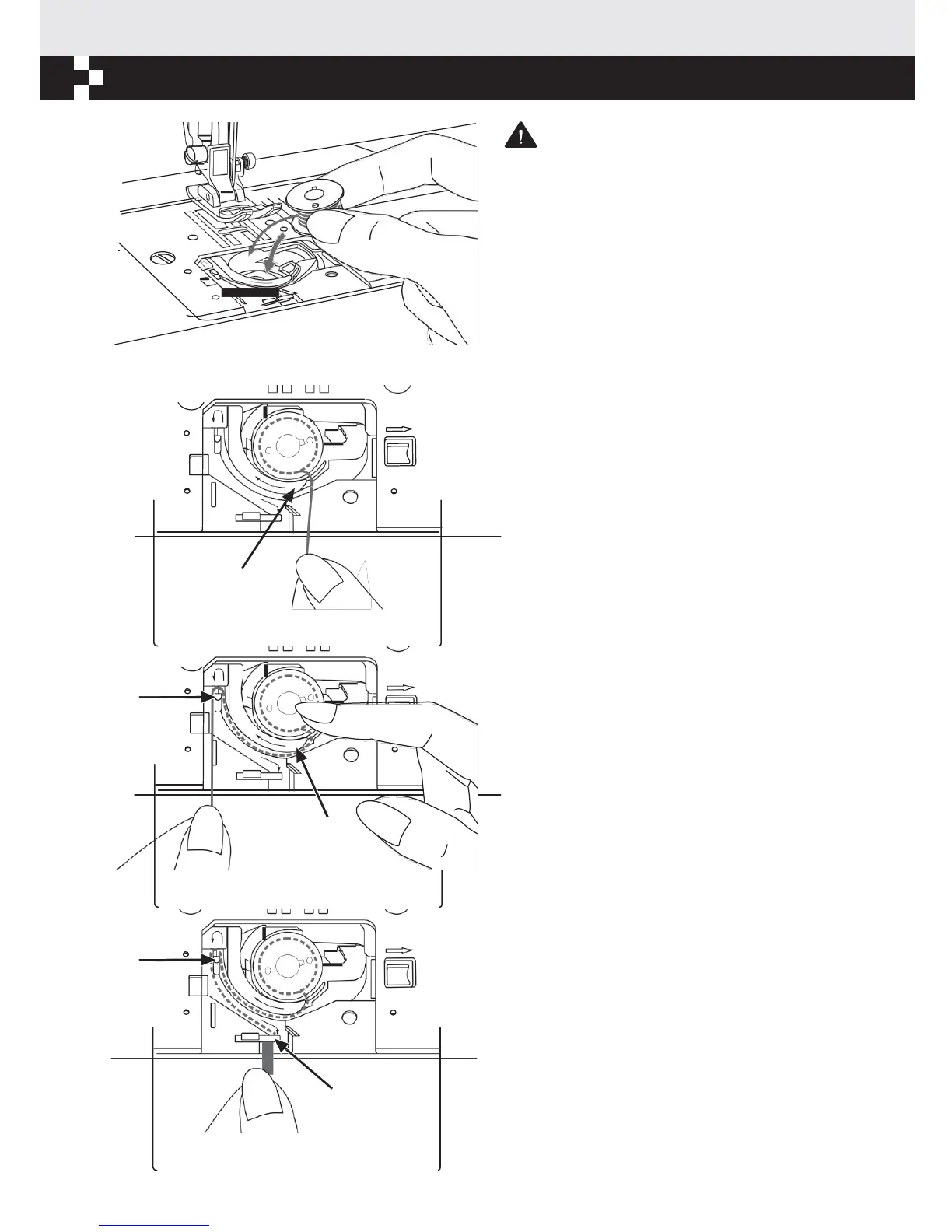
Insert the bobbin in the bobbin case with the
thread running in a counterclockwise direction
(arrow).
Pull the thread through the slit (A).
A
With a finger held gently on top of the bobbin.
Draw the thread at the arrow markings into the
B
stitch plate thread guide from (A) to (B).
A
Pull the thread at the arrow markings into the
stitch plate thread guide from (B) to (C).
B
To cut off excess thread, pull thread back over the
cutting off blade at point (C). Close the bobbin
cover plate.
C


 To Next Page