SETTING DELAY TIME
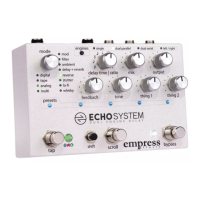
To change the delay time source, hold the shift button and
press the tap stompswitch.
DELAY TIME SOURCES
Local Tap (Tap LED shines Red): When the user taps in a tap
time, it gets scaled by the ratio knob, and is saved with the
preset.
Global Tap (Tap LED shines Blue): When the user taps in Global
Tap, it sets the global tap time. This Global Tap propagates to
any other modes running with Global Tap. If you load a new
preset that has Global Tap, it will use this time. Each preset and
engine applies its own ratio setting to the global tap time
making it easy to sync delays at musical ratios.
Knob (Tap LED shines Green): Turning the knob adjusts the
delay time from 20ms to 1.2s (in most modes).
MULTI-TAP
Multi-tap modes allow you to tap in a sequence of up to 5 taps.
The tap LED will blink the sequence tapped, with the ratio
applied, and then pause for 2 seconds. Multi-tap modes have
their own global tap.


 To Next Page