PRESETS
The Echosystem has two types of preset systems: the scrolling
preset system, and the bank preset system. Read about each
preset system to find which one will work best for you. Select
which preset system to use in Advanced Configuration.
SCROLLING PRESET SYSTEM
Preset Organization
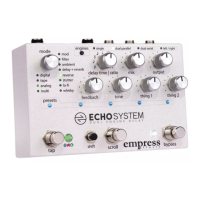
In Advanced Configuration you can select the number of
presets you wish to use. The presets are represented by a
series of five LEDs located just below the knobs. Press the scroll
stompswitch to scroll through the presets. The preset LEDs will
blink. When cycling through the presets, after every five
presets, the preset LED colors will change to another color to
indicate you're in the next bank and will start counting again
from left to right.
When cycling through the presets, after your final preset, all
the preset LEDs will flash very quickly. This represents the
manual preset. If you recall this preset, the Echosystem will get
its settings from the current knob positions. In the manual
preset, no preset LEDs are lit.
You can scroll backwards through the presets by pressing the
tap and scroll stompswitches simultaneously.


 To Next Page