FIRMWARE UPDATES
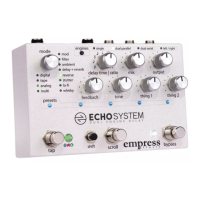
This pedal has firmware that can be updated with an SD card.
Performing A Firmware Update
1) download the firmware file off the website
www.empresseffects.com/echosystem-firmware
2) copy the file to the root directory of the SD card
(a high-capacity SD card that's been formatted FAT32)
3) insert the SD card then power on the pedal.
4) The preset LEDs should marquee yellow for a bit, then all
turn green when the update is complete.
5) remove SD card, cycle the pedal's power, and you're good!
SD Card Constraints
There should only be one partition on the SD card because the
pedal only looks at the first partition on the disk. SD card must
be V2 high speed. Nowadays this is the most common type.
Firmware Update Error Codes
The preset LEDs will blink to signal an error:
1. unusable card
2. V1 card
3. V2 standard card
4. unable to read disk
5. valid FAT volume not found on SD card.


 To Next Page