ADVANCED CONFIGURATION
The advanced configuration customizes how your pedal
operates. The options are listed in the table that follows.
Entering Advanced Configuration
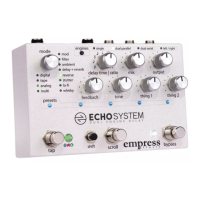
While holding down the tap and bypass stompswitches, press
the shift button. All the preset LEDs will blink yellow twice to
confirm you're in.
While in Advanced Configuration
Each mode LED represents a different configuration item you
can change. Look up the item you'd like to change from the
table on the right, then turn the mode knob to select it.
Turn the delay time knob to modify the value of the advanced
configuration setting. The preset LEDs will illuminate to show
you the current value. For example, if the blue digital mode LED
is lit and the 2nd preset LED is lit, you've configured the pedal
for buffered bypass operation.
Exiting Advanced Configuration
Hold down tap and bypass stompswitches while in advanced
configuration. Preset LEDs will blink yellow twice and the pedal
will reboot.


 To Next Page