4. Install the Printer
08
4.8 Install X-axis passive block
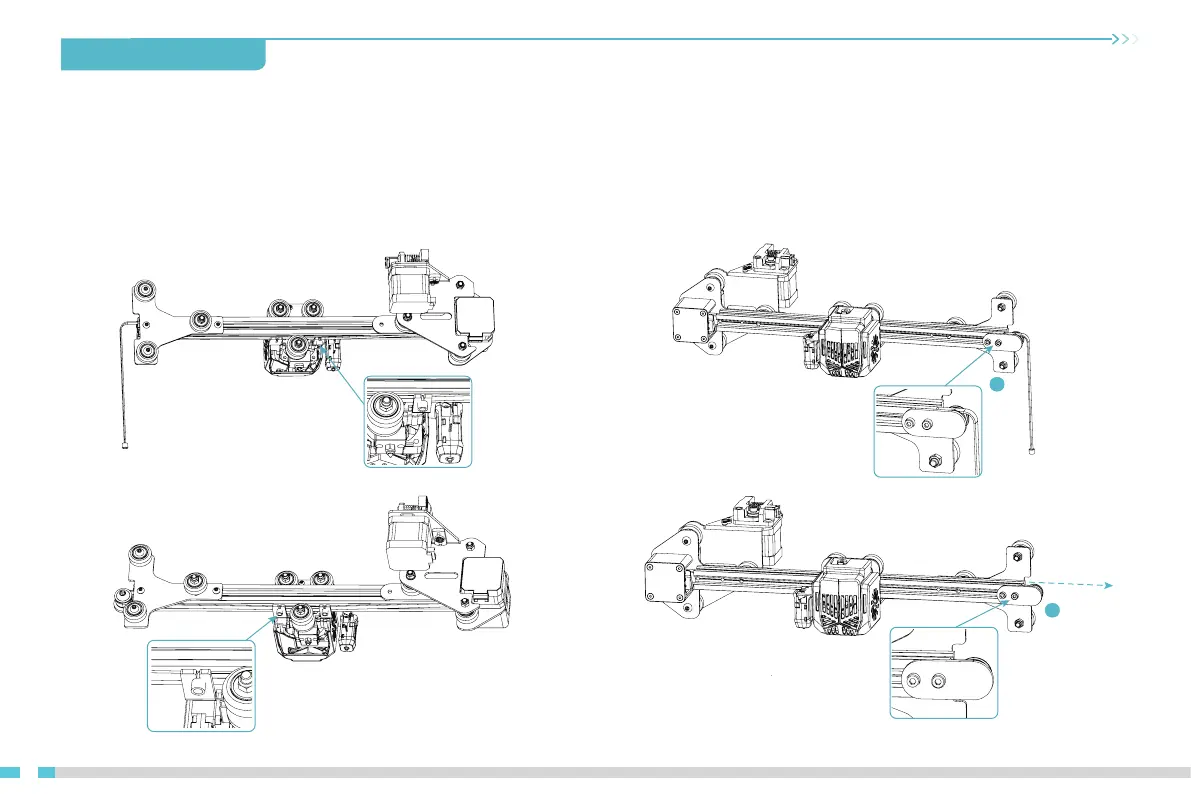
A. Snap the brass sleeve on the left side of the X-axis timing belt into the extruder back support plate.
B. Fix the X-axis passive block to the X-axis profile. (Be careful not to screw it down and make sure the X-axis passive block can slide along the X-axis profile.)
C. After winding the X-axis timing belt around the X-axis passive block, snap the brass sleeve at its right end into the extruder back support plate.
D. Push the X-axis passive block to the right to tension the X-axis timing belt to the same state as the Y-axis timing belt, then tighten the set screw on the
X-axis passive block.
StepA StepB
StepC StepD
Push to the right and
tighten the retaining
screws
27
27


 To Next Page