Digital Video Recorder
55
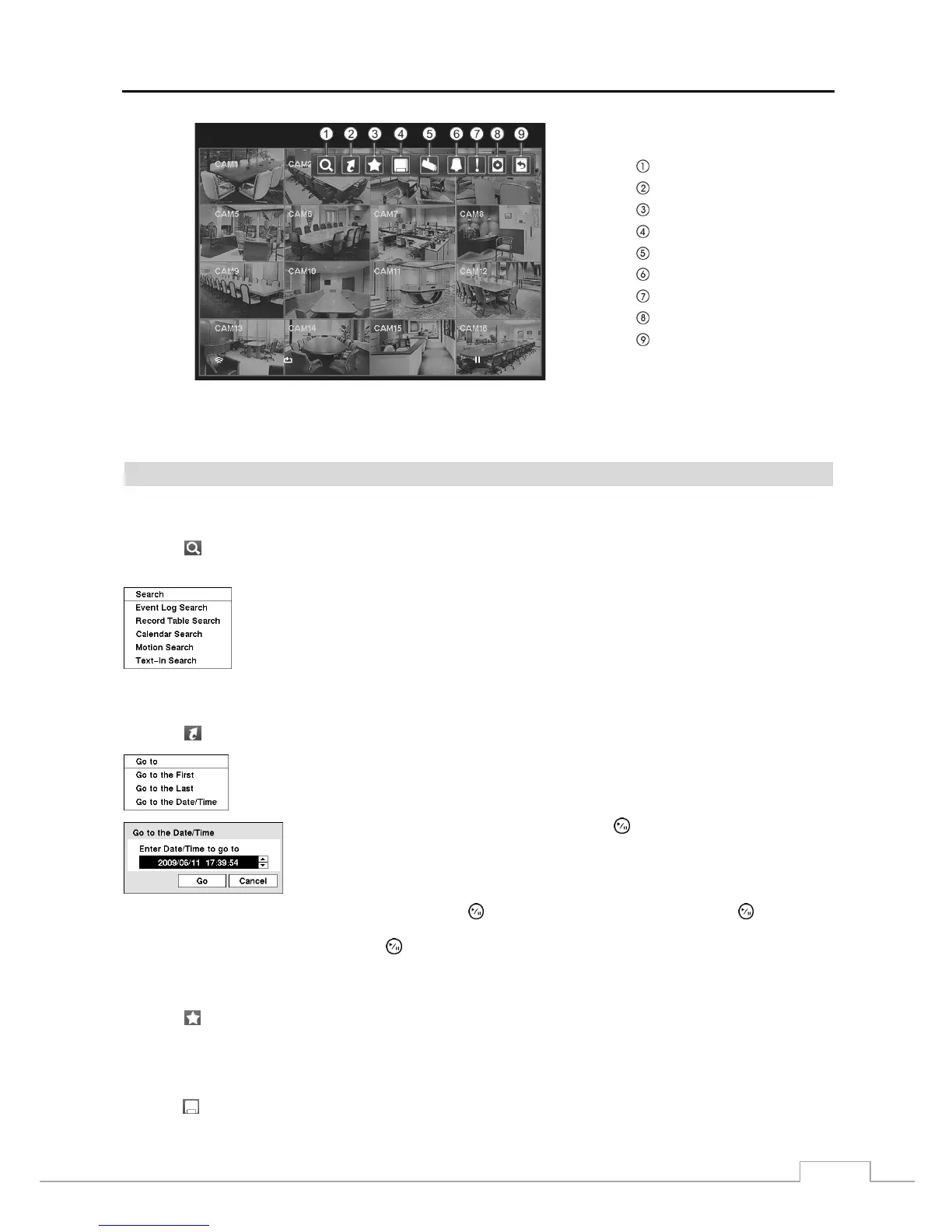
Search
Go To
Bookmark
Export
Camera Menu
Alarm Reset
Panic
Data Source
Exit
Figure 72 — Search menu.
NOTE: The Search menu also can be displayed by moving the mouse pointer to the top of the screen.
Search Menu
Search
Selecting
(Search) in the Search menu displays the following Search menu. See the following Event Log Search,
Record Table Search, Calendar Search, Motion Search and Text-In Search sections for details.
Event Log Search: Selecting Event Log Search selects video from the event log.
Record Table Search: Selecting Record Table Search selects using a recording table.
Calendar Search: Selecting Calendar Search selects using a calendar.
Motion Search: Selecting Motion Search selects motion events.
Text-In Search: Selecting Text-In Search selects text input strings.
Go To
Selecting
(Go To) in the Search menu displays the following Go to menu.
Go to the First: Selecting Go to the First displays the first recorded image.
Go to the Last: Selecting Go to the Last displays the last recorded image.
Go to the Date/Time: Selecting Go to the Date/Time displays the Go to the Date/Time screen.
Move the cursor over the date and time and press the (Play/Pause) button. You can use
the Left and Right arrow buttons to highlight the year, month, day, hours, minutes and
seconds. Use the Up and Down arrow buttons to change to the date and time you want
to search for video.
Once you have set the date and time you want, press the button. Then highlight Go and press the button. The
selected date and time will display. (If no video was recorded during the selected time, a message appears alerting you
that no image was recorded at that time.) The
button and arrow buttons can now be used to review the surrounding video.
Bookmark
Selecting
(Bookmark) in the Search menu adds the current playback point to the bookmark list. See the following
Bookmarks section for details.
Export
Selecting
(Export) in the Search menu displays the following Export menu. See the following Clip Copy and Print
sections for details.



 To Next Page