Digital Video Recorder
71
You can search overlapping video streams by selecting a specific time or time range. If you want to search recorded
video at four o’clock during the overlapping time range using a search menu such as Go to the Date/Time, select the
segment you want to search.
If you want to search recorded video from four to five o’clock during the overlapping time range using a search menu
such as Event Log Search, Text-In Search or Motion Search, it is possible for the DVR to have two overlapping
start and stop times. You will be asked to select one of the overlapping start and stop times from the search time ranges
as follows:
From four o’clock of the first segment to five o’clock of the first segment
From four o’clock of the first segment to five o’clock of the second segment
From four o’clock of the second segment to five o’clock of the second segment
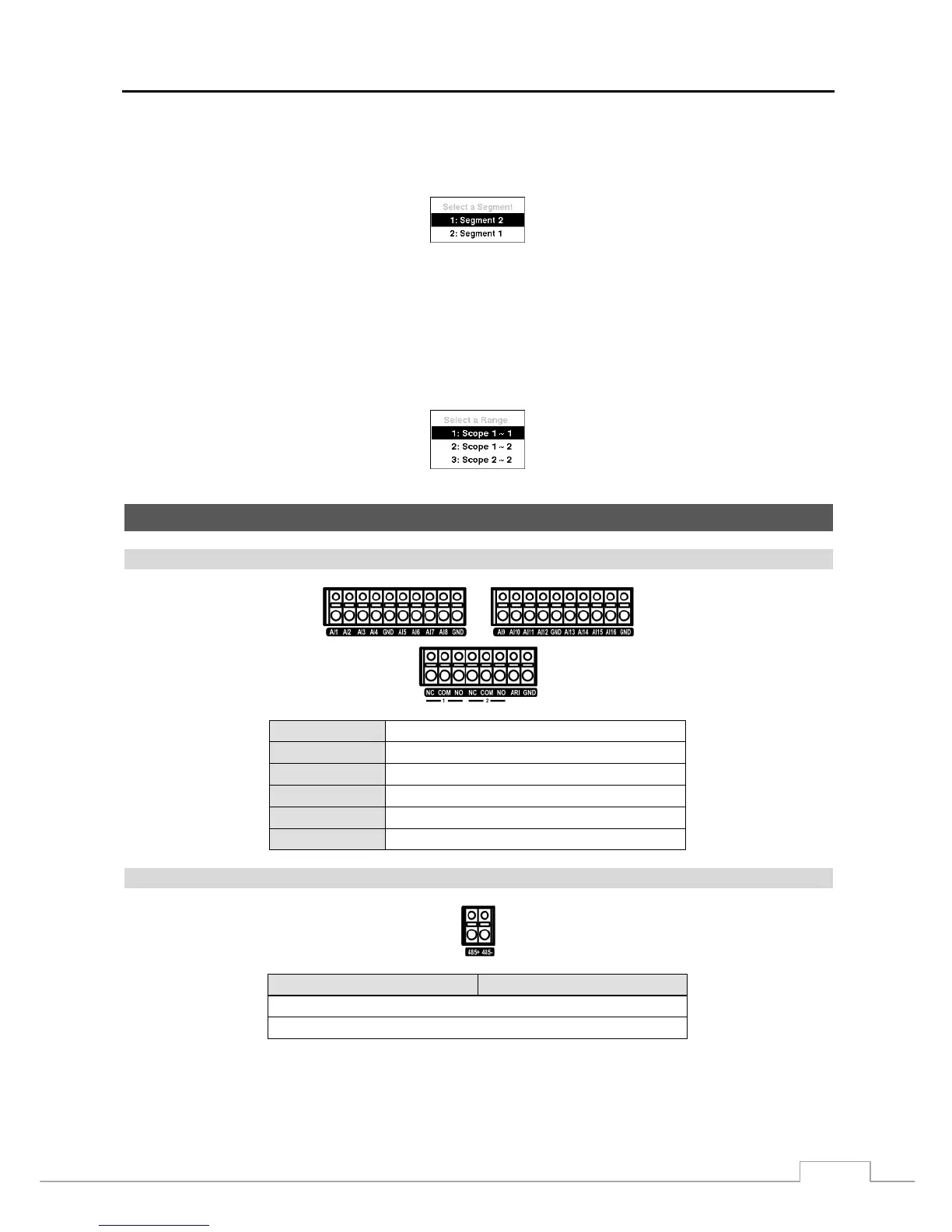
Connector Pin Outs
I/O Connector Pin Outs
AI (1 to 16)
Alarm Inputs 1 to 16
GND
Chassis Ground (6 connectors)
NC
Relay Alarm Output (Normally Closed)
COM
Relay Common
NO
Relay Alarm Output (Normally Open)
ARI
Alarm Reset In
RS485 Connector Pin Outs
Master Unit Slave Unit
+
To
TX+/ RX+
− To TX-/ RX-



 To Next Page