15
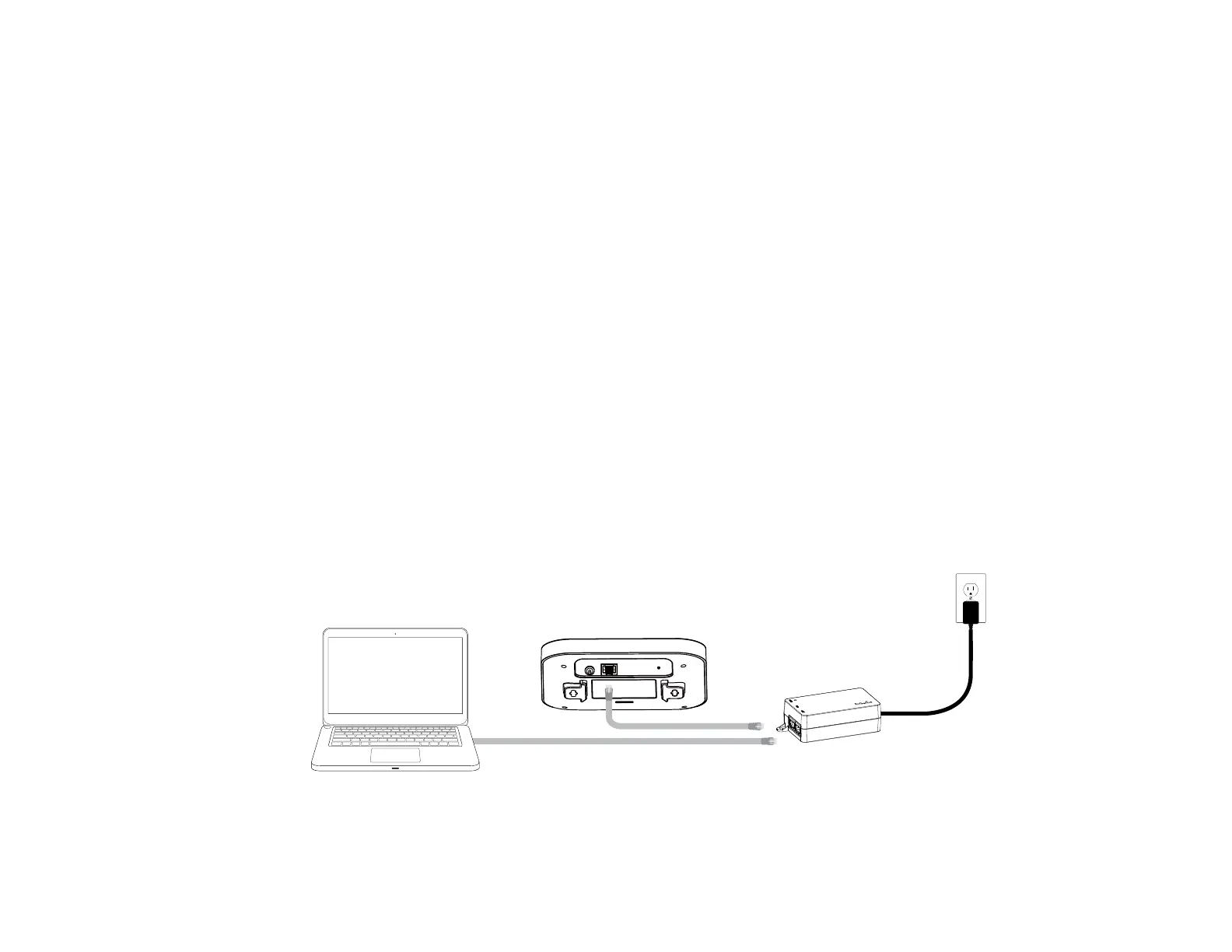
1. Connect one end of the Ethernet cable into the LAN port
of the Access Point and the other end to the Ethernet
port on the computer.
2. Connect a Power cord with the PoE Adapter and plug
the other end into an electrical outlet.
3. Connect the second Ethernet cable into the LAN port of
this PoE Adapter and the other end to the Ethernet port
on the computer.
Note1: The Access Point can be powered by 802.3af/at
PoE(PoweroverEthernet).Youcanconsidertoadopt
EnGenius EPA5006GP or EPA5006GAT for powering up
your11axdevice.
Note2:ThisdeviceshouldbedrivenbyIEEE802.3at.
Hardware Installation
1
2
3















 To Next Page