38
Wireless Advanced
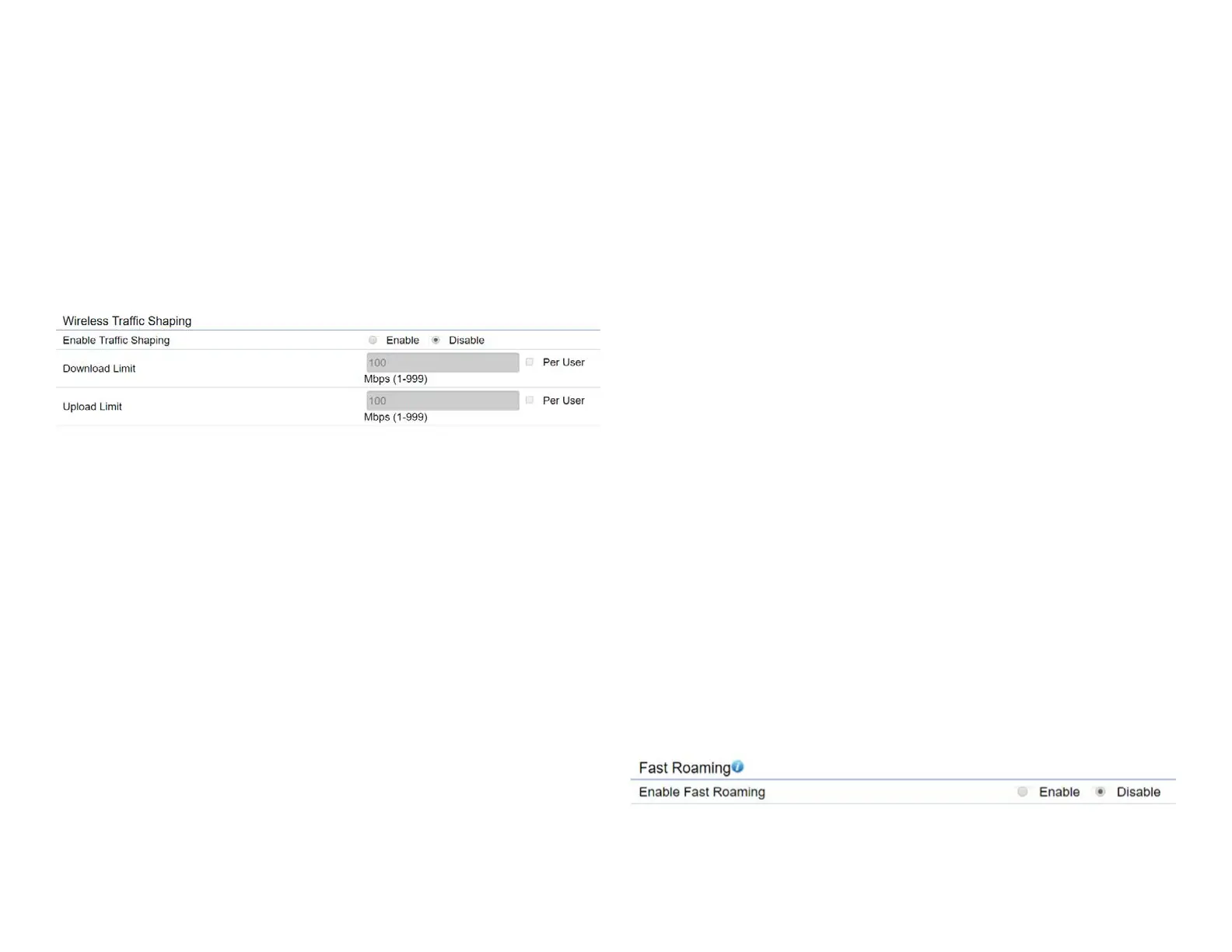
Wireless Trafc Shaping
Trafc shaping regulates the ow of packets leaving an
interfacetodeliverimprovedQualityofService.
Enable Trafc Shaping:Defaultisdisable.Youmaycheck
thisoptiontoenableWirelessTrafcShapingperSSID.
Download Limit: Speciesthewirelesstransmissionspeed
used for downloading.
Upload Limit: Species the wireless transmission speed
used for uploading.
Per User: Check this option to enable wireless trafc
shaping per user function. This function allow users to limit
themaximumdownload/uploadbandwidthforeachclient
devices on this SSID.
Save: Click Savetoconrmthechanges.
Fast Roaming
Enable the function to serve mobile client devices that roam
from Access Point to Access Point. Some applications running
on Client devices require fast re-association when they roam
to a different Access Point
Please enter the settings of the SSID and initialize the Security
mode to WPA enterprise, as well as to set the Radius Server
rstly.UserscanenabletheFastRoamingandimplementthe
advanced search.
Please also set the same enterprise Encryption under
the same SSID on other Access Points and enable the
Fast Roaming. When the conguration is realized on
different Access Point, the mobile client devices can run
the voice service and require seamless roaming to prevent
delay in conversation from Access Point to Access Point.















 To Next Page