32
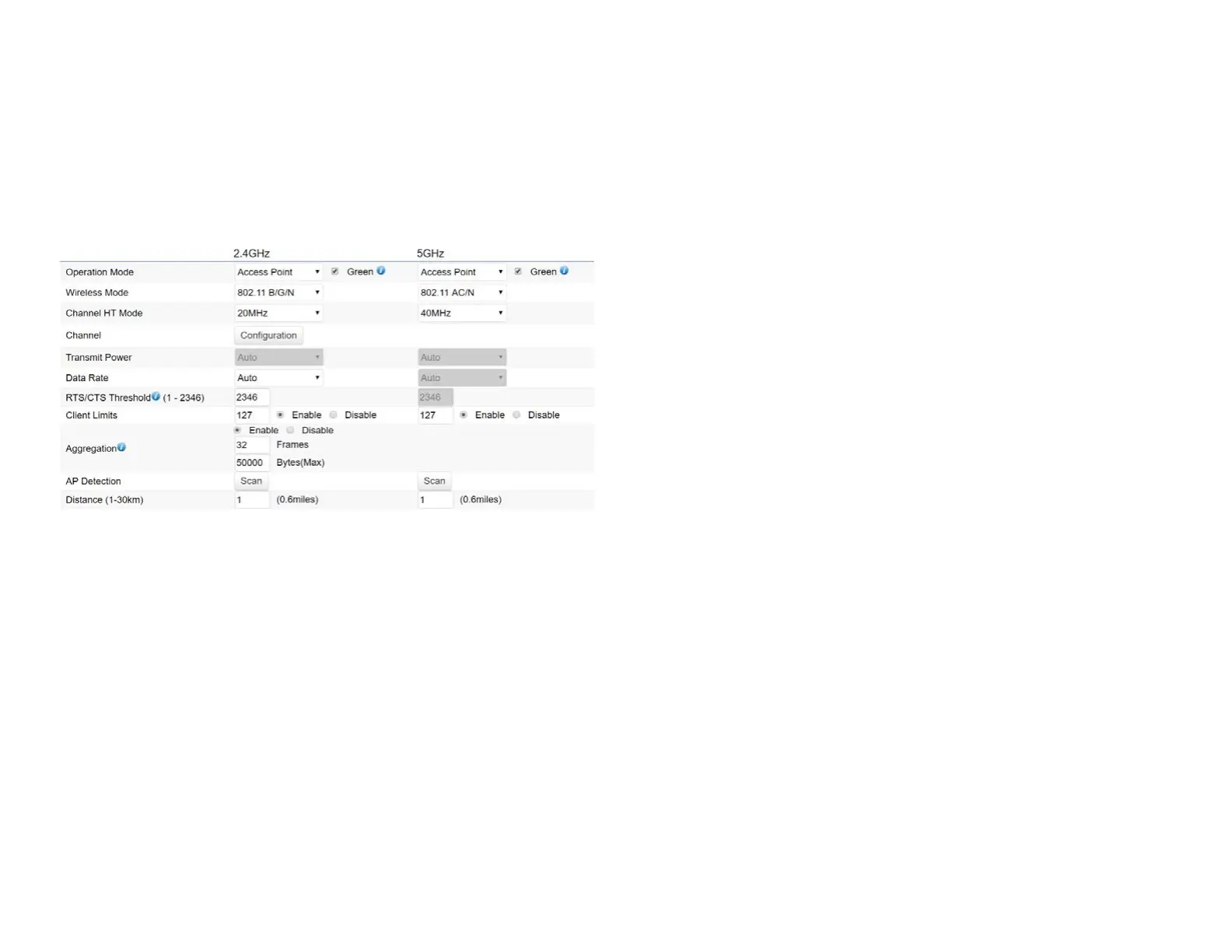
This page displays the current status of the Wireless
settings of this AP.
2.4 GHz/5 GHz Wireless Network
Operation Mode: EWS4x4devicessupportAccess Point
currently.
Wireless Mode: Scrow down this list to select wireless
broadcasting standard on 2.4GHz and 5GHz frequency
bands.
Channel HT Mode: Scrow down this list to select bandwidth
for operating under a frequency band. The default channel
bandwidth is 20 MHz on 2.4GHz frequency radio and 40
MHz on 5GHz frequency radio. Considering the different
applications, users can decide to implement a channel
bandwidthtofulllrealapplications.Thelargerthechannel,
the greater the transmission quality and speed.
Transmit Power (Tx Power):DefaultTxpowerisAuto
to obey regulartory power of each country.
Channel: Click Configuration button to open a new
windows to configure channels for performing wireless
service.
*Default conguration: Default setting of channel
selection is “All” to perform auto channel on the exist
channel list.
*None:Click“None”todisablethesettingonthisradio.
This radio is disabled.
*Group Conguration:Clickspecicgroupsofchannels
forperformingautochannelfunction.Forexample,users
canclickU-NII-1andU-NII-3toperformautochannelon
these bands; the mechanism of this AP will select the
relatively optimal channel to peform wireless service.
Data Rate: Select a data rate from the drop-down list. The
data rate affects throughput of data in the AP. Select the















 To Next Page