34
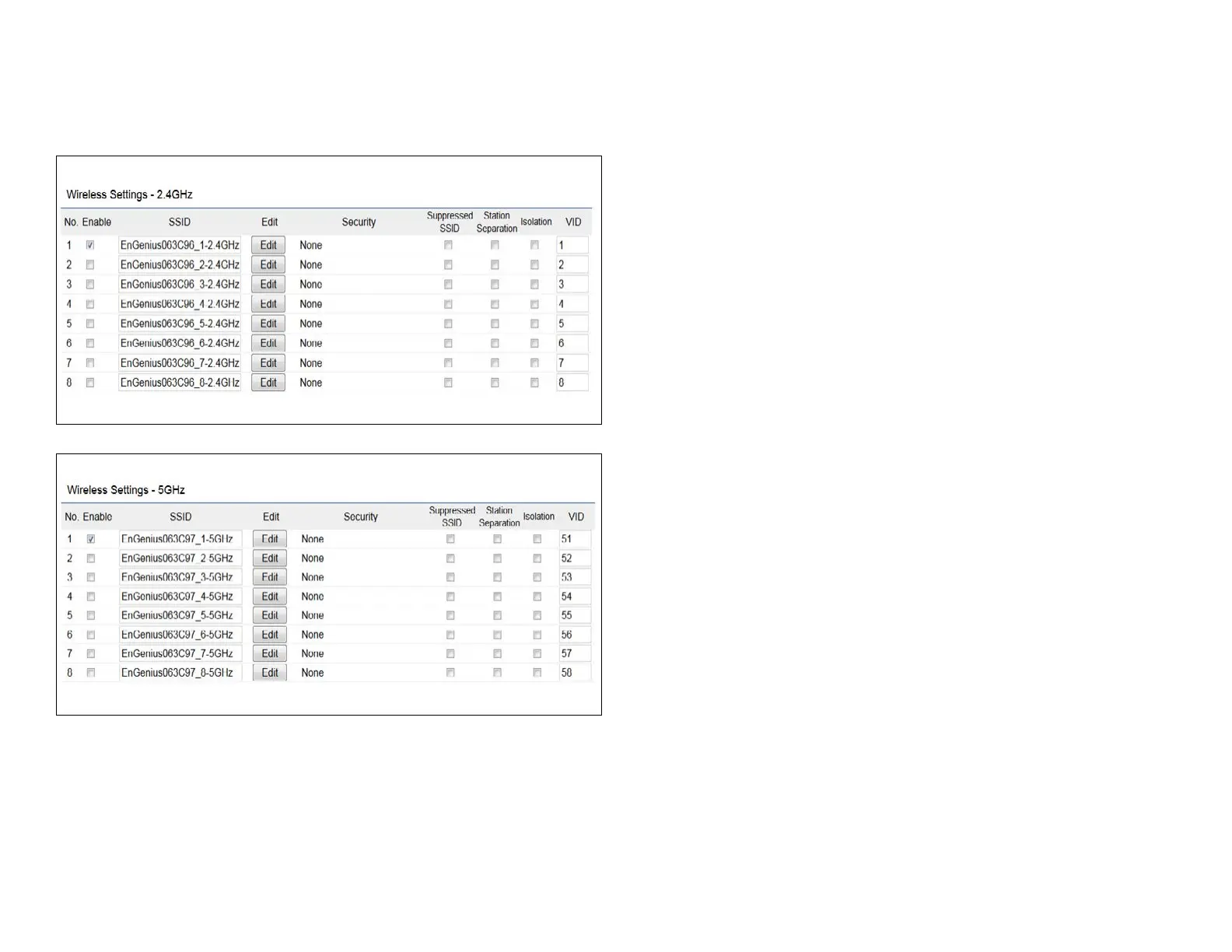
2.4 GHz/5 GHz SSID Prole
Current Prole: You can congure up to sixteen (16)
different SSIDs (eight (8) per band). If multiple client
devices will be accessing the network, you can arrange the
devices into SSID groups. Click Edittoconguretheprole
andcheckwhetheryouwanttoenableextraSSID.
SSID:SpeciestheSSIDforthecurrentprole.
Suppressed SSID: Check this option to hide the SSID from
clients. If checked, the SSID will not appear in the site survey.
Station Separation: Click the appropriate radio button to
allow or prevent communication between client devices.
VID:SpeciestheVLANtagforeachprole.Ifyournetowrk
includes VLANs, you can specify a VLAN ID for packets pass
through the Access Point with a tag.
Wireless Security: See the Wireless Security section.
Isolation: Restrict clients communicating with different
VIDs by selecting the radio button.
Save: Click Save to accept the changes.















 To Next Page